Export search results to CSV
Managers can export document search results to CSV format for further analysis and record-keeping. The downloaded file will include Document ID A unique identifier assigned to each Panviva document for version tracking and linking., Document Name, and Folder information.
To download your search results:
-
Select the Manager An administrative role responsible for managing workflows, feedback, and document assignments. icon.
The Document Management window displays.
-
In the Search bar at the top of the page, enter your search query.
-
Click Search
 or press Enter.
 -
Click the Export to CSV icon in the search results table header.
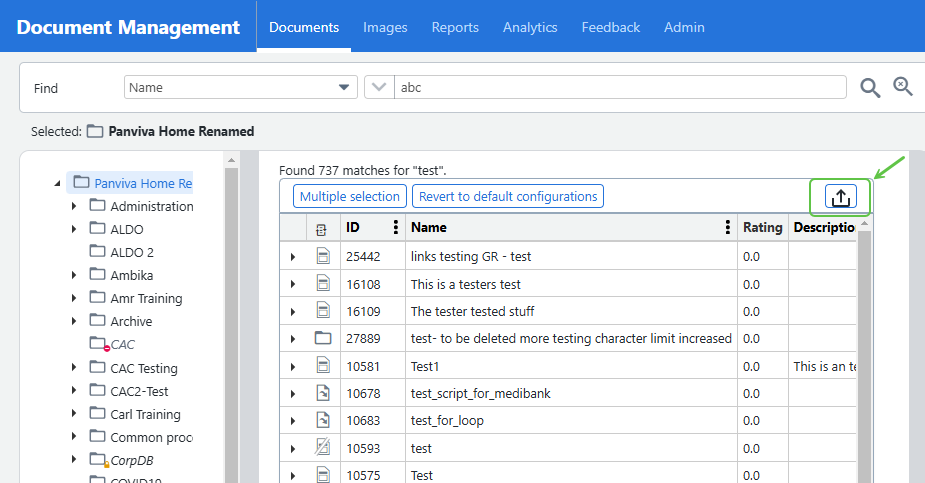
The system will initiate CSV file download through your browser.
Note:
- If you search for contract templates, the downloaded file will be named contract-templates.csv.
- Larger result sets may take longer to download.