WebApps Administration Help Desk History Export
Users with limited administrative rights can export Help Desk History details to a CSV file for analysis and reporting purposes by using
Using WebApps Administration Help Desk History Export
Use the Export button on the Help Desk > History toolbar to export data details to a CSV file.
To export to a CSV file
-
Open
-
Select Administration.
-
Select Help Desk.
-
Select History.
-
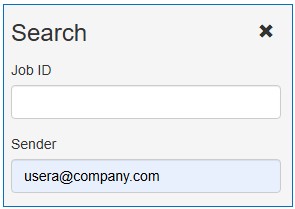
Search and filter the History details for the export if necessary.
Note: All details are exported if you do not filter the History folder. You can also select specific rows/details in the table you want to export. Both methods are acceptable, search or by mouse selection.
See the Search by Sender example below.
-
Select the Export button on the toolbar. The Export button automatically generates the CSV file.
-
Download the CSV file.
See the CSV Notepad example below.
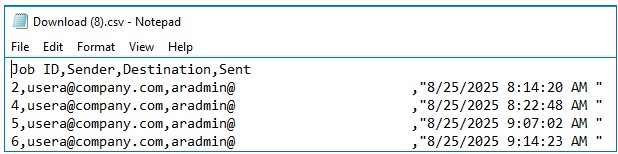
Note: The CSV file shows the Job ID, Sender, Destination Email Address and Date/Time Sent column headings and details. Some of the data in this example has been intentionally obscured.