Use the Accessibility Checker
To run the Accessibility checker:
-
Open your email in Email Designer.
-
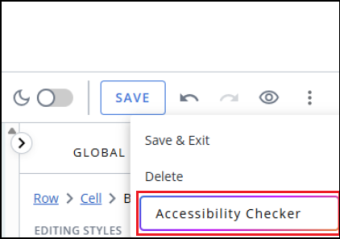
In the top toolbar, Select the kebab menu (
 ).
). -
Select Accessibility Checker.
-
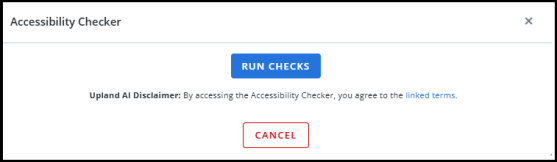
The Accessibility checker dialog opens.
-
Click RUN CHECKS to start the check and view the results.
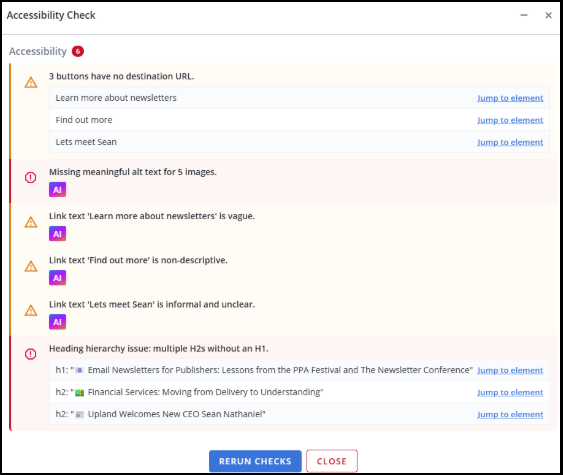
You can now check the results and jump to element to resolve any issues.
-
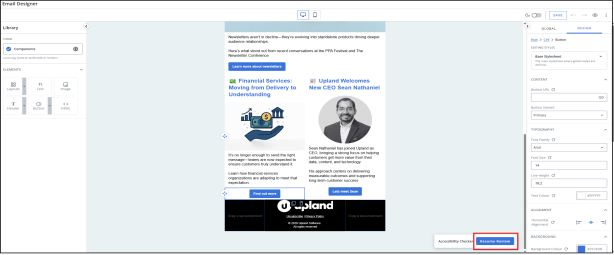
Click Jump to element to minimise the modal and make your changes.
-
Select Resume Review to continue with resolving identified issues.
-
Once you have resolved all issues, click RERUN CHECKS.
Ensure that all accessibility issues identified by the checks have been addressed.
-
Click CLOSE.