Home Page
The home page displays when you open Analytics. It contains your most frequently used reports and dashboards and your favorites list.
When you have a report or dashboard open, press the Analytics Home button (three bar icon  ) to return to the home page.
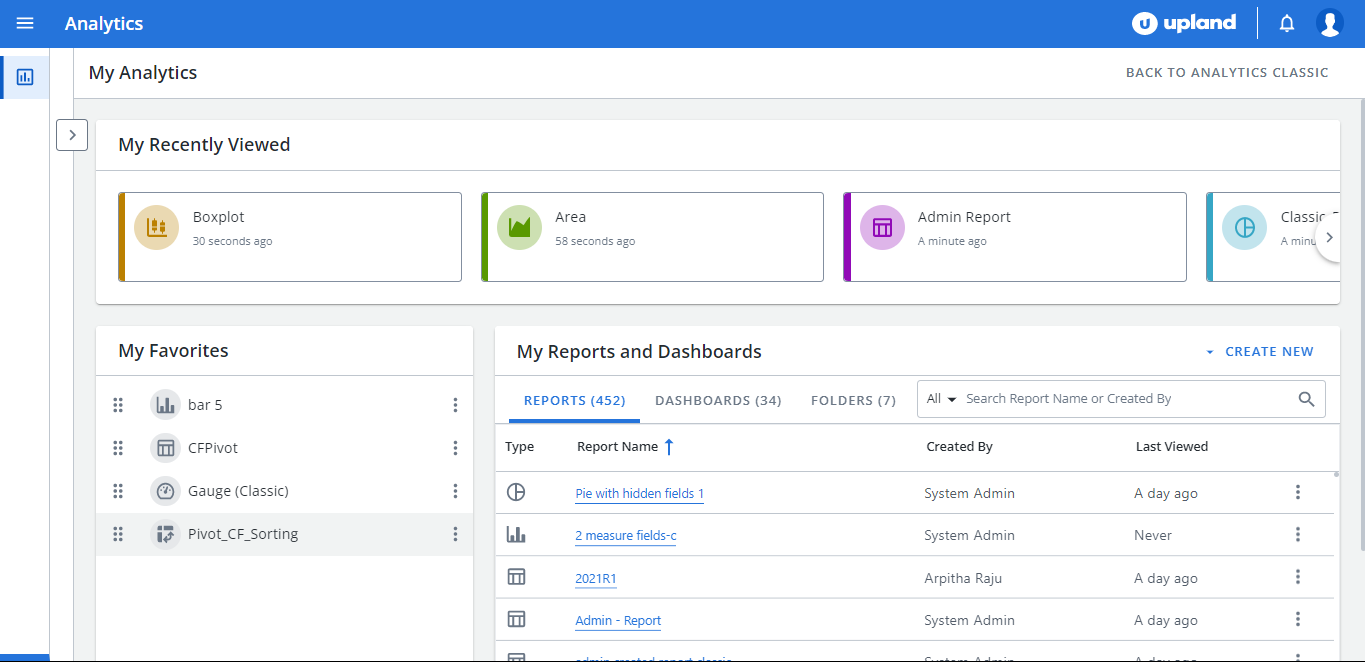
The following areas are available on your home page:
| My Recently Viewed |
The My Recently Viewed area displays your last eight recently viewed reports and dashboards. Click the box to open the item. |
| My Favorites |
The My Favorites list contains all of the reports and dashboards that you added as a favorite.
To move an item, do one of the following: To see how to drag and drop an item, click to play. |
| My Reports and Dashboards |
The My Reports and Dashboards area contains all of the reports, dashboards and folders that you have access to.
Select the item to open it or open the See More menu
Navigation Select one of the tabs at the top to narrow your view down to one of the following:
The number of available items display in parenthesis. You can also use search criteria and sort the contents of columns. To sort a column:
Alternatively:
TIp: if you can't find a report or dashboard that you are looking for, contact the Report Editor or Administrator. |
 and select
  and drag it and drop it to the desired location.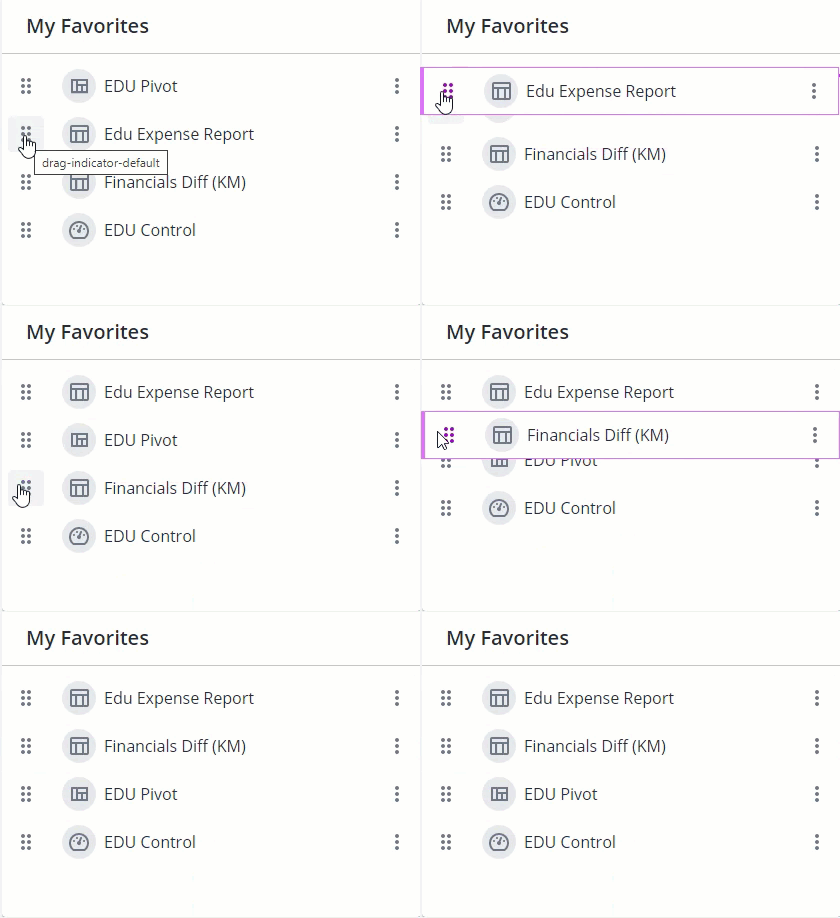
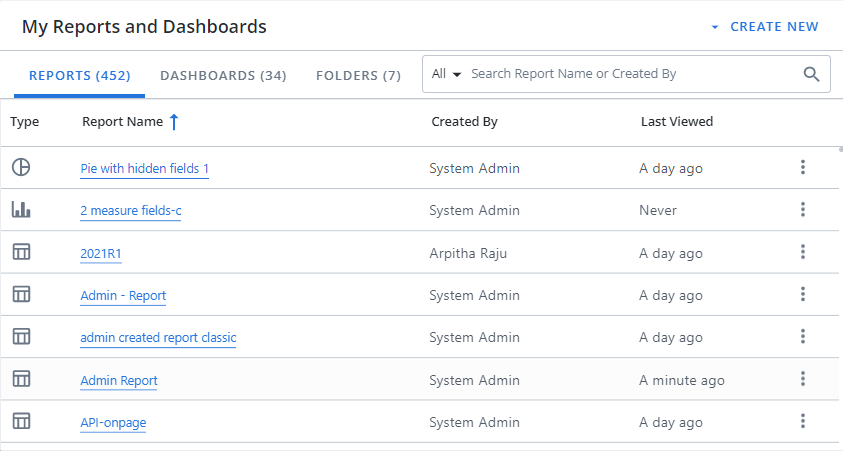
 (ascending) or the down arrow
  (descending).