Embedded Views
In addition to running as a stand alone app, some Upland apps may incorporate Upland Analytics as an integrated feature within the product, e.g. as an embedded view within Upland PSA.
There are three modes available for embedded Analytics: Slim, Compact, and Full Embed.
Note: the decision on how Analytics is embedded is made by the integrating app and cannot be changed by the Analytics team. For more information consult with your app's Customer Success Manager.
Stand alone
The Stand Alone mode provides the full Upland Analytics experience in its own browser or tab using primary UA navigation.
This is the version primarily covered within this help documentation when referencing navigation.
Full embed
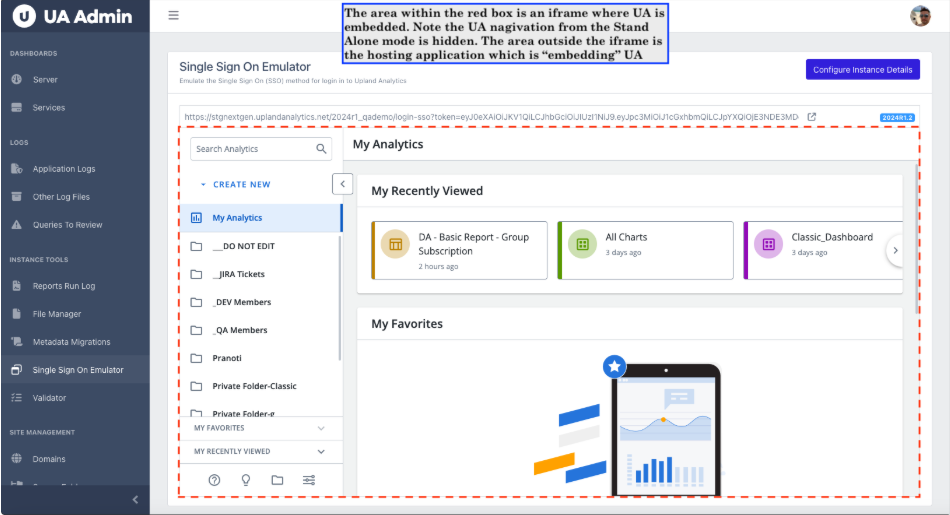
The Full Embed mode is intended for making available all UA functionality within the hosting application. The primary UA navigation displayed in the Stand Alone mode is automatically hidden from display when UA is embedded within an iframe.
Compact
The Compact mode provides Report and Dashboard level functions, allowing you to interact with a report within the hosting application, e.g. downloading, printing, filtering, and drilling down.
The limited navigation of the Compact mode restricts access to the full range of reports, settings or administrative functions.
Slim
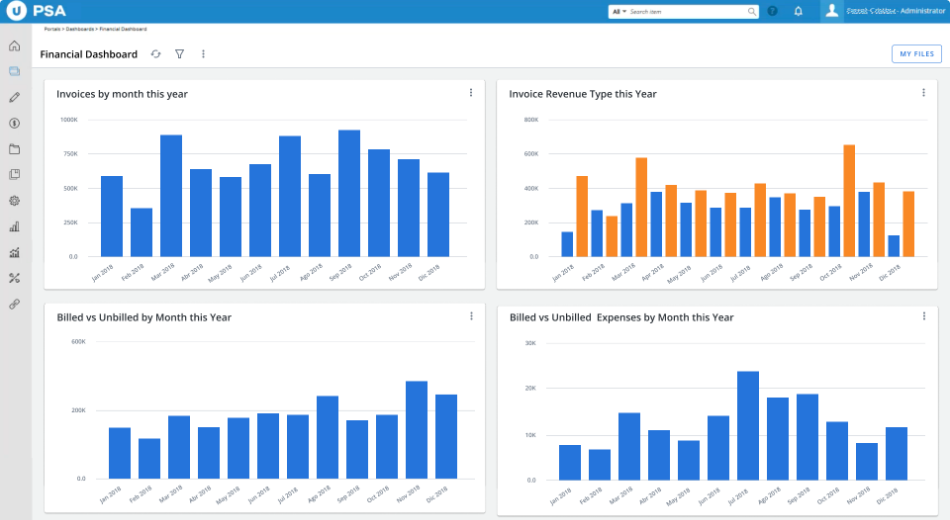
The Slim mode is a read-only integration for displaying UA reports or dashboards in an iframe within the host application.
All UA features are disabled in this mode.