| Report Type |
Report Settings |
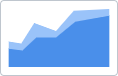
| Area
|
-
Format: Configure the numbers and week format.
-
Invert Axis: Display the x-axis on the left and the y-axis on the bottom.
-
Legend: Display the legend and configure the settings.
-
Stack Type: Select the type of stack.
-
Totals: Display totals.
-
Y-Axis: Display the symbols in lines, configure the maximum and minimum percentage, and merge the axis.
|
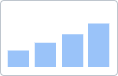
| Bar
|
-
Cumulative Data: Display the cumulative amount.
-
Format: Configure the numbers and week format.
-
Grid: Display the grid and select the line type.
-
Legend: Display the legend and configure the settings.
-
Ranking: Enable and configure the ranking criteria for the report.
-
Series Display: Format the display of the series.
-
Sorting: Select the sort order of the data.
-
Totals: Display totals.
-
X-Axis: Configure the distance between bars, display or hide horizontal bars, display and configure values on the bars, and allow the labels to truncate.
-
Y-Axis: Configure the maximum and minimum percentage of the axis.
|
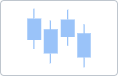
| Box Plot
|
|
| Bubble
|
-
Format: Configure the numbers and week format.
-
Legend: Display the legend and configure the settings.
-
Overrides: Change the series names and colors.
-
Ranking: Enable and configure the ranking criteria for the report.
|
| Control
|
-
Format: Configure the numbers and week format.
-
Grid: Display the grid and select the line type.
-
Invert Axis: Display the x-axis on the left and the y-axis on the bottom.
-
Legend: Display the legend and configure the settings.
-
Overrides: Change the series names and colors.
-
Sorting: Select the sort order of the data.
|
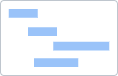
| Gantt
|
None |
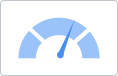
| Gauge
|
-
Color Indicator: Select the color and range condition for the gauge indicator.
-
Format: Configure the numbers and week format.
-
Labels: Add one or two labels to the gauge.
|
| KPI
|
|
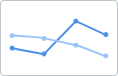
| Line
|
-
Format: Configure the numbers and week format.
-
Grid: Display the grid and select the line type.
-
Invert Axis: Display the x-axis on the left and the y-axis on the bottom.
-
Legend: Display the legend and configure the settings.
-
Line: Configure the line overlay.
-
Overrides: Change the series names and colors.
-
Sorting: Select the sort order of the data.
-
Totals: Display totals.
-
Y-Axis: Configure the maximum and minimum percentage of the axis.
|
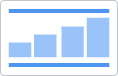
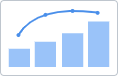
| Pareto
|
-
Format: Configure the numbers and week format.
-
Legend: Display the legend and configure the settings.
-
Ranking: Enable and configure the ranking criteria for the report.
-
Totals: Display totals.
-
X-Axis: Display and configure values on the bars and allow the labels to truncate.
|
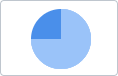
| Pie
|
-
Explode: Separate and configure the slices of the pie.
-
Format: Configure the numbers and week format.
-
Labels: Add a label to the chart and configure the number type on the tooltip.
-
Legend: Display the legend and configure the settings.
-
Overrides: Change the series names and colors.
-
Ranking: Enable and configure the ranking criteria for the report.
-
Totals: Display totals.
|
| Pivot
|
-
Column Display: Select the columns to display on the table.
-
Column Width: Select the parameters that will determine the column width.
-
Format: Configure the numbers and week format.
-
Group Columns: Enable column grouping.
-
Ranking: Enable and configure the ranking criteria for the report.
-
Rows per Page: Select the number of rows to display per page.
-
Totals and Subtotals: Display the total and/or subtotal columns and rename and change the color of the column.
|
| Radar
|
-
Connect Ends: Enable outer connecting lines.
-
Format: Configure the numbers and week format.
-
Grid: Display the grid and select the line type.
-
Legend: Display the legend and configure the settings.
-
Ranking: Enable and configure the ranking criteria for the report.
-
Shape: Select the shape of the chart.
-
Totals: Display totals.
|
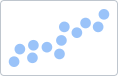
| Scatter
|
-
Format: Configure the numbers and week format.
-
Labels: Display the label and configure the alignment.
-
Ranking: Enable and configure the ranking criteria for the report.
|
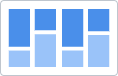
| Stacked-Bar
|
-
Format: Configure the numbers and week format.
-
Grid: Display the grid and select the line type.
-
Legend: Display the legend and configure the settings.
-
Series Display: Override the series names and colors, merge axis, etc.
-
Sorting: Select the sort order of the data.
-
Stack Type: Select the type of stack.
-
Totals: Display totals.
-
X-Axis: Display and configure values on the bars and allow the labels to truncate.
|
| Sunburst
|
|
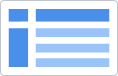
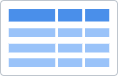
| Table
|
-
Column Display: Select the columns to display on the table.
-
Column Width: Select the parameters that will determine the column width.
-
Format: Configure the numbers and week format.
-
Ranking: Enable and configure the ranking criteria for the report.
-
Rows per Page: Select the number of rows to display per page.
-
Totals and Subtotals: Display the total and/or subtotal columns and rename and change the color of the column.
|
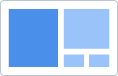
| Treemap
|
-
Conditional Formatting: Set the conditions for the colors of the rectangles.
-
Format: Configure the numbers and week format.
-
Ranking: Enable and configure the ranking criteria for the report.
|
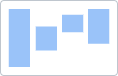
| Waterfall
|
-
Conditional Formatting: Set the color for positive, intermediate and negative values.
-
Format: Configure the numbers and week format.
-
Grid: Display the grid and select the line type.
-
Legend: Display the legend and configure the settings.
-
Overrides: Change the series names and colors.
-
Sorting: Select the sort order of the data.
-
Total Column: Display the total column and rename and configure the color of the column.
-
X-Axis: Display and configure values on the bars and allow the labels to truncate.
-
Y-Axis: Configure the maximum and minimum percentage of the axis.
|