How to Configure the Egnyte Connector
About Configuration
- To configure the connector requires the connector's "Web service URL."
- This URL can be acquired from IIS
- A new web service connection is created and set up in ConnectivityHub
- Requires the private key and token discussed in the topic "Authenticate the Connector with Egnyte"
- Security configuration requires a Domain account with sufficient privileges
- Setting the crawl rate requires editing the file web.config in the root SmartHub installation directory
Acquire the Egnyte Connector Web Service URL
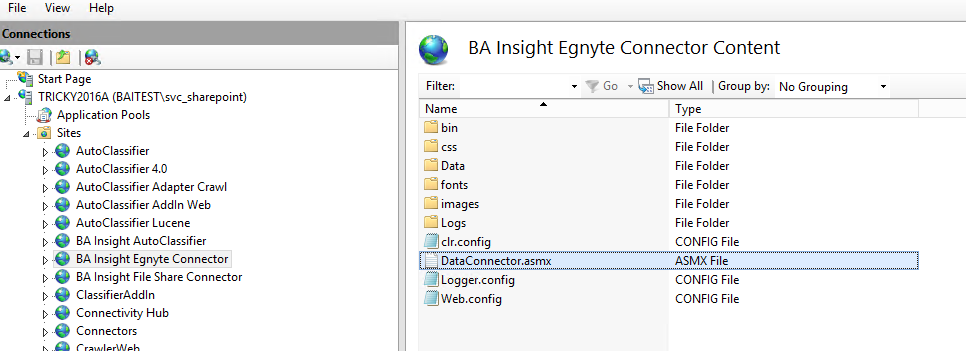
- Navigate to IIS on the machine that hosts your BA Insight connectors.
- Expand "Sites."
- Select your Egnyte connector.
- Right-click the file "DataConnector.asmx" and selectBrowsefrom the sub-menu.
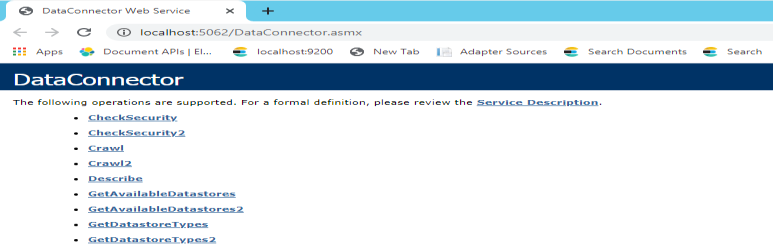
- The connector web page opens. The browser address is theWeb service URL.
- Copy this URL. See the image below.
Create a New Web Service Connection
- Launch BA Insight ConnectivityHub, and click theConnectionslink from the top navigation.
- ClickNew > Web service connection.
- TheEdit WebService Connectionpage appears.
- Paste the web service URL into the web service URL field, and click the Connect button to connect to the web service.
- Enter the connectionTitle.
- Click Save.
Configure General Settings
- Click theGeneral Settingstab.
-
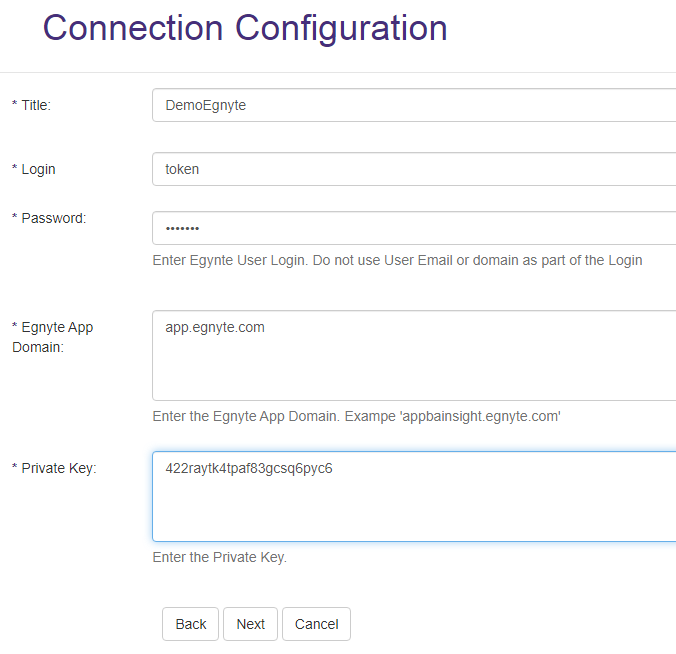
In the Login User field enter "token" as the value.
-
In the User Password field enter the token received during the Authorization process.
- If you leave theMax concurrent requestsfield blank, the default value applies. Use this entry to control performance.
-
Enter theEgnyte App Domain.
- Enter the EgnytePrivate Key.
This Private Key is generated when the Egnyte application is initially provisioned.
Set the Security Domain Account
-
Select theSecuritytab.
-
Enter a valid domain account (in the formatdomain\username) in theContent ownerfield.
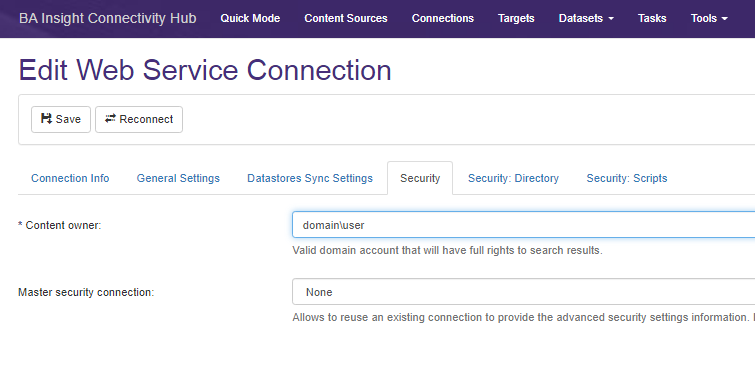
TheContent ownerdomain account, is granted access to all content within the search index.
QPS and Crawl Rate
-
The QPS rate is stored in the web.config file at the root level of the connector installation directory and can be modified there (the default is 2).
-
The expected crawl speed of the connecter is roughly 2k docs per hour for a QPS rate of 10.