Documentum OTDS oAuth
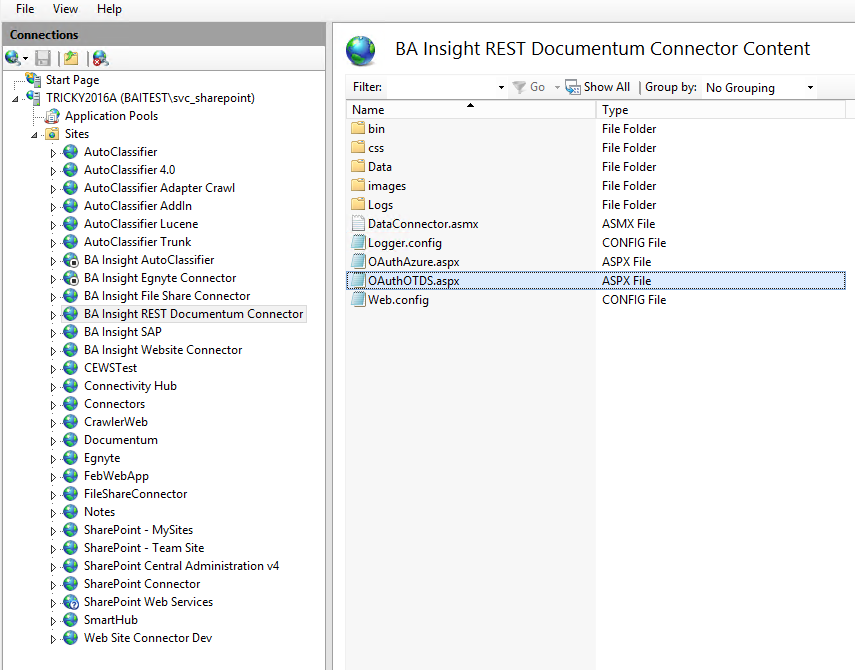
- From the Documentum Connector web site browse to the page OAuthOTDS.aspx.
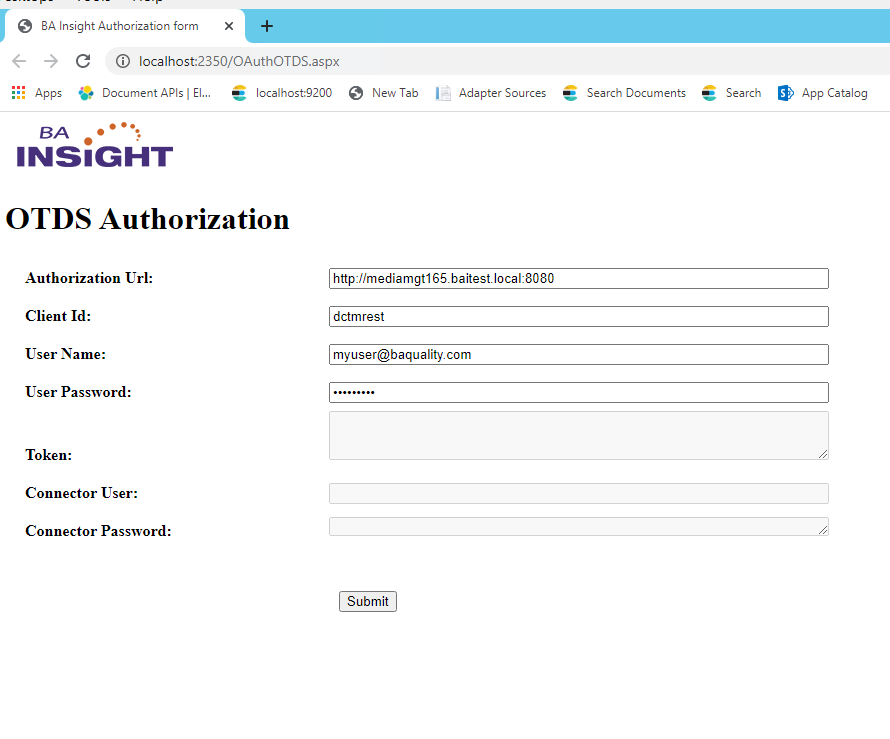
- Enter the following:
- Authorization URL
- Client ID
- Documentum User Name
- Documentum Password
- Authentication displays upon successful login:
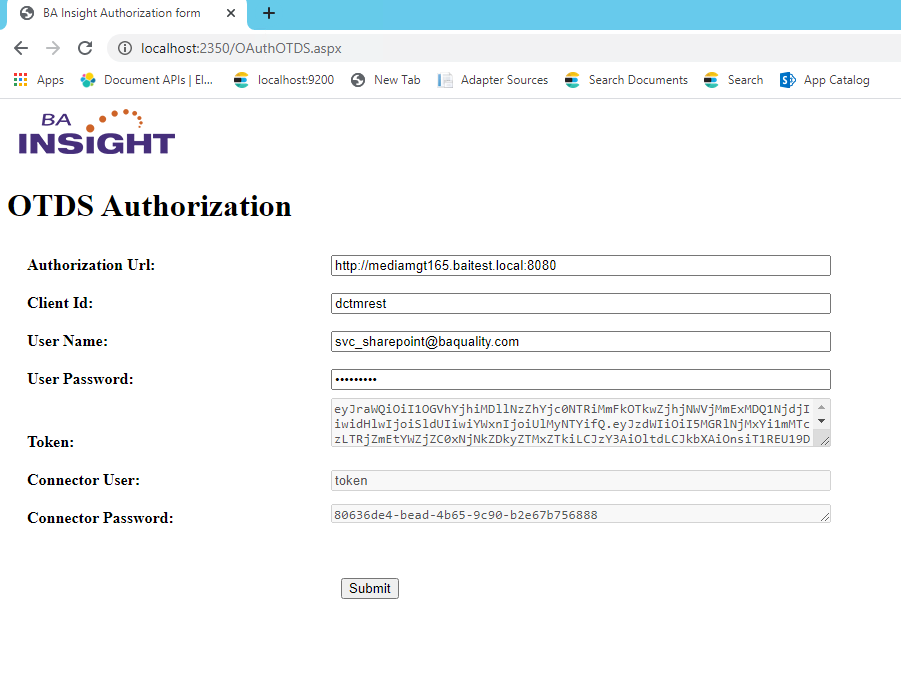
- Use the Connector user name and password when configuring the Documentum connection.
- The same token can be used for multiple connections or a new Token can be configured per connection.