How to Setup and Configure the Contentful Connector
All BA Insight connectors can be downloaded from Right Answers under Knowledge > BA Insight > Product Downloads > Connectors.
This connector is installed with the same generic steps as any BA Insight connector.
Satisfy the Prerequisites for your connector before installing.
Configuration specifics are detailed below.
Connection Configuration
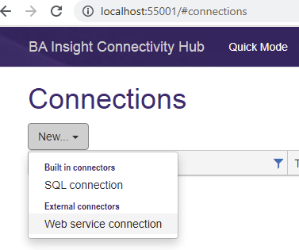
- Create a new Web service connection.
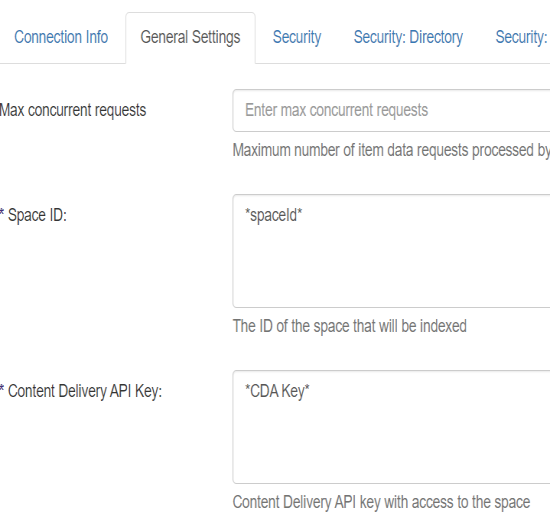
General Settings
- Space ID - The ID of the space you will index
- Content Delivery API Key - the CDA Key created previously
Save the Connection and run a Datastore Types Load Job. This will return all the Content Types defined in the environment and will allow filtering from via the Content Source configuraiton.