Bing News
About
Bing News backend uses the News Search API to:
- Send search queries to Bing
- Receive a list of relevant news articles
How to Add the Bing News Backend to SmartHub
Use the following instructions to add the Bing News backend to SmartHub:
- Navigate to the SmartHub Administration page: http(s)://[web-app-url]/_admin
- Click Add New Backend.
- The backend dialogue box appears.
- Enter a backend name.
- Select the backend type "BingNewsBackend."
- Enter your parameters as set and defined in the table below into the appropriate fields.
- Click OK.
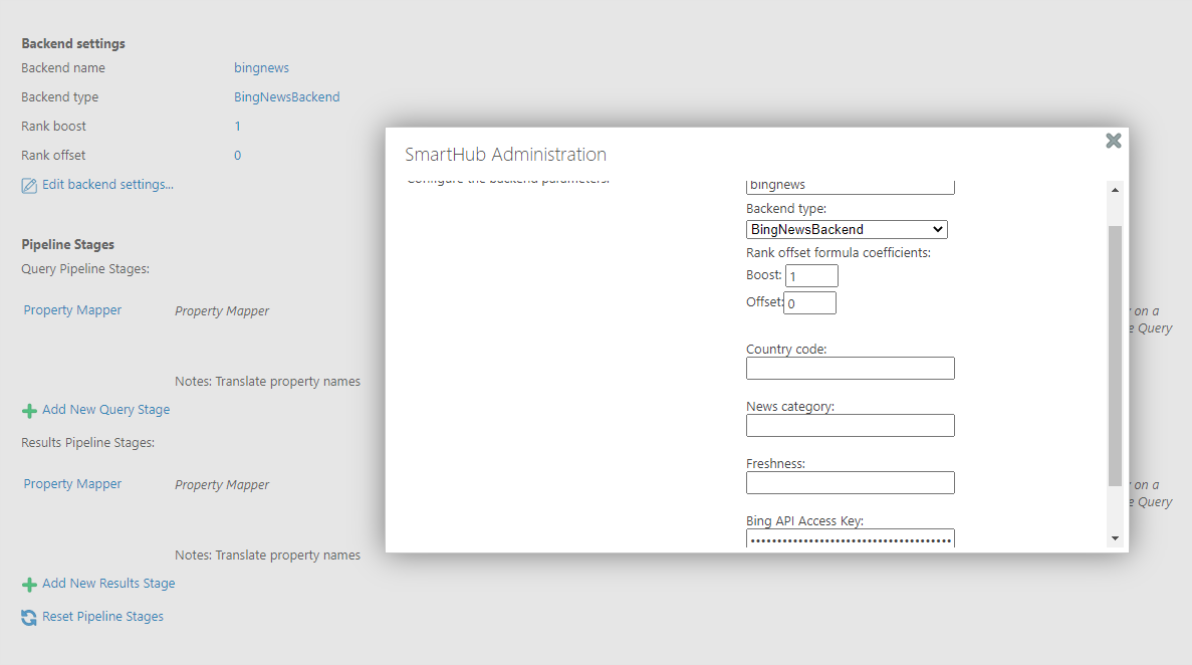
Parameters
| Parameter | Required? | Description |
|---|---|---|
| Bing API Access Key | yes | This is the subscription key that you received when you signed up for this service inCognitive Services. |
| Country code | optional | A 2-character country code of the country where the results come from. For a list of possible values, see Market Codes. |
| News category | optional | The category of articles to return. For example, Sports articles or Entertainment articles. For a list of possible categories, see News Categories by Market. |
| Freshness |
|
Filter news articles by the following time values:
|