Microsoft Search Events
About
Microsoft Search Drive Items backend uses the Graph APIto:
- Search for events in a user’s primary calendar
Set Azure Active Directory Authentication
Set authentication to Azure Active Directory in SmartHub as described here: Azure Active Directory Authentication.
Client ID Requirements
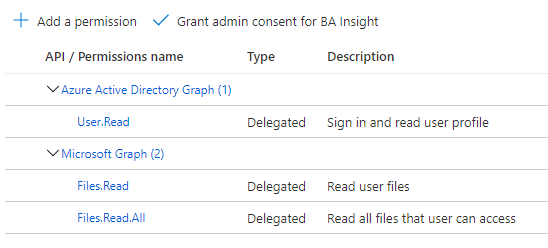
Additionally, the Client ID specified in Azure Active Directory Authentication, must belong to an application with the following permissions:
- Azure Active Directory Graph
- User.Read
- Microsoft Graph
- Files.Read
- Files.Read.All
How to Add the Microsoft Search Events Backend to SmartHub
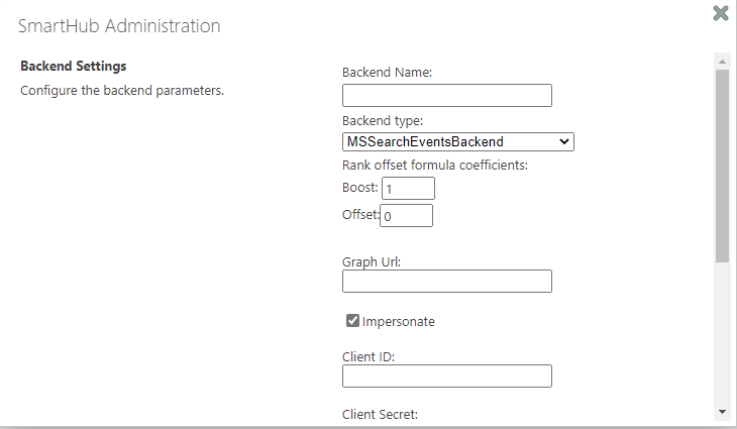
Use the following instructions to add the Microsoft Search Events backend to SmartHub:
- Navigate to the SmartHub Administration page:http(s)://[web-app-url]/_admin
- Click Add New Backend.
- The backend dialogue box appears.
- Enter a backend name.
- Select the backend type "MSSearchEventsBackend".
- Enter Graph Url: example: https://graph.microsoft.com
- Authentication
- Impersonate - true
- Security trims the results using the current user running the search
- Impersonate - false
- Client Id: Enter the Application ID from Azure App Registrations.
- Client Secret: Enter the Key's value from Azure App Registrations.
- Microsoft Login Endpoint: example: https://login.microsoftonline.com
- Access Token: Enter the access token from SmartHub's OAuth page.
- Refresh Token: Enter the refresh token from SmartHub's OAuth page.
- Impersonate - true
In order to get AccessToken and Refresh token, "Authorize" button must be clicked, but it needs all above fields to be completed (GraphUrl, ClientId, ClientSecret, MicrosoftLoginEndpoint).
8. ClickOK.
How to Register an App in Azure and Configure It
If you use SmartHub with Azure Active Directory authentication you can reuse the same App and jump to step 5.
- Navigate to portal.azure.comand log in.
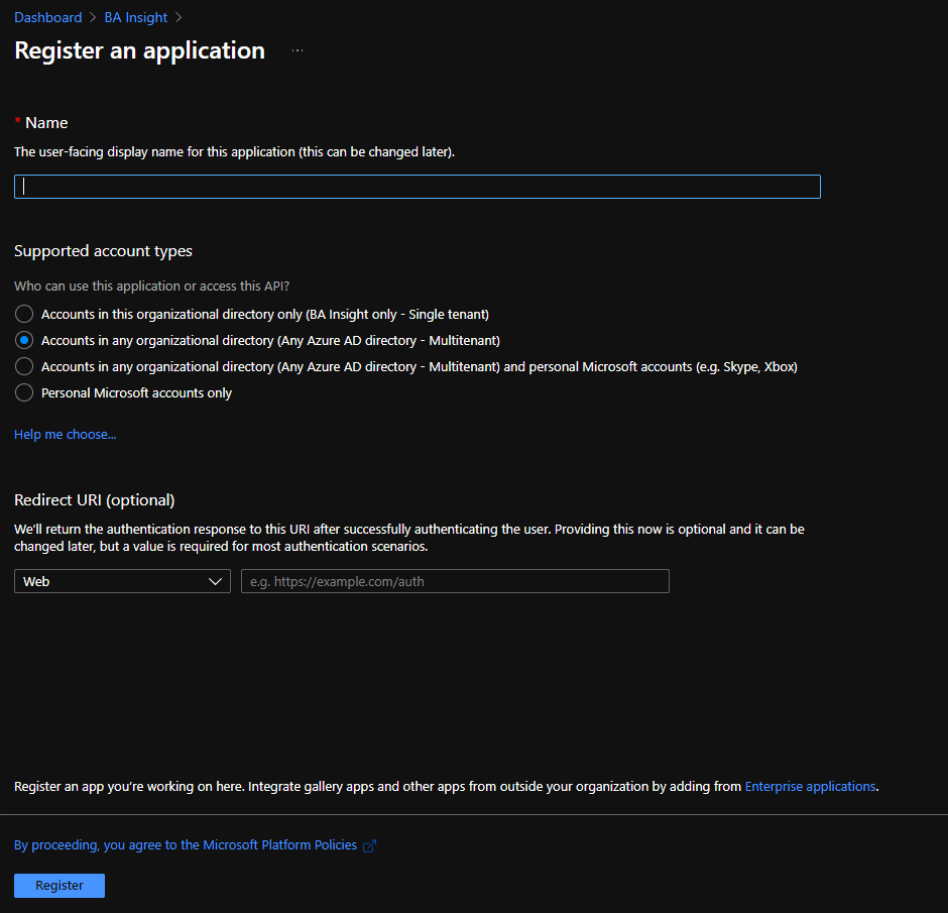
- From the left side menu go toAzure Active Directory → App registrations → New registration
- Name: Enter the name of the application.
- Application type: Select Web app / API.
- Sign-on URL:Enter the SmartHub's URL.
- SelectAPI Permissionsto open the settings menu panel.
- ClickAdd a Permission.
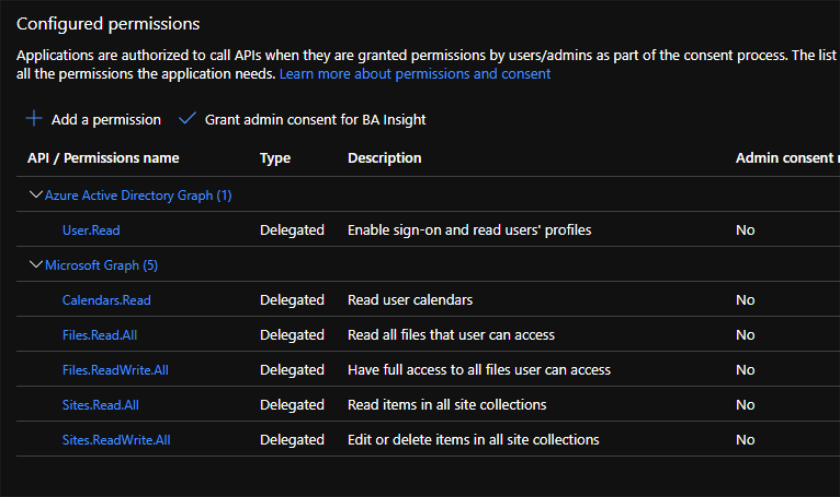
- Select APIs my organization uses and add the following permissions (as you type the name, it appears):
- Azure Active Directory Graph
- User.Read
- Microsoft Graph
- Calendars.Read.All
- Files.Read.All
- Files.ReadWrite.All
- Sites.Read.All
- Sites.ReadWrite.All
- Azure Active Directory Graph
- Click Certificates & secrets>New client secret to generate a client secret key.
- In the window that appears (shown below) enter the following information.
- Description: Enter a name for the client secret. (Note: The name is your client secret).
- Expires: Select the period until expires.
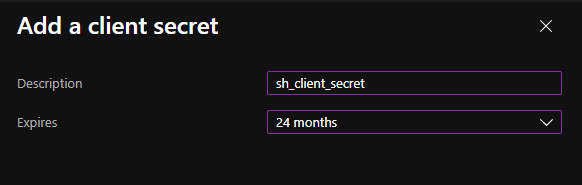
- A Value is generated after you clickAdd.

Metadata
The following metadata is available for your results:
- rank
- summary
- @odata.type
- hasAttachments
- isAllDay
- sensitivity
- subject
- type
- end
- start
Limitations
Refiners are not supported by the Microsoft Search Events backend.