Connect SmartHub to the Solr Backend
How to Add and Configure a Solr Search Backend
You add a Solr backend as an additional backend to your SmartHub instance.
This does not effect your main backend.
-
Go to General Settings, Backends section and click on Add New Backend.
-
Modify the Backend configuration by entering your configuration settings into the Parameters: field. See the following example code.
Backend Configuration Example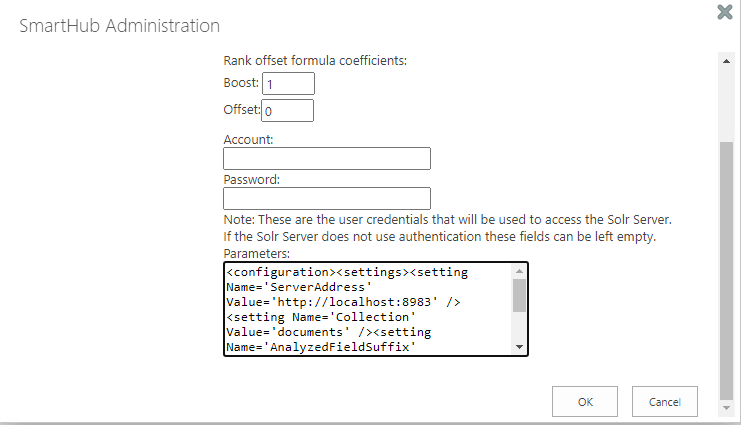
Parameters XML
Copy<configuration>
<settings>
<setting Name='ServerAddress' Value='http://localhost:8983' />
<setting Name='Collection' Value='index' />
<setting Name='HighlightSummaryProperty' Value='title' />
<setting Name='timeout' Value='30' />
</settings>
</configuration>
Parameters
Use the following table to set your parameters shown in the XML code above:
|
Parameter |
Default Value |
Required? |
Description |
|---|---|---|---|
ServerAddress
|
http://localhost:8983 | Yes | The URL of your Solr service instance. |
|
|
documents | Yes | Index Collection. |
|
|
30 | No | Specify the configurable timeout of the search. Note: If the search takes longer than 30 seconds, the search is canceled. |
|
|
body | Highlight Summary property. | |
AnalyzedFieldSuffix
|
No | The suffix that is appended to the field name whenever search operations have to be done on the analyzed version of the field. |
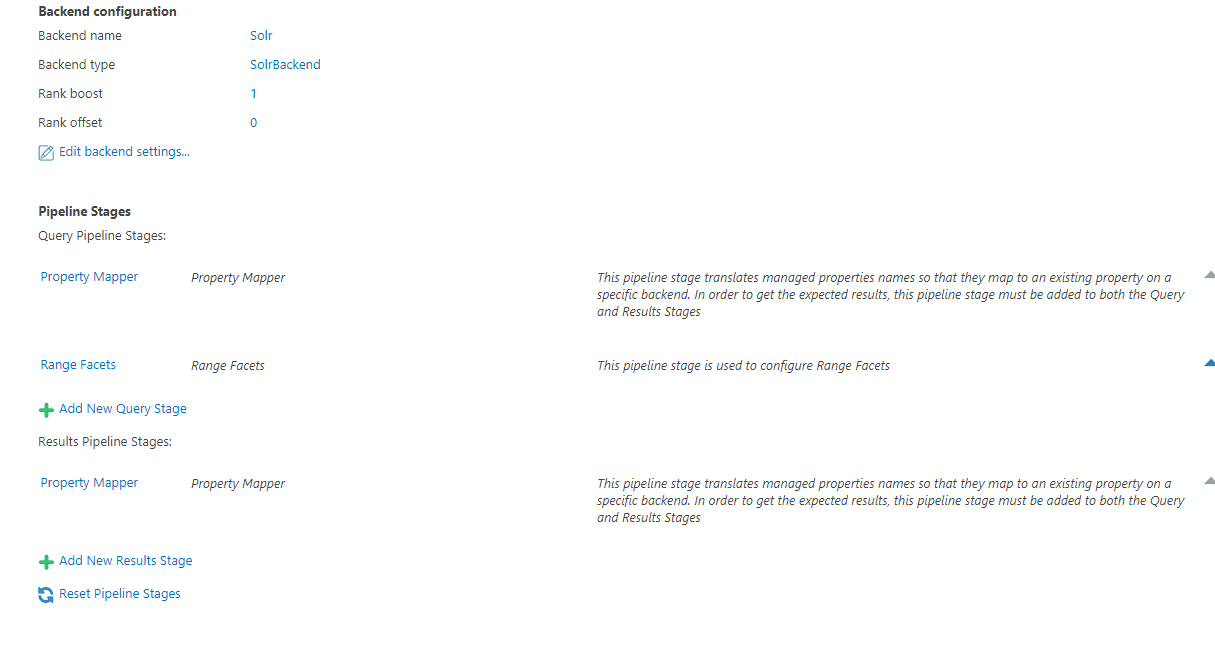
Pipeline Stages
The following Pipeline stages are added to your Solr backend.
- These pipeline stages only apply to your Solr backend.
-
After creating the Backend, multiple new Pipeline stages are added:
-
Under "Query Pipeline Stages"
-
Property Mapper
-
Range Facets
-
-
Under "Results Pipeline Stages"
-
Property Mapper
-
-