Connect SmartHub to the Amazon Kendra Backend
Prerequisites
- An Amazon Kendra index populated with documents
- A set of IAM Access Keys (access key and secret) that can be used to access the AWS Kendra index
Limitations
- As Amazon Kendra doesn't support XRANK operator the following features are unsupported:
- Relevancy tuning
- Other boosting-based functionalities
- Amazon Kendra can display up to 10 facet values per facet for a query. If you want to increase this limit, you need to contact Amazon Kendra support.
For more details see https://docs.aws.amazon.com/kendra/latest/dg/API_Facet.html.
- Amazon Kendra doesn't provide an actual document ranking, instead it provides a relative ranking that indicates how confident Amazon Kendra is that the response matches the query.
Therefore, the valid values for ScoreConfidence are: VERY_HIGH | HIGH | MEDIUM | LOW | NOT_AVAILABLE.
SmartHub will the assign threshold values as follows:- VERY_HIGH - 1.0
- HIGH - 0.7
- MEDIUM - 0.4
- LOW - 0.1
- NOT_AVAILABLE - 0
How to Create and Configure Your Kendra Backend
After you satisfy the prerequisites listed above, use the following steps to create and configure an Amazon Kendra backend.
- Navigate to the SmartHub Administration page athttp(s)://[web-app-url]/_admin.
For example:http://smarthub.azurewebsites.net/_admin.
- Go to theGeneral Settingspage.
- Click the "Add New Backend" link to add your new Kendra backend.
- In the modal window add the corresponding information in the appropriate fields:
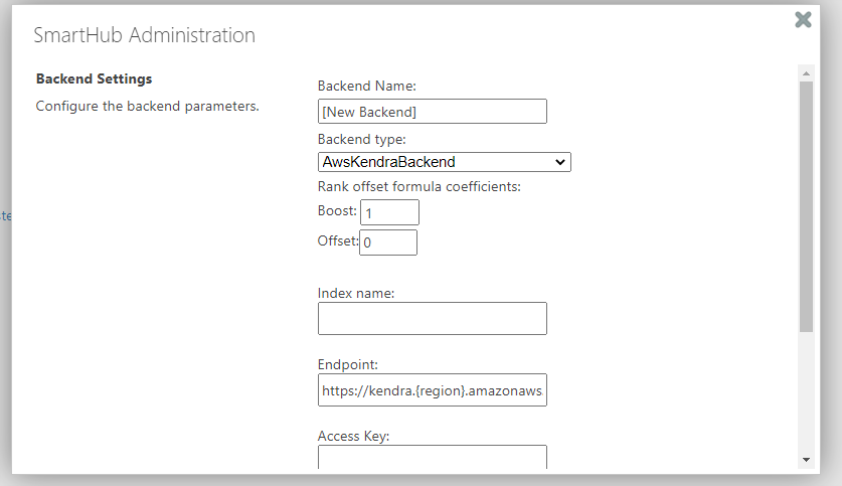
- Backend Name: Select a name for your backend.
- Backend type: Select AwsKendraBackend from the drop-down list.
-
Rank offset formula coefficients(optional): Enter these values only if you selected the Rank Based mixing algorithm that is set in the Additional Settings page:
-
BOOST: Enter the boost factor.
-
OFFSET: Enter the rank offset.
-
- Index name:The name of the AWS Kendra index to be used at search time.
This name is located in the Kendra management page.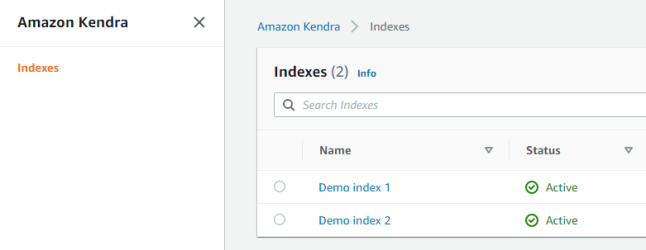
- Endpoint: the URL that is the entry point for the web service.
-
Access Key: The IAM Access Key to be used at search time for authorization.
This is located in the IAM management page.
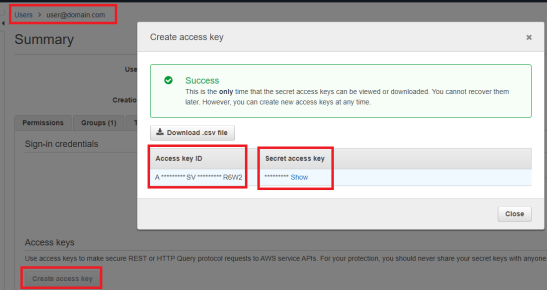
- Secret Key: The IAM Secret Key to be used at search time for authorization (see screenshot above).
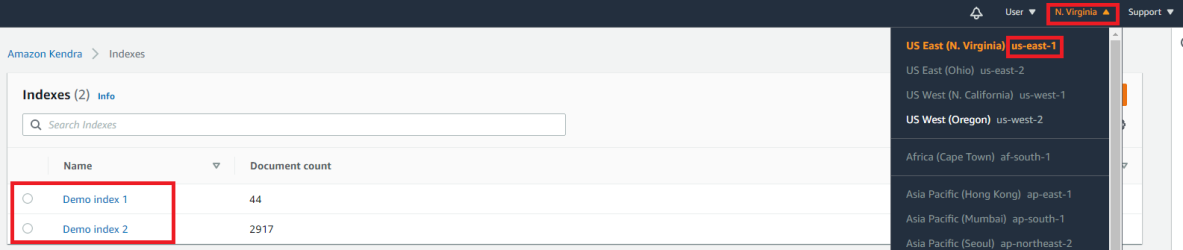
- Region:The Region where the AWS Kendra instance is hosted.
You can find this in the Kendra management page