How to Run Raw Queries in Elastic
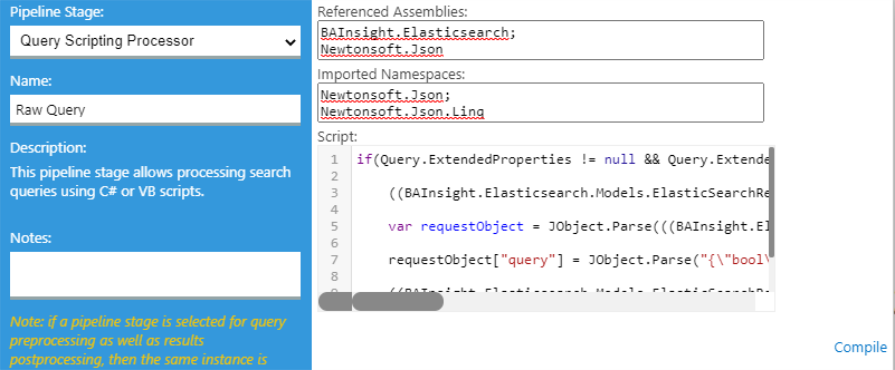
In order to run raw queries in Elastic backend you have to use an Scripting stage.
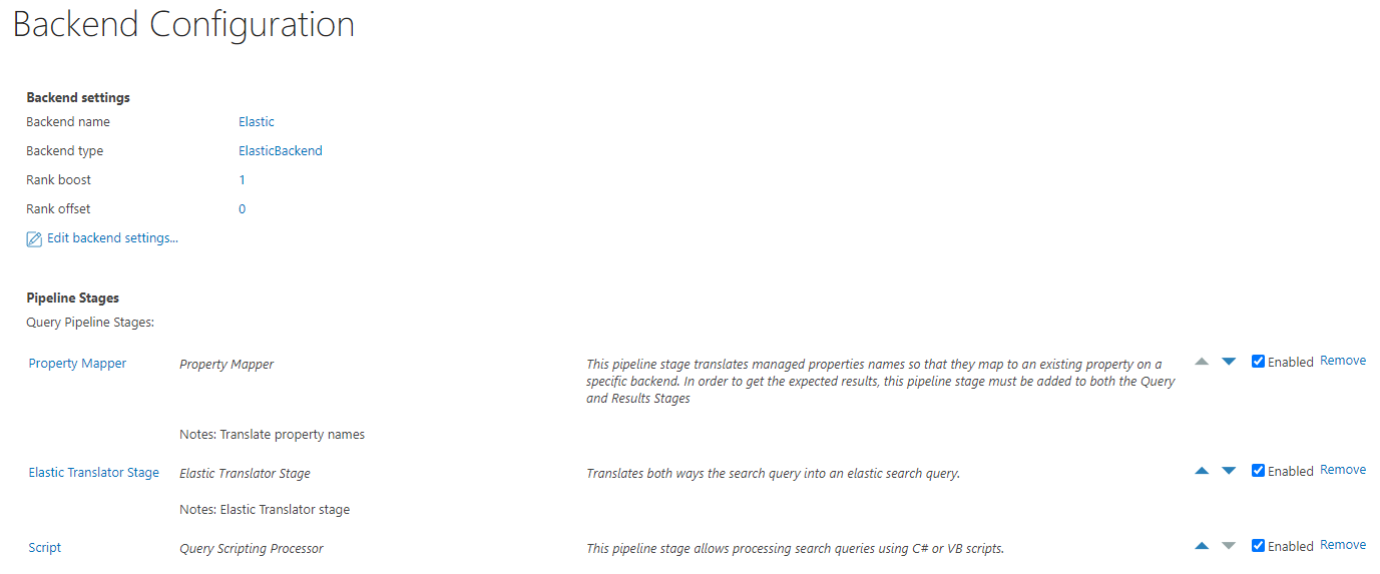
Scripting stage must be added after Elastic Translator Stage in Query Pipeline Stage
Script example
if(Query.ExtendedProperties != null && Query.ExtendedProperties.Count > 0 && Query.ExtendedProperties["ElasticSearchRequest"] != null){

	var searchRequest = ((ElasticSearchRequest)Query.ExtendedProperties["ElasticSearchRequest"]);

	searchRequest.UseRawJson = true;

	var requestObject = JObject.Parse(searchRequest.RawRequestJson);

	requestObject["query"] = JObject.Parse("{\"bool\":{\"must\":[{\"function_score\":{\"query\":{\"knn\":{\"escbase_fulltextcontent_vect\":{\"vector\": \"query_embeddings.tolist()\",\"k\": 1000}}},\"weight\": 0.6}}]}}");

	searchRequest.RawRequestJson =  JsonConvert.SerializeObject(requestObject);

}
For above script to works, you have to add:
References Assemblies:
- BAInsight.Elasticsearch;
- Newtonsoft.Json;
Imported Namespaces:
- Newtonsoft.Json;
- Newtonsoft.Json.Linq;
- BAInsight.Elasticsearch.Models;
In order to change elastic query you have to set the value of UseRawJson to true from ExtendedProperties of Queries (line 3).
Using requestObject (line 6), we can change the content of query with any custom raw query .