Configure Online Add-In App Package
Note: This step only applies when using the High Trust Security Model
Procedure:
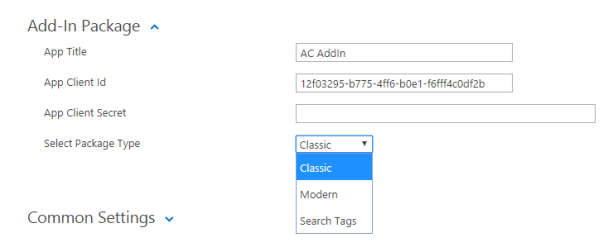
Expand the app Add-In Package option and specify the following:
- App Title:
- This has been pre-populated from the Certificate Friendly Name.
- This has been pre-populated from the Certificate Friendly Name.
- App Client Id:
- This has been pre-populate and is the same as Issuer ID.
- This value must be used when registering the SharePoint Add-In App
- Select App Package:
Choose between:- Classic:
- This is SharePoint Classic UI
- Modern:
- This is the SharePoint Modern UI
- Search Tags:
- This is a minimal UI without Menu Options
- This is a minimal UI without Menu Options
- Classic:
- Package the App. This packaged Add-In App is loaded into SharePoint in later documentation topics.
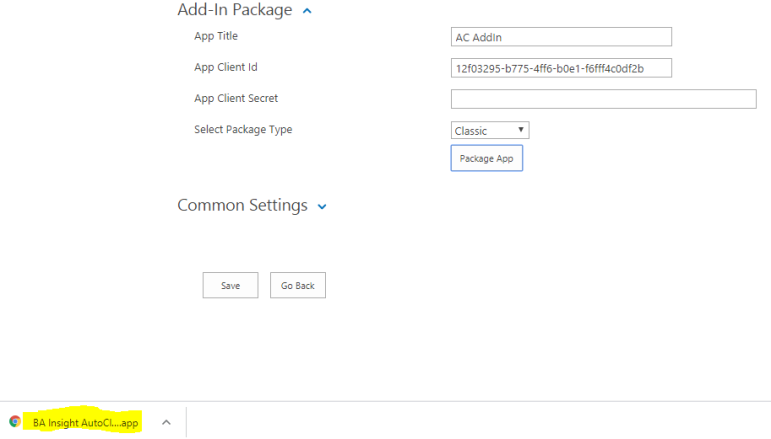
- Copy the download to a different location, if desired.
- Continue to the next topic.