Configuring the On-Premise Add-In
- Launch the Add-In Website using your web browser.
- Example: https://addin.yourdomain.local
- Alternatively, launch IIS, select the website from the list of sites, and "browse the website." See the graphic below:
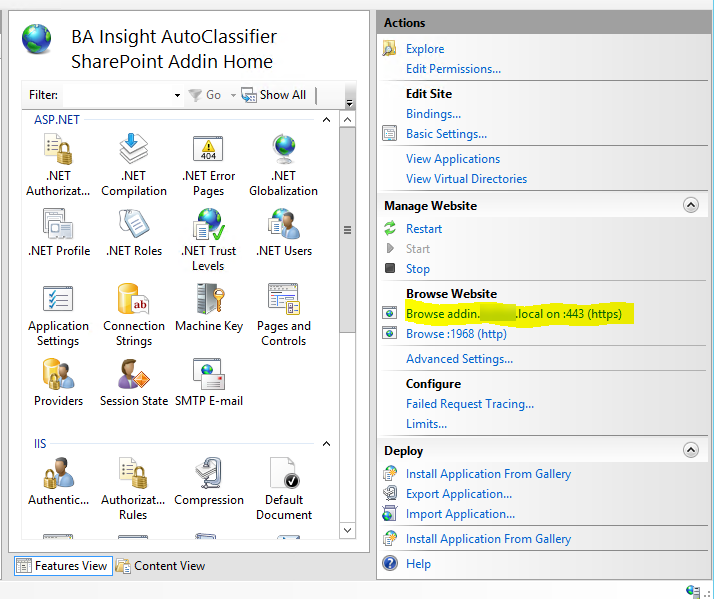
- Example: https://addin.yourdomain.local
- The Add-In Site automatically opens to the Configuration page.
- Continue to the next topic.