Trial runs
The Forecast screen allows you to perform trial runs of a campaign. Trial runs provide the following benefits:
-
Quicker than when using the full campaign volume.
-
Allow a unique trial only audience to be used instead of the real criteria.
-
Less history data is written to the campaign database to aid performance.
By default, trial runs will utilize the audience criteria (as used for running the campaign) but there is an additional option to specify the use of trial data instead.
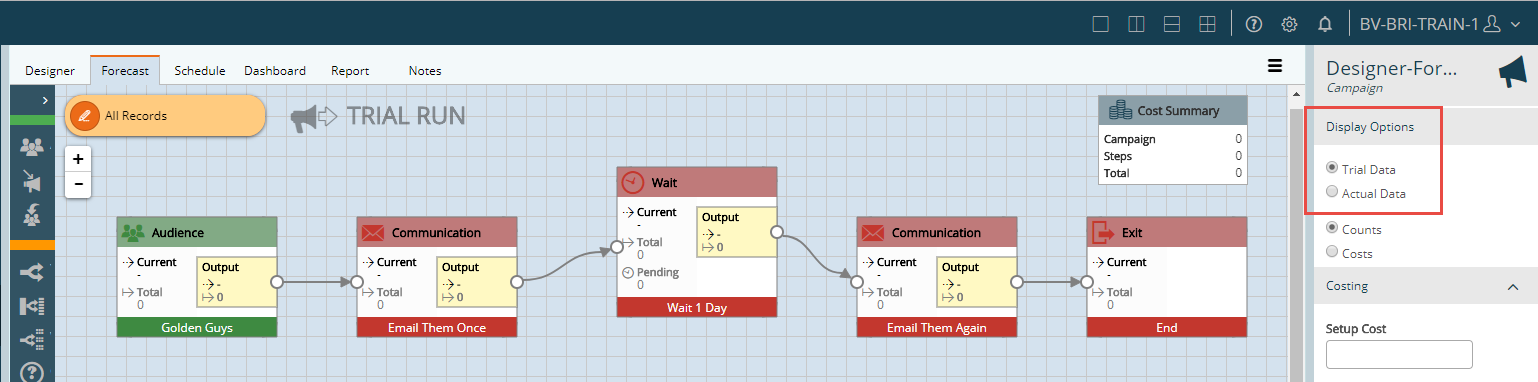
The trial audience is defined in the main settings menu, can be a smaller sample of records, and can ignore wait/response steps.
Counts vs Costs forecasts
In addition to modification of the data used for Trial Runs, it is also possible to switch between counts and costs, using Costing information entered to present a Forecasted cost for the campaign during the Trial Run.
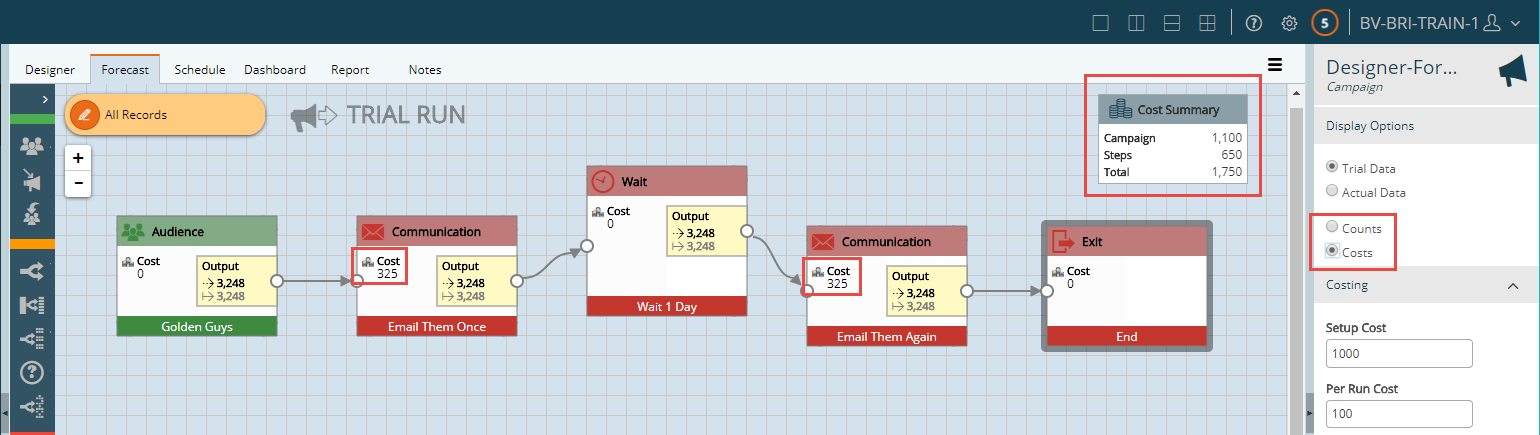
Costs can be entered for each run of the campaign, including a setup cost and running cost.
Within each step, costs can also be added to define a separate setup cost and run cost (cost per record).
All of these costs are added up and displayed as above following the Trial Run to allow Forecasts to be made against the campaign before running.