Cimpl Winter Release Notes - December 2025
The Cimpl Winter update is expected to be released on December 5th, 2025. At this time, the following changes will be applied.
Enhancements/Improvements
The main feature of this release is the New Inventory Management page. Click below for more details:
 New Inventory Management page
A new Inventory Management interface is now available for Cimpl users.
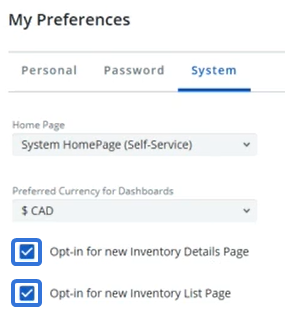
To enable the page, users will need to select the new Opt-in for new Inventory Details page and Opt-in for new Inventory List page checkboxes from their My Preferences page under the System tab.
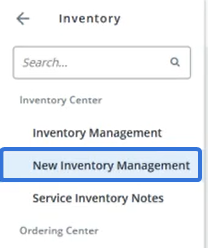
Once these are selected, users can navigate to the new page by selecting Inventory → New Inventory Management from the Navigation menu.
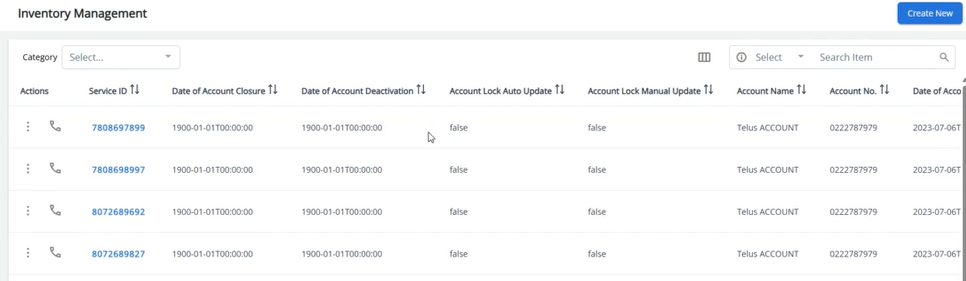
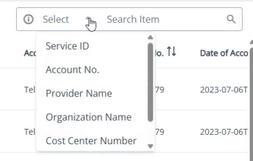
This new page features a quick search bar in the top right-hand corner, allowing users to search through the asset inventory by one of six attributes: Service ID, Account No., Provider Name, Organization Name, Cost Center Number, or Hardware Name.
Note: An advanced search will be available for this page as part of a later release.
Additionally, this page now features a Column Settings button.
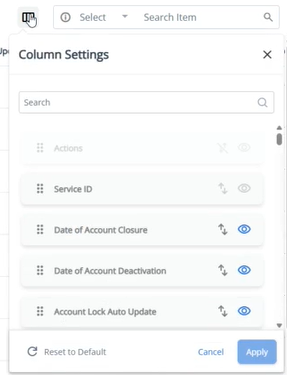
From here, the visibility of each column can be toggled by selecting the Eye  icon and column order can be rearranged by using their Drag and drop
  icons.
Note: As opposed to the legacy page, these settings are specific to each individual user. This means that other users will not see the changes you make to the page.
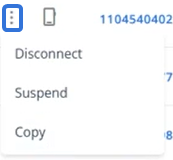
Selecting the Actions  icon next to an inventory item allows users to disconnect, suspend, or copy the inventory item.
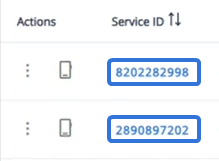
Similar to the legacy page, users can select the "Service ID" of any inventory item on the page.
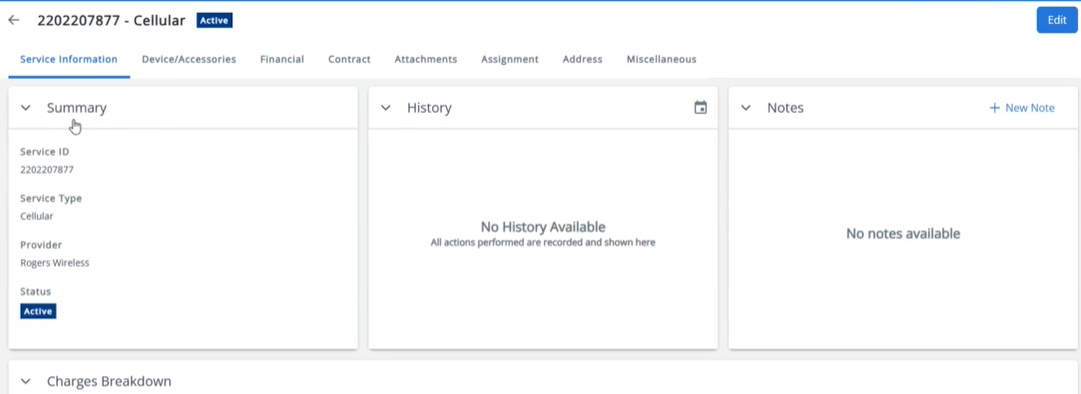
This opens up a new informative page for the item, featuring multiple tabs.
Additional enhancements fall under the following categories:
General Improvements
The following general updates have been made to Cimpl as part of this release:
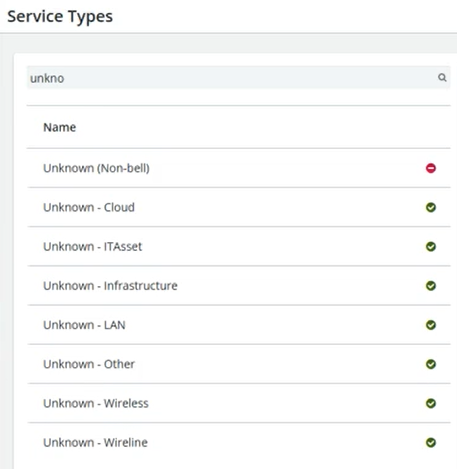
"Unknown" Service Type for all categories
Cimpl now features an "Unknown" Service Type for all available Service Type categories.
Prior to this release, a general "Unknown" Service Type was available when users were not sure which Service Type to select. With this update, there is now an "Unknown" Service Type that can be selected for each category.
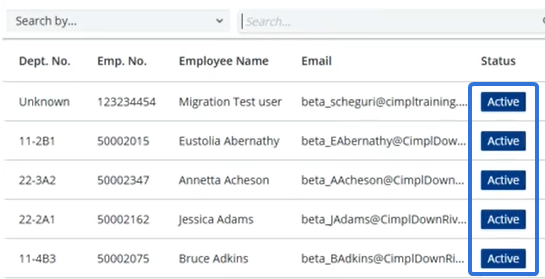
Administrator selection restricted to "Active" employees
From now on, only employees with an "Active" status can be added as administrators through Organizational Hierarchy. While adding an administrator to a Department, employees with statuses aside from "Active" will be filtered out of the window.
Requester email address now displayed on Workorder
The email address of each Workorder's requester will now be displayed on the Workorder's Summary tab. It can be found directly under the requester's name.
Security and Compliance
The following security updates have been made to Cimpl as part of this release:
Configure inactivity logout time
Administrators can now configure the length of time before users are automatically logged out of Cimpl. On the Configuration Management page, the Login Settings tab now features an Inactivity Logout Time drop-down menu.
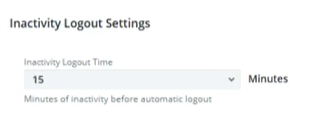
Administrators can select a time period between 2 and 120 minutes (2 hours). Users who are inactive in Cimpl for the selected number of minutes will be automatically logged out of the application.
Note: The default setting is 15 minutes.
Note: This will only apply to Cimpl environments that do not use Single Sign-On (SSO).
Billing Center Requests access set to "Inactive" for all User Profile types
Prior to this release, the System Access page would set the "Billing Center Requests" permission as "Active" by default for all User Profile types.
With this release, the default setting for this permission is now "Inactive" for all User Profile types except for Administrators.
Work Order Procurement
The following updates have been made to Cimpl's work order procurement process:
Configure mandatory new assets for new services
Administrators can now make it mandatory for users to include a new asset while requesting a new service. On the Configuration Management page, the Parameters tab now features a "Self Service New Service request: Mandatory to include a new asset in the order" checkbox.
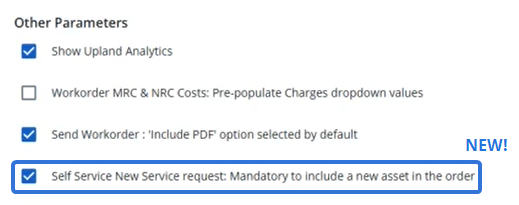
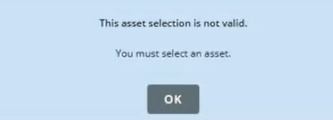
When this checkbox is selected, the "Include a new asset in the order" selection will not be visible when users request a new service. Additionally, an error message will appear if users attempt to move on with their request without selecting an asset.
View "Last Workorder" information from Services on the Accounts page
Administrators can now easily access the most recent workorder for each Service listed on one of the Accounts pages. After selecting one of the accounts and then selecting the Services tab, users will see a new "Last Workorder" column.
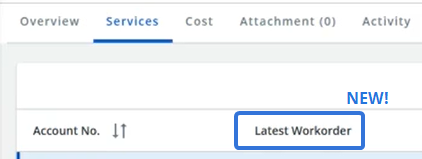
This column displays a link to the most recent workorder that was placed for each listed Service ID.
Upland Analytics
The following update has been made to Upland Analytics in Cimpl:
"Invoice & Inventory Details" Upland Analytics data source
A new "Invoice & Inventory Details" data source is now available in Upland Analytics. This new data source contains fields that expose data related to invoices and inventory, such as accounts, contracts, providers, and service inventory.
Bug Fixes
The following issue was resolved with this release:
Inventory Management tab names displayed in all caps
A bug caused the names of each tab on the new Inventory Management page to appear in all capital letters. This bug has been fixed; the tabs on the Inventory Management page now match the formatting of other tabs across Cimpl.