2018 R1 Release Notes
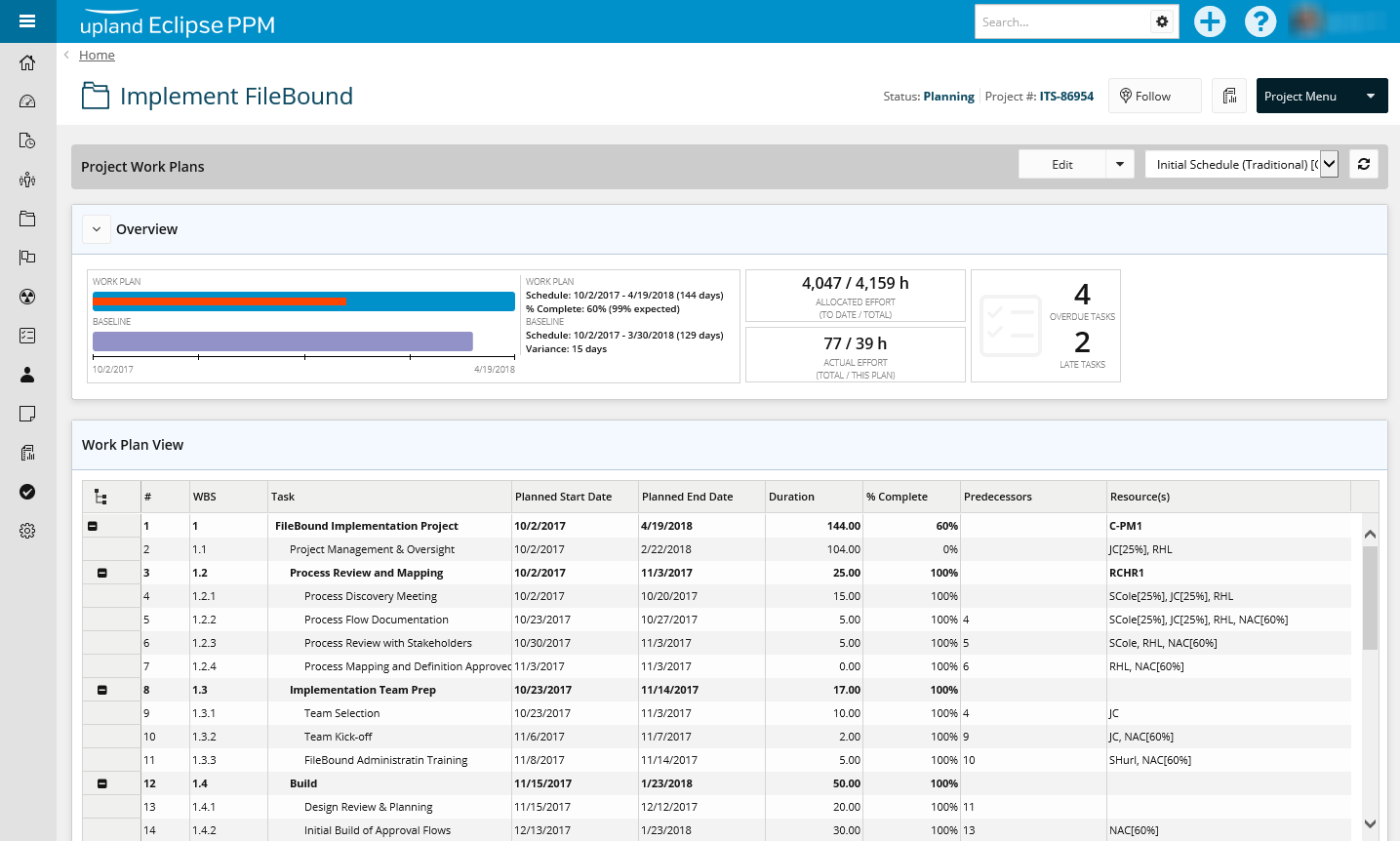
The Eclipse PPM team will be releasing 2018 R1 (previously communicated as v7) in April 14th. This release will continue progress towards feature parity as the remaining components of Administration are moved to the new generation of Eclipse PPM. The introduction of the Work Plan page is the first step towards providing users with an HTML5 enabled view (non-Silverlight) of the schedule.
Feature Migration
Administration - Organization
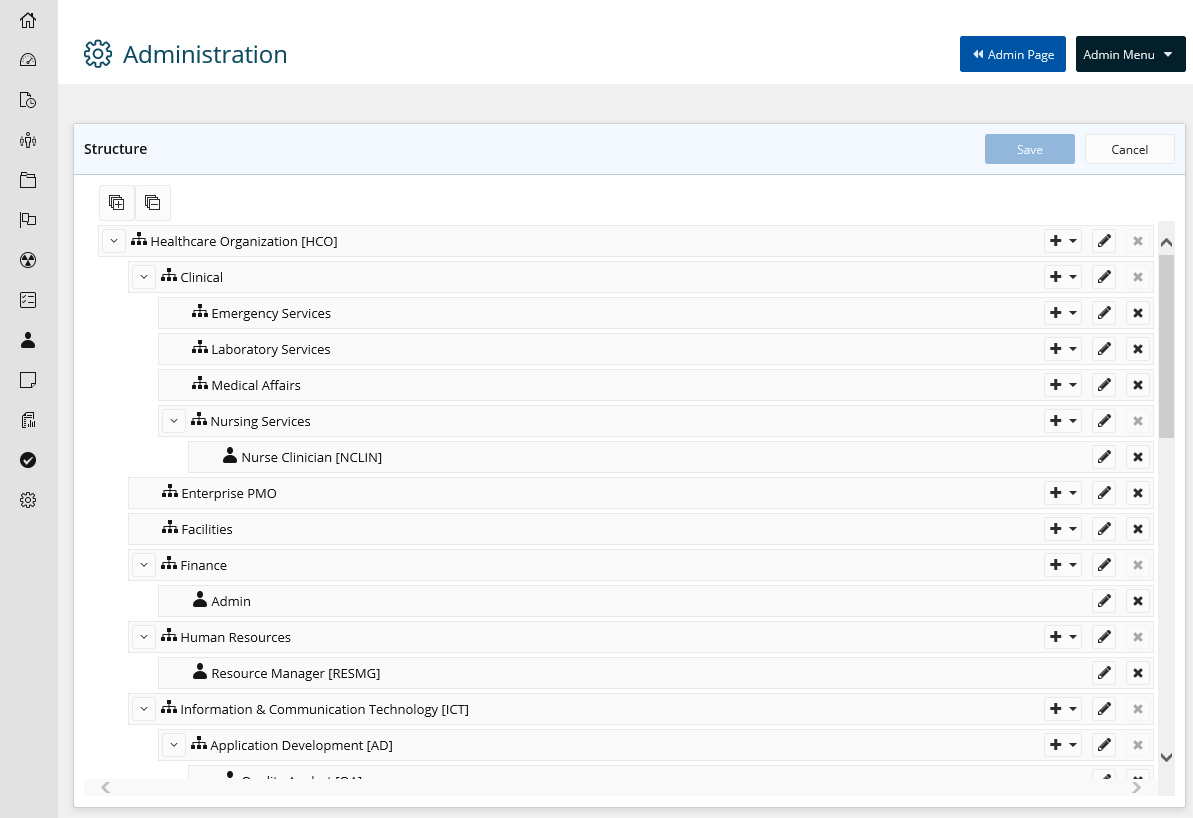
Structure
Manage the Organization structure (business units, departments, etc.) and the Resource Types
Environmental Metrics
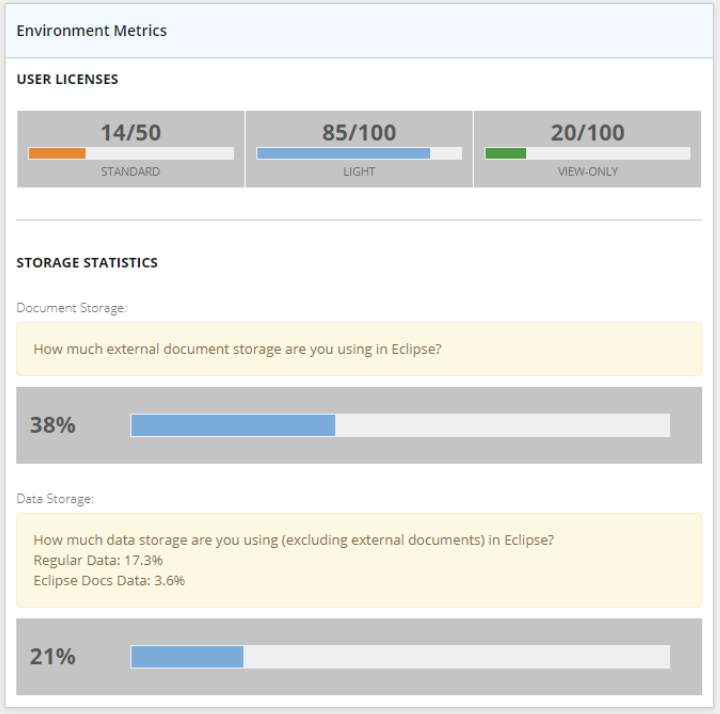
Previously available in the header of the User Administration Area, the metrics for license consumption and database usage now has it ‘s own page.
Details
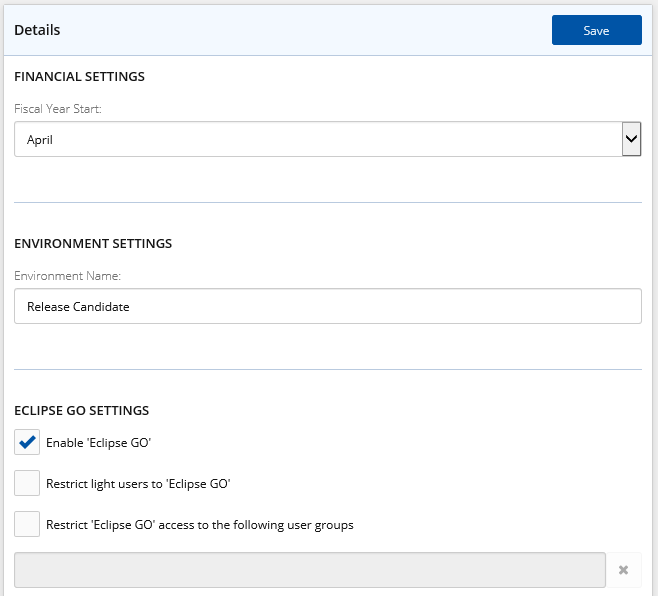
Options to set Fiscal Year Start, Environment Name and Eclipse GO access are now available.
Calendars, SSO and MFA
Options to manage organizational calendar, single sign on and multi-factor authentication have been move to the new generation of Eclipse PPM
Administration - Configuration
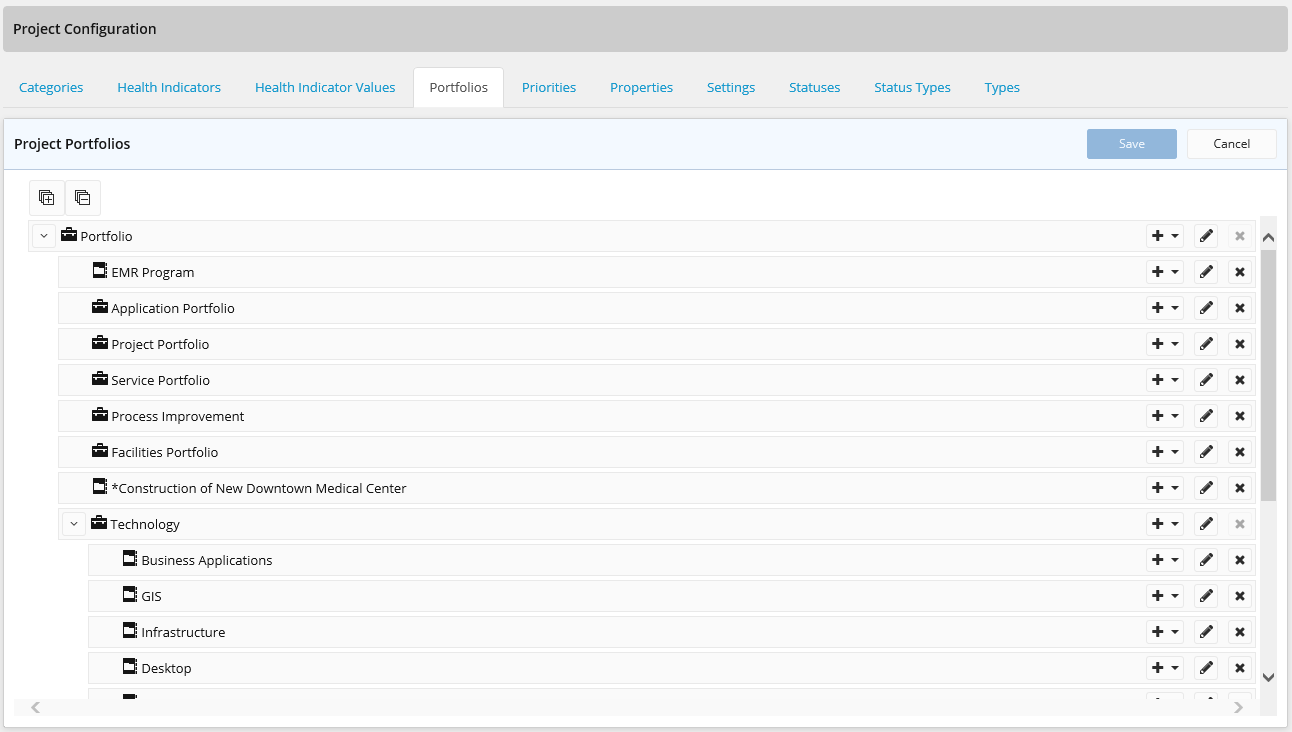
Portfolios
Create, manage and align Portfolios and Programs.
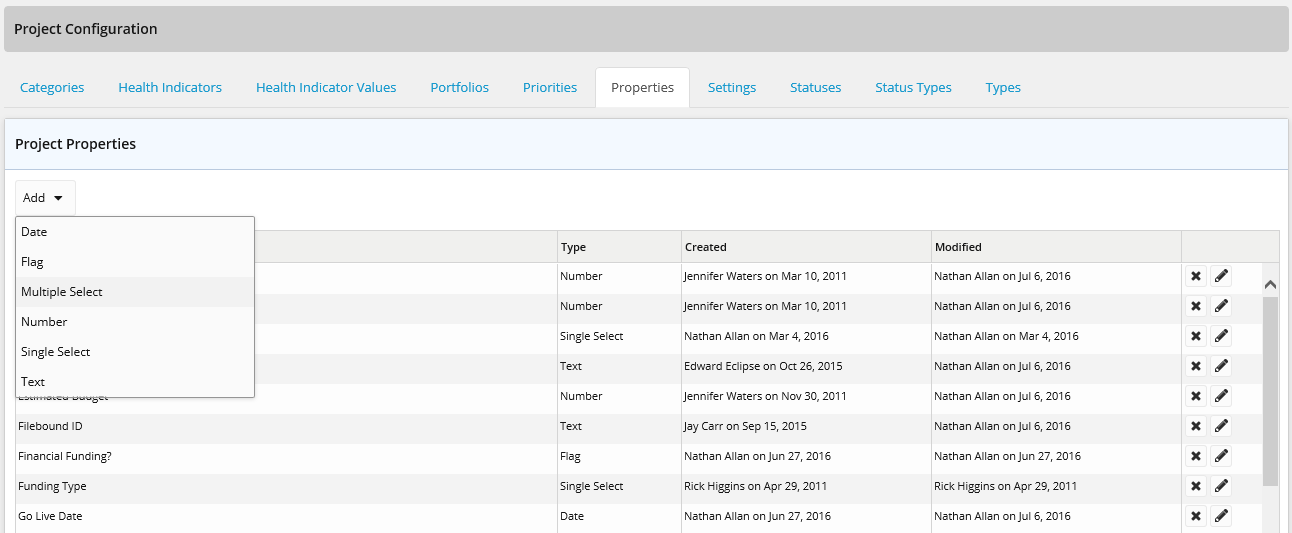
Properties
Manage custom properties to provide your organization with additional fields to identify and track projects.
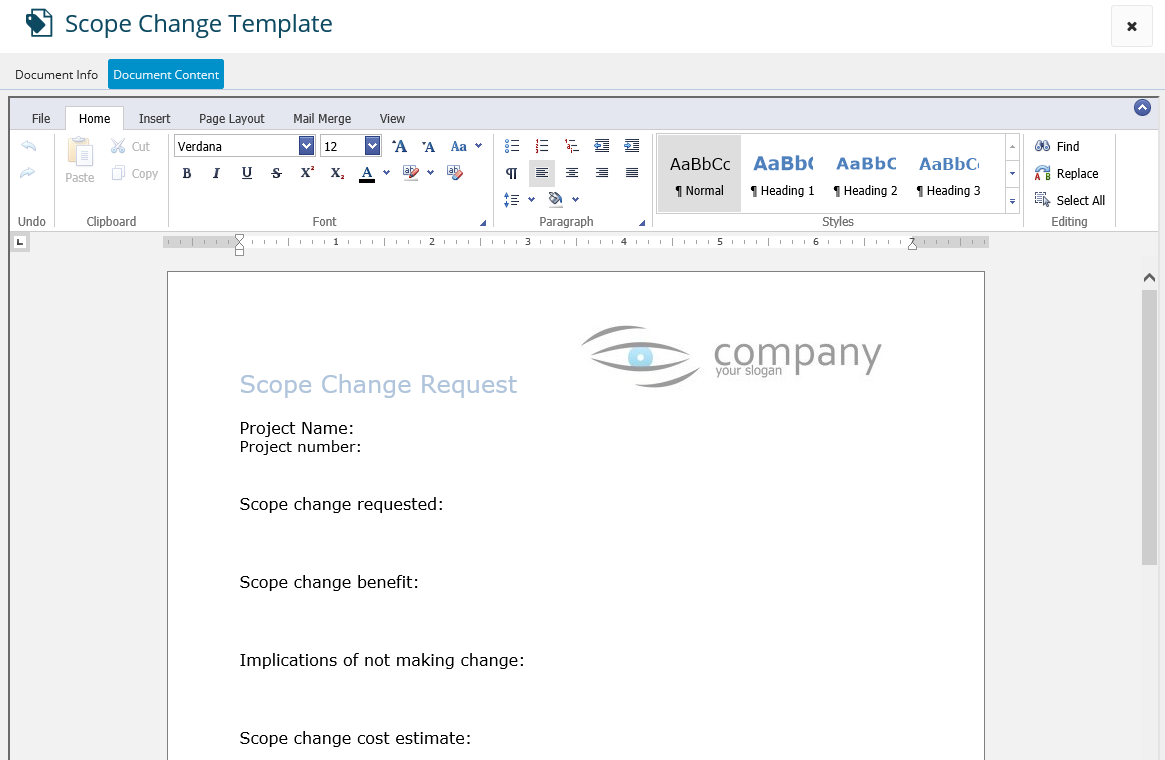
Eclipse Docs
Eclipse Docs provides the ability to use templates document that leverage existing project data within Eclipse PPM.
Administration - Other
Tags
Create and manage Tags to help identify and organize Comments, Notes and Documents.
Templates
Create and manage Approval templates for Projects and Eclipse Docs to identify the required information and authorized approvers when workflow is enabled.
Other Migrated Items
Eclipse Report
Project Portfolio Extract, Baseline Report and User Extract Report have been added to the list of available system reports.
Adhoc Reports
AdHoc reports (previously referenced as Customer Reports) provide the ability to extract data for further use and manipulation in Excel.
Customer Driven Enhancements
- User Extract Report - The report has been expanded from the initial 5 fields to add another 20+ fields such as User Groups and Application Policy
- Dashboards - Layout lines have been updated to red for ease of visibility
- Eclipse Docs - Additional Project Field options have been added to the existing list
New Features
Work Plan
The Work Plan page has been introduced to projects, as the initial step in providing an HTML5 view of the project schedule and providing additional insight into the progress and health of your schedule.