2025R1.6 - Resolved Issues
The 2025R1.6 version of Eclipse PPM will be deployed on Saturday, February 14th, 2026. This minor release will address the following high-priority customer issues. Click on any of the resolved issues below to learn more about them:
 Task Duration Bulk Update Resulted in Incorrect Task End Dates (ECL-13647)
A bug caused incorrect Task End Dates after performing a bulk update on task durations. In affected cases, Tasks that shared the same Start Date and were configured to auto-sync to a common Calendar displayed incorrect End dates, even though the duration value itself was correct. The issue occurred because calendar updates were not applied during the bulk update process, causing end dates to be calculated using outdated calendar data. Opening the schedule or work planner triggered a recalculation, which temporarily corrected the dates.
This issue has been resolved; calendar synchronization and schedule recalculation logic have been updated to ensure task End Dates are correctly calculated during bulk duration updates. Tasks now reflect accurate End Dates immediately after the bulk update, without requiring the schedule or work planner to be opened.
Project Request Confirmation Email Not Sent (ECL-13916)
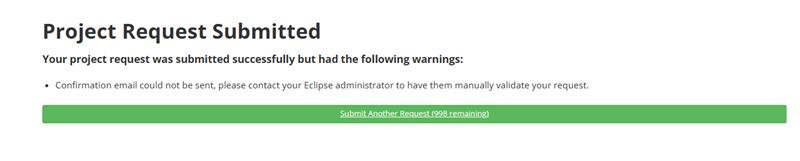
A bug caused Project Request confirmation emails to fail intermittently after submission. Affected users received an error message indicating that the confirmation email could not be sent. Investigation showed intermittent SMTP protocol timeout errors, which in some cases were triggered by email size constraints or server response delays. This issue prevented customers from reliably submitting Project Requests.

This issue has been addressed by enhancing server-side logging and improving email handling to better manage SMTP timeouts and message size constraints. Confirmation emails are now sent successfully and consistently when Project Requests are submitted, and failures no longer block the request process.
Excel Add-In Download Failure and Certificate Validation Error (ECL-13923)
A bug caused issues when using the Excel Add-In, including failure to download the installer file and certificate validation errors during setup or login. In affected cases, the Excel Add-In tab disappeared or displayed a certificate-related error message, preventing the add-in from functioning correctly. The issue was intermittent and could not be consistently reproduced across different user sessions, but was confirmed during troubleshooting.
This issue has been resolved; certificate handling for the Excel Add-In was corrected to ensure the installer downloads successfully and the add-in loads without certificate errors. The Excel Add-In now installs and functions as expected without causing the Eclipse tab to disappear or triggering certificate validation failures.
Usernames and Use SSO Checkbox Not Saved on Login Page (ECL-13927)
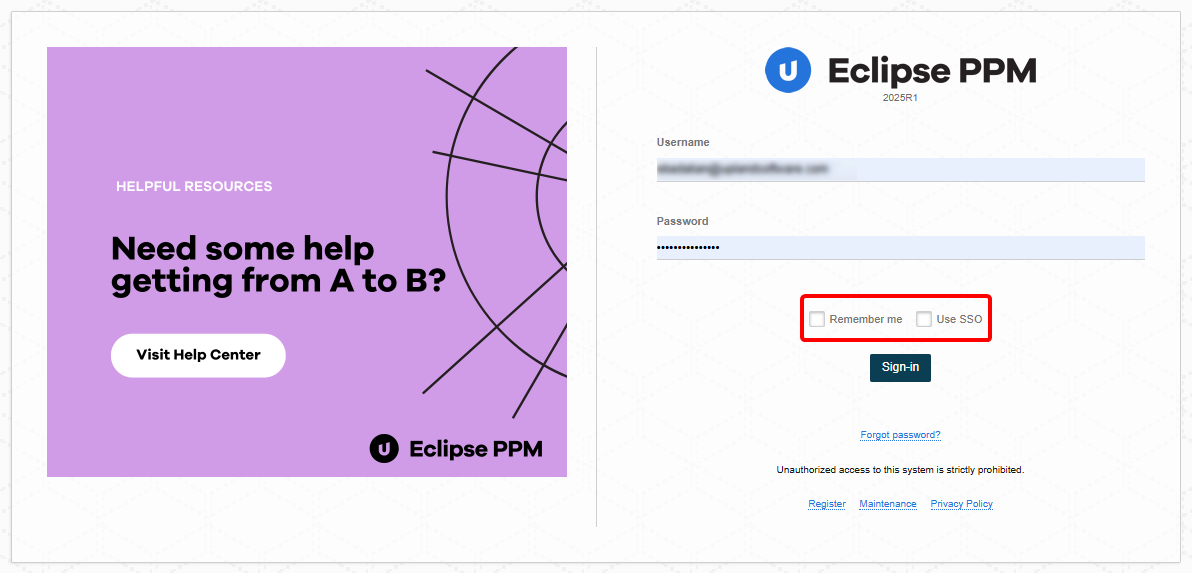
A bug caused Usernames and the Use SSO checkbox state to not be saved on the login page. In affected cases, when users returned to the login page, previously entered usernames and the selected Single Sign-On option were not retained. This issue occurred intermittently across multiple browsers and users and was related to the authentication redirection flow, which prevented user preference data from being stored correctly.
This issue has been resolved; the login flow was updated to ensure user preferences are properly persisted before redirection occurs. Usernames and the Use SSO checkbox state are now saved and correctly restored when returning to the login page.
Default Values for Project Template Task Properties Not Applied (ECL-13934)
A bug caused default values configured on Project Template Task properties to not be applied to Tasks. In affected cases, Task properties such as Reporting Milestone did not reflect the default value defined in the Project Template, particularly when tasks or subtasks were created. This resulted in inconsistent Task property values after Project creation.
This issue has been resolved; default Task property values defined in Project Templates are now correctly applied to all tasks and subtasks when a Project is created.
Error Opening Financial Plan Due to Invalid Request Payload (ECL-13954)
A bug caused an error when opening a Financial Plan. In affected cases, a Bad Request error occurred due to invalid JavaScript Object Notation values being sent in the request payload. Specifically, certain time-related options were passed as null, which resulted in a validation failure and prevented the Financial Plan from loading. This issue occurred under specific conditions and was not consistently reproducible across all users.
This issue has been resolved; request validation and handling were updated to correctly process missing or null time option values. Financial Plans now open successfully without triggering errors, even when optional time-related fields are not populated.
Error When Using Search Projects API (ECL-13963)
A defect occurred when the Search Projects API was called without a specific search ID or field selection. In affected cases, the endpoint returned an excessively large response containing all available project fields, which caused the JSON payload to be truncated and resulted in parsing errors (for example, “missing [”). This behavior was observed because internally scoped search endpoints were inadvertently exposed and used directly.
This issue has been resolved; the internal search endpoints have been removed from the API documentation, and the Search Projects API now returns a limited default set of fields when invoked with a valid search ID. Calls to search/projects/{id} now return stable, correctly formatted responses, and oversized payloads no longer cause parsing errors.
Internal Server Error on Home Page (ECL-13966)
A bug caused an internal server error to appear on the Home Page for users with a large number of recently completed project approvals. This was related to a stored procedure being impacted by high volumes of approvals.
This bug has been fixed; You can now access the Home Page without encountering internal server errors.