Delete an index field
- On the Navigation menu, click
- Click Edit next to the project you want to delete an index field from.
- Select Fields/Dividers/Separator from the Configuration list.
- Click the Fields tab.
-
Click Delete next to the index field you want to delete.
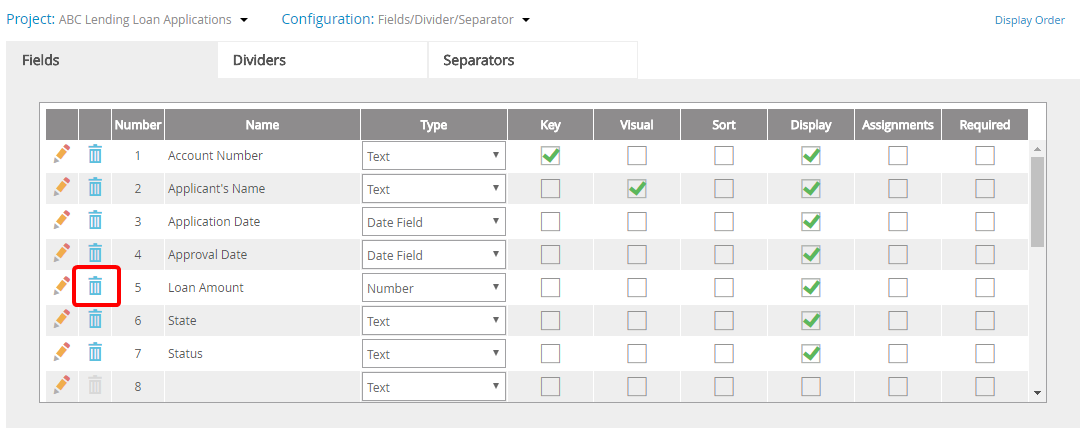
- Click Yes to confirm the deletion.
Menu