You can delete one or more files from a Clipboard. Deleted files are removed from your Clipboard AND deleted from FileBound.
You are be the hiring manager for a marketing position that has opened in your company, and the Human Resources department has placed the resumes of five applicants on your Clipboard. As you interview the applicants, you decide that two of them are not qualified for the position, so you don’t want to save their files. In this case, you would delete their resumes from your Clipboard.
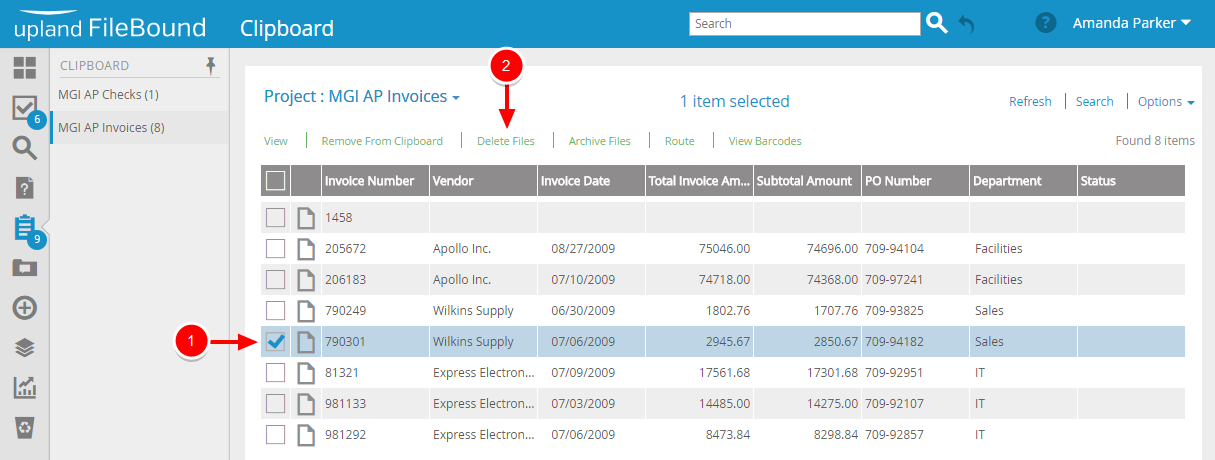
1. Select the check box next to the file(s) that you want to delete, then click Delete Files.
2. Click Yes to confirm the deletion.
Menu