You can use the My Files list to open and view documents that have been sent to you.
To open a document
-
Open HP CR Client from your browser.
-
Select My Files.
-
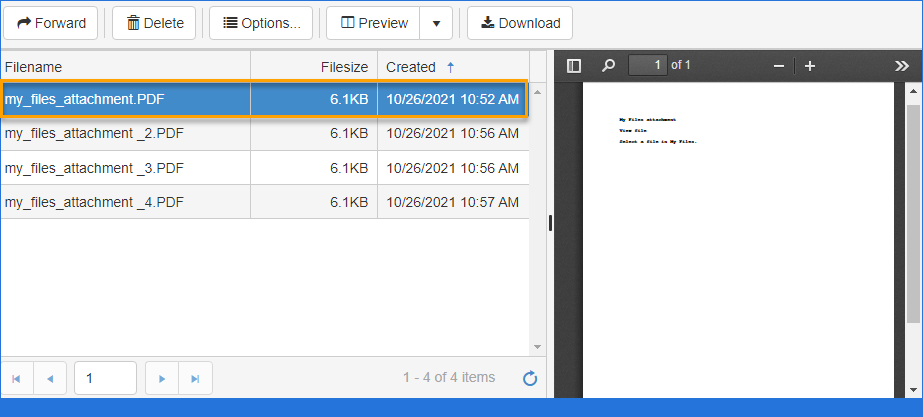
Select the document you want to open. The document appears in the Preview pane.
-
Use the Preview toolbar to view the document as needed.
-
Use the My Files toolbar to complete the following tasks.
-
Forward
-
Delete
-
Options - Create and/or Save a Routing Sheet
-
Preview - Docked or Undocked
-
Download
-
See the My Files list example below.
See also
Creating a My Files Routing Sheet