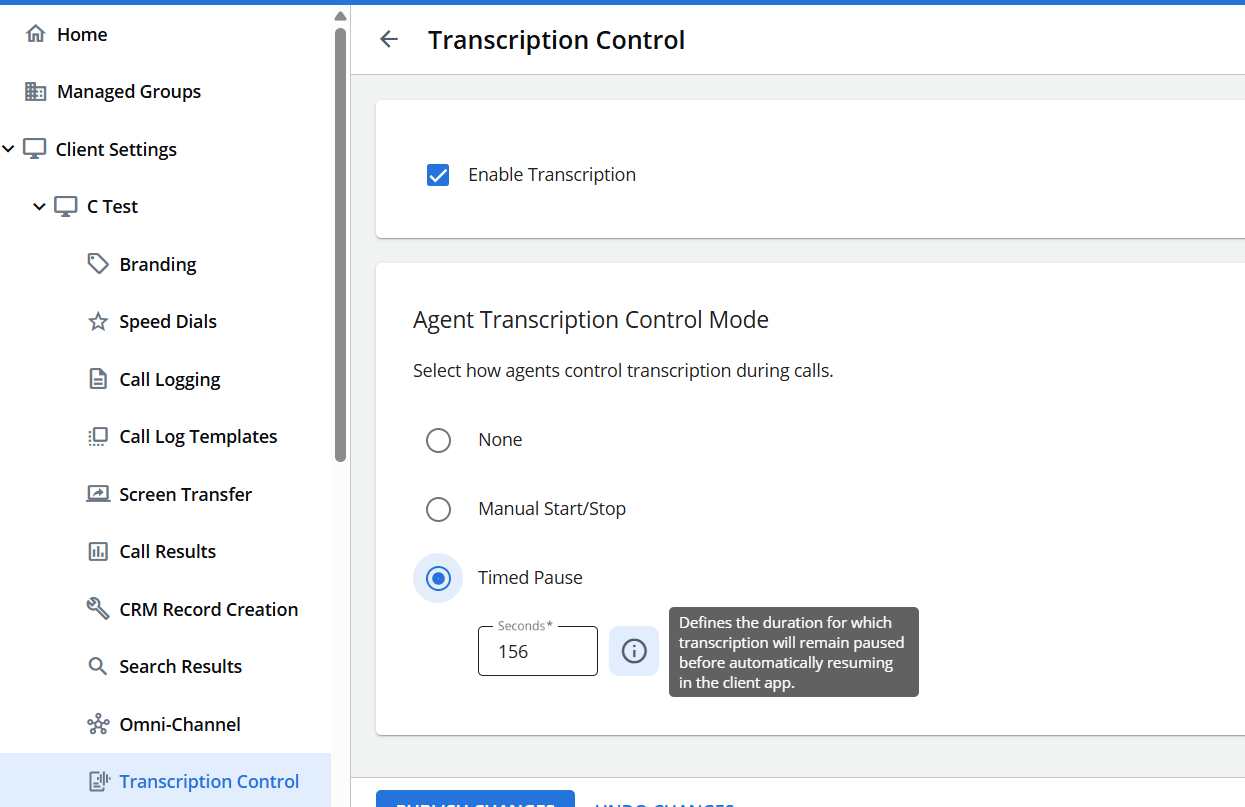
Transcription Control
Note: Transcription Control is only relevant for organizations that are licensed to use the Upland Transcription Service (UTS)
The transcription control setting allows you to enable or disable Upland Transcription Service (UTS) for managed group. Simply check the box 'Enable Transcription' and then select one of the following agent transcription control modes:
-
None - Agents have no control over transcription.
-
Manual Start/Stop - Agents will see a button within the client UI that allows them to start or stop transcription during a call.
-
Timed Pause - Allows agents to start a timed pause for the defined duration before transcription automatically resumes.
Select one of these options and then click Publish Changes.