Reviewing trackable link usage
When you create trackable links to add a shortened URL to your text messages, Mobile Commons identifies the profile users who have clicked the link and the number of times the link is clicked by one or all users.
To review trackable link usage:
-
Select
 Mobile Web in the left pane, and then select Links.
The Trackable Links table displays the link records.
-
Locate the link in the Trackable Links table, select
 Menu at the end of the row, and then select View record.
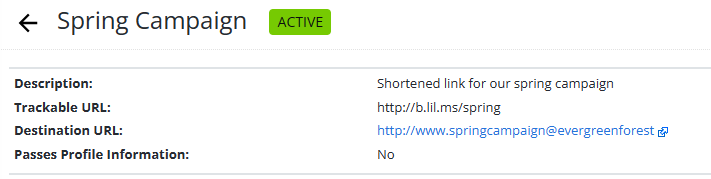
The full record for the trackable link opens.
-
To review the Clicks report, in the Link Actions panel on the right, select
 Clicks.
The Clicks report for the trackable link opens.
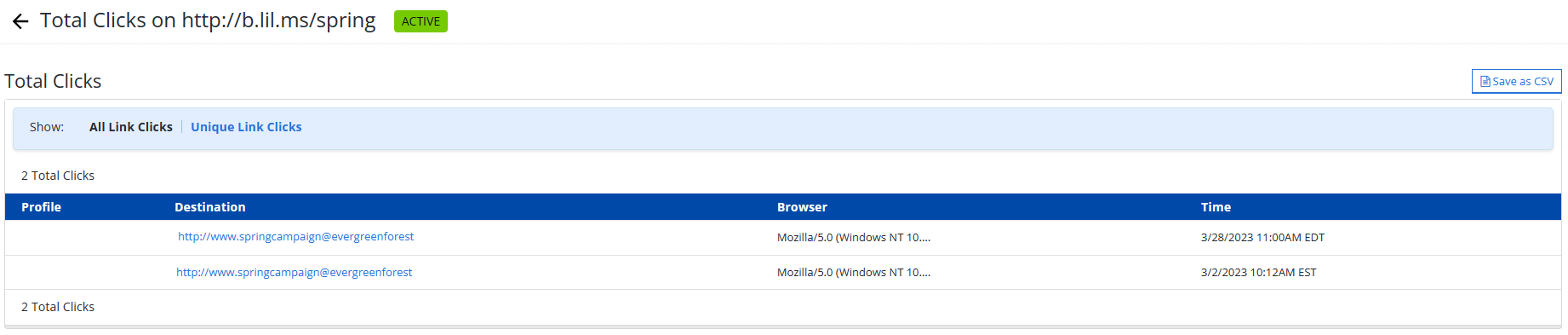
The Clicks report contains the following information for each click of the trackable link:
Column Description Profile The name of the user who clicked the link, as recorded in their user profile. Destination The URL address for the web page visited. Browser The browser used to access the web page. Time The date and time when user visited the web page. -
To view unique clicks (one per user), from the Show options above the table, select Unique Link Clicks.