Working with the Synchronization report
-
Select
 Home in the left pane, and then select Data Sync.
The home page for your CRM sync opens.
-
In the Integration Actions panel on the right, select
 Synchronization Report.
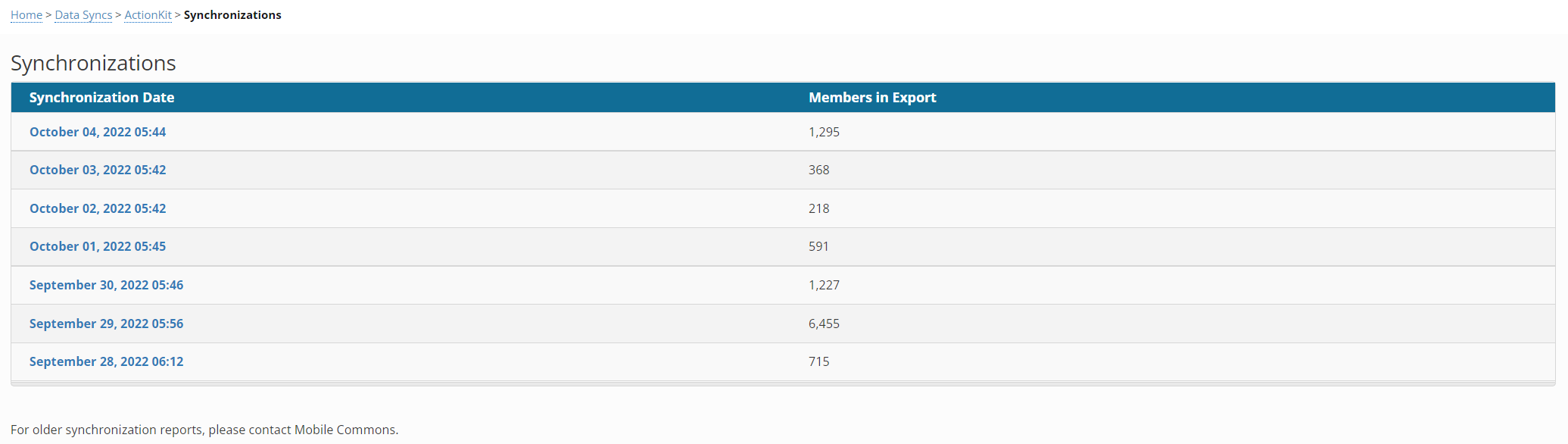
 The Synchronization report opens.
-
To view synchronization data for an overnight sync, select the date in the synchronization date column.
The Synchronization Summary opens.
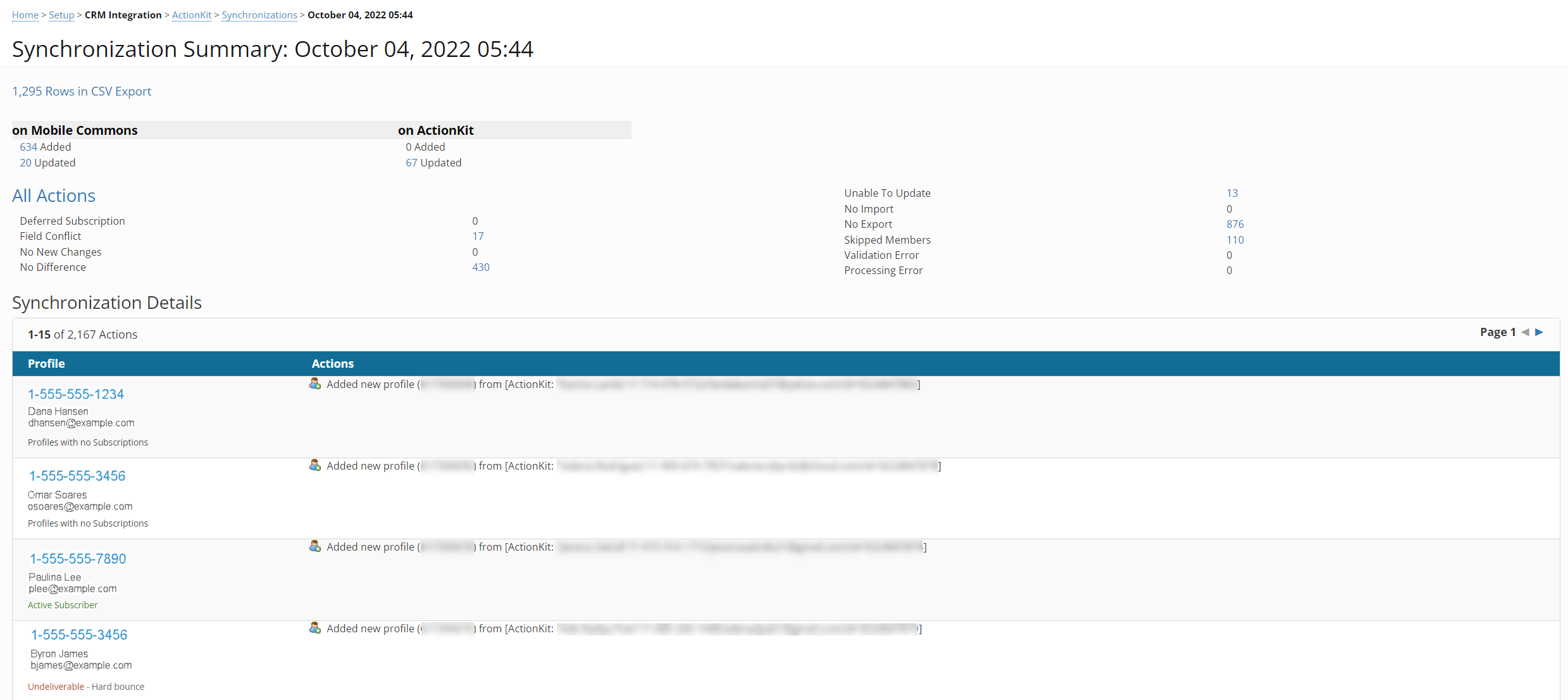
The Synchronization Summary displays statistics on profiles that were synced on Mobile Commons and on the CRM system within the past 24 hours.
-
The All Actions section identifies key actions that occurred during the sync:
-
Deferred Subscription: The user has not confirmed their subscription.
-
Field Conflict: Mobile Commons does not know which profile record is most accurate and so will take no action.
-
No New Changes: Neither record has been updated.
-
No Difference: Nothing Mobile Commons syncs has been changed (that is, custom fields on the CRM may have been updated, meaning the record had changes on it within the past 24 hours, but they are not synced over to Mobile Commons).
-
Unable to Update: We were not able to update the Mobile Commons record (usually because the record is no longer valid on either side).
-
No Import: Records were missing a Mobile Commons required field (usually just phone number).
-
No Export: Records were missing a CRM required field (usually email).
-
Skipped Members: Records were skipped because of multiple matches (usually multiple records on the CRM side).
-
Validation Error: There was an error when trying to connect to the CRM, usually credential issues.
-
Processing Error: There was another type of error when trying to connect with the CRM, usually a deletion of a record in the CRM.
-
- The Synchronization Details table contains the following information for each profile that was synchronized overnight:
- Profile: user profile information, including mobile phone number, first and last names, email address, and description of the profile status, such as Active subscriber, Profile with no subscriptions, or Undeliverable.
- Actions - the synchronization action, such as added, updated, or deleted user profile information.
-
-
To open an individual profile, select the mobile number link in the Profile column.