Copy sample data files
A useful practice is to create a secondary flow with inject nodes that trigger copying of sample data files into the watched folder. This offers a convenient way to test different input scenarios, without leaving the OL Connect Automate interface or manually copying files on your computer.
This method allows for repeatable, controlled testing of a flow using folder capture, and is particularly effective when validating logic against different data set sizes or handling files with incorrect or unexpected data.
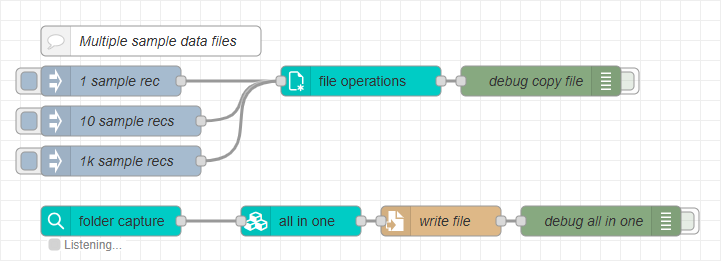
For details, see the Resource Center article: Sample Data Tactics for Folder Capture in OL Connect Automate.