Open topic with navigation
Dismiss this until next updateThis documentation has been updated
The latest version of
PrintShop Mail is currently
7.1. This documentation was updated on
2011-03-29 and covers the changes made in this version. If you are still using an older version of
PrintShop Mail, you can access its documentation by using the
Version: menu at the top-right corner of this screen.
If you wish to upgrade to
PrintShop Mail7.1, you can do so via the
Upgrade Request page. Note that in order to upgrade, you will need a valid OL Care contract as of
2010-09.
Verification Result Panel
When you select from the Layout menu, Verify Document a progress bar will be displayed, showing the amount of records being checked. The warnings for the whole document will be listed in the Verification Result panel.
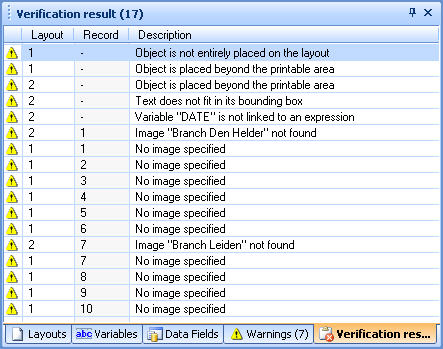
The Verification Results Panel, showing the results of the Verify Document procedure.
It is possible to save messages displayed in the Warnings panel and the Verification Results panel by right clicking on the message and Copy/Paste the text to a text file.