External login
The external_login.php file handles the authentication and forwards any parameters included in the request (POST or GET). If the authentication fails the PSW login page will be shown. Optional parameters are used to redirect the web browser to a specific PrintShop Mail Web web page and to set the skin.
The external_login.php file requires the following attributes in order to authenticate the user:
-
fcUserName, the login name
-
fcPassword, the users password or
- fcPasswordMD5, the users password using a MD5 hash
The latter variable can be used to send the password in non readable format.
The following attributes are optional:
-
fcPageID, used to redirect the user to a specific page.
-
fnID, used to send a unique ID to PSW allowing to retrieve the information of a specific template or order.
-
fcFormID, used to redirect the user to a specific edit or submission page. Example: To show the user input/database input page of a template you will need to call the preview_init_form form and specify the unique ID of the template in the fnID parameter. The preview_init_form retrieves all information of that template in order to show the correct information in the web browser.
-
fcWebDesign, this parameter lets you toggle the skin of the web site. The value of this parameter should match the Design name which can be setup in the Web Design section of a company.
When no fcPageID or fcFormID is specified the site will be directed to the PSW Welcome page. The fnID parameter is used in conjunction with the fcPageID or fcFormID parameters. When no fcWebDesign parameter is stated the system default skin will be used.
For security reasons it is recommended to pass parameters to external_login.php via a POST request over HTTPS.
In order for the external login to work, the following modification must be made in the ".htaccess" file (located, by default, at C:\Program Files\PrintShop Mail Suite 7\PrintShop Mail Web\Website\.htaccess):
<FilesMatch "index.php|site.php|firstrun.php|phpinfo.php">
must be changed to:
<FilesMatch "index.php|site.php|firstrun.php|phpinfo.php|external_login.php">
Examples
Examples are included with your PrintShop Mail Web installation and can be found in the webintegration folder of the PrintShop Mail Web web site folder. The sample below is taken from the index.php stored in the basic folder.
<!-- Sample href -->
<a href="external_login.php?fcUserName=administrator&fcPassword=administrator">Login</a>

<!-- Href with redirect -->
<a href="external_login.php?fcUserName=administrator&fcPassword=administrator&fcPageID=storefront_overview">Login</a>
<!-- Sample form -->
<form method="POST" action="external_login.php">
  <input type="hidden" name="fcUserName" value="administrator"/>
  <input type="hidden" name="fcPassword" value="administrator"/>
  <input type="submit" value="Login"/>
</form>

<!-- Sample form including redirect -->
<form method="POST" action="/external_login.php">
  <input type="hidden" name="fcUserName" value="administrator"/>
  <input type="hidden" name="fcPassword" value="administrator"/>
  <input type="hidden" name="fcPageID" value="storefront_overview"/>
  <input type="submit" value="Login and Redirect"/>
</form>
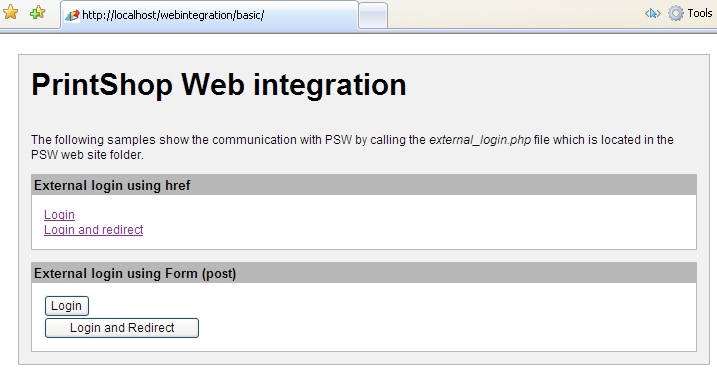
The basic webintegration index.php file