The Administrator log records all activities performed by Administrators within PowerSteering.
1. Click Logs
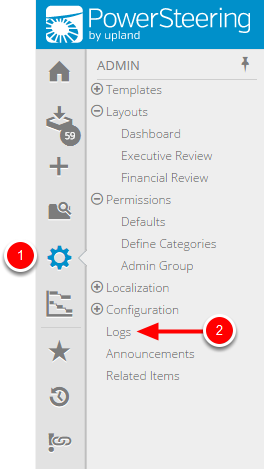
- On the Icon Bar click the Admin button, then click Logs.
2. Specify Log Criteria
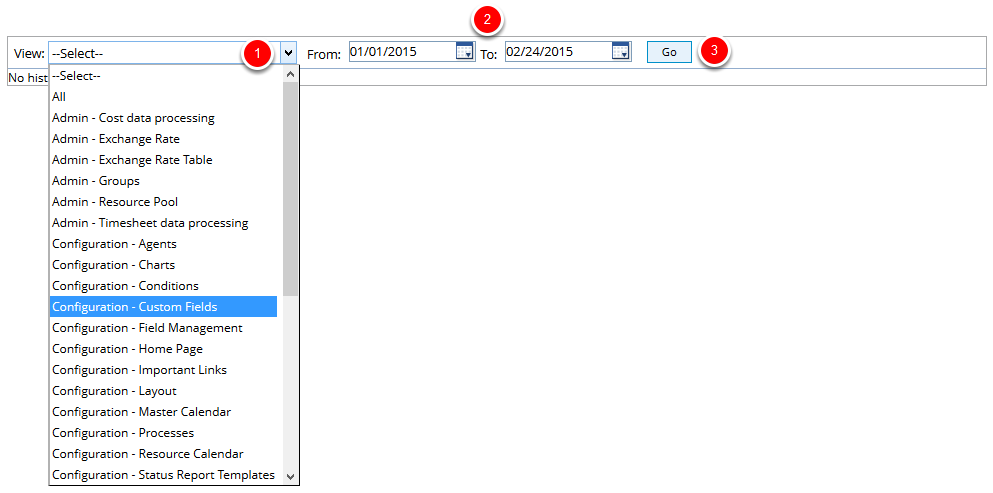
- From the View drop-down menu, select the administration activity that you want to view a log for.
- Specify a date range for the log.
- Click Go.
3. View Log
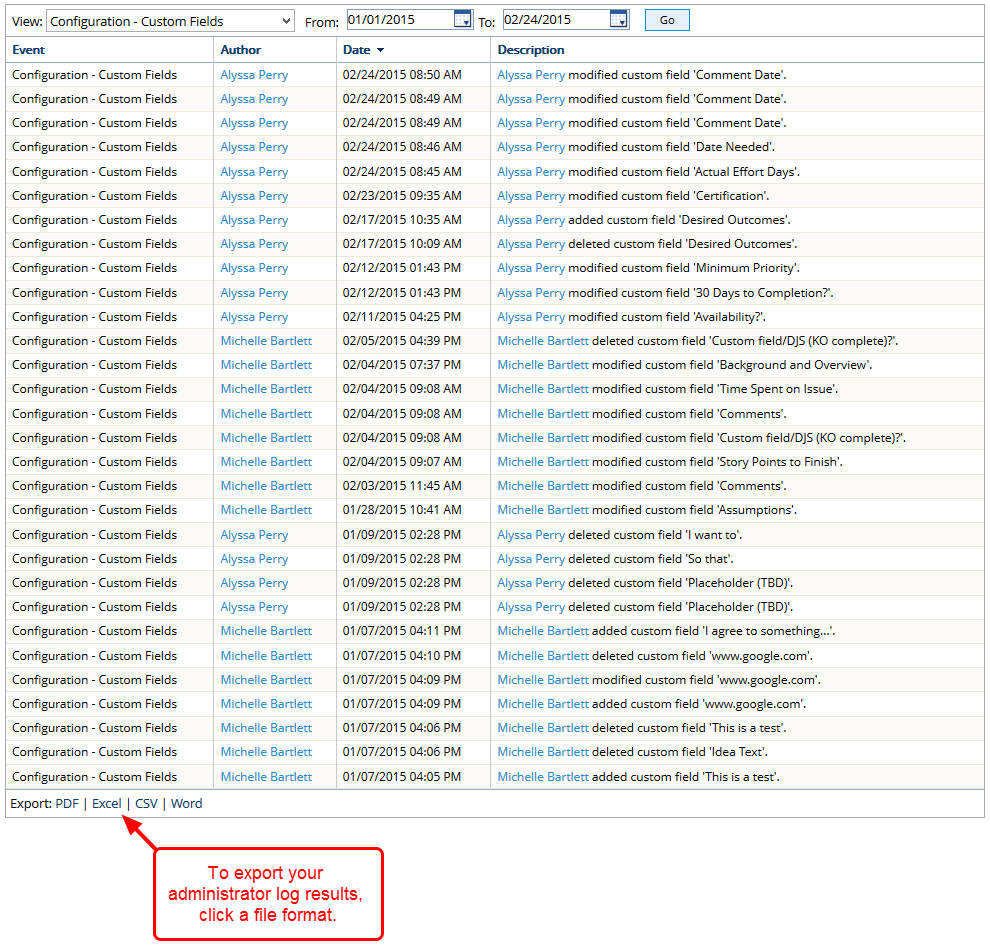
- View log for the specified administration activity.