Edit Work Permissions
By default, a work object inherits permission settings from its parent. Depending on your PowerSteering configuration, you may have the ability to change permissions for work objects that you own.
1. Click Edit Permissions
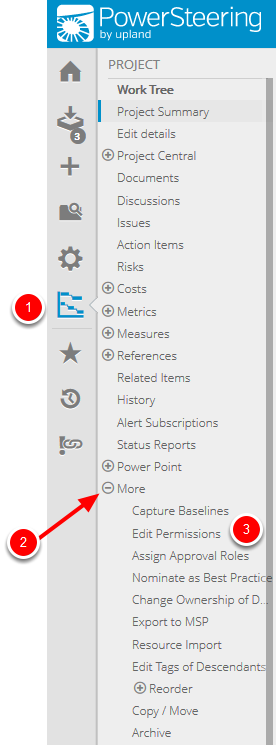
- On the Icon Bar, click the Project button.
- Click More to expand the menu, then click Edit Permissions.
Note: Clicking the Project button on the Icon Bar will take you directly to the Summary page of the last work you visited.
2. Edit Permissions
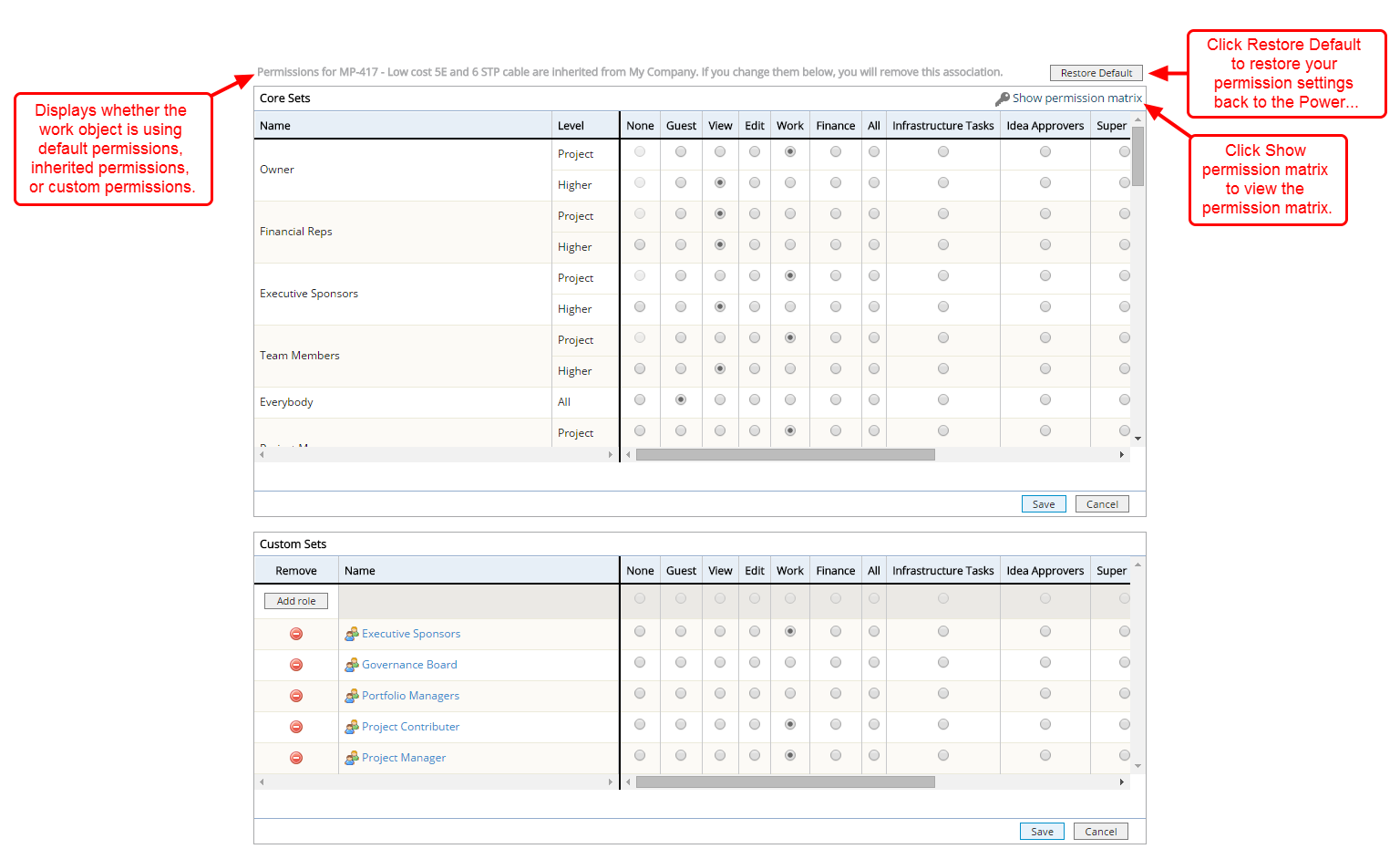
- Select the access levels you want to change in the core and custom sets.
- Click Save.
3. View Permissions
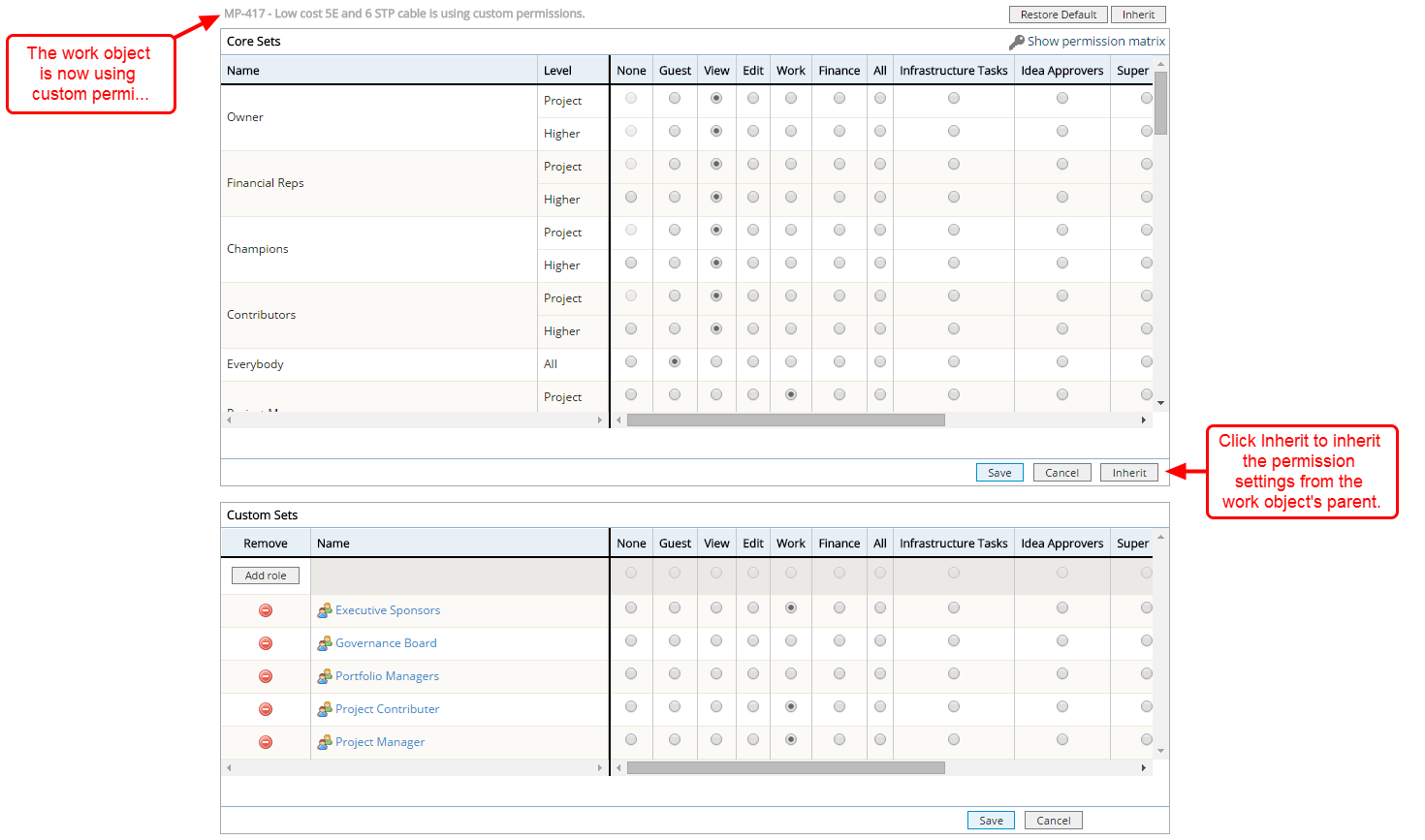
- View updated permissions.