Report Assets Overview
Report templates, subreports, and images are collectively referred to as report assets and are the building blocks that you use to create reports. The Assets page lists all assets that have already been uploaded.
1. Click My Reports
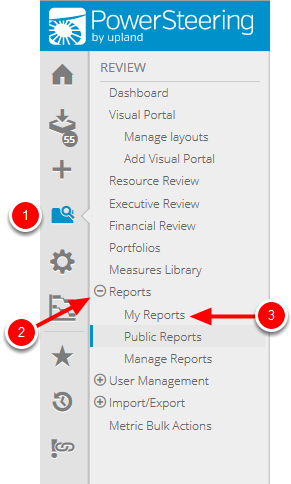
- On the Icon Bar, click the Review button.
- Click Reports to expand the menu, then click My Reports.
2. Click Assets

- Click the Assets tab.
3. View Report Assets
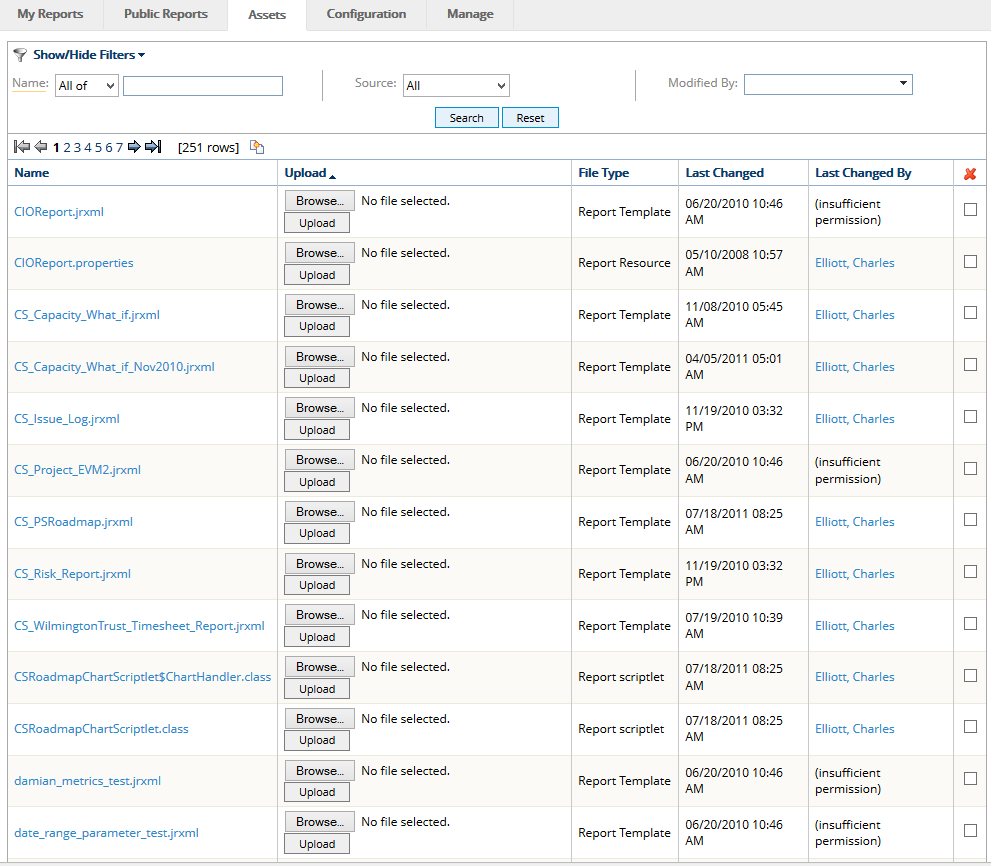
- View available report assets.