The My Recent Reports Widget provides users with quick access to recently viewed Reports and Upland Analytics Reports. This allows users to open frequently accessed reports directly from the Homepage without navigating through menus or search.
This article explains how to set up and manage the My Recent Reports widget, including Configuration options such as:
It also describes the End User Experience, showing how users interact with the widget once it’s published on their homepage.
Configuration
Include Widget
- From the right-hand sidebar, drag the My Recent Reports Widget into the design area.
Note: When the widget is added to the canvas, it is placed in the first available empty space in the top-left corner. You can resize and reposition the widget as needed to fine-tune the layout.
- You can resize, reposition, rename the widget title, and set the number of reports to display.
Set Number of Reports to be Displayed
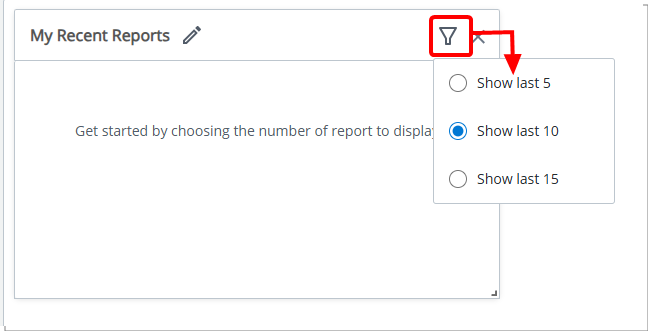
- Click the Filter
 button.
 - Then choose:
- Show last 5
- Show last 10 (default selection)
- Show last 15
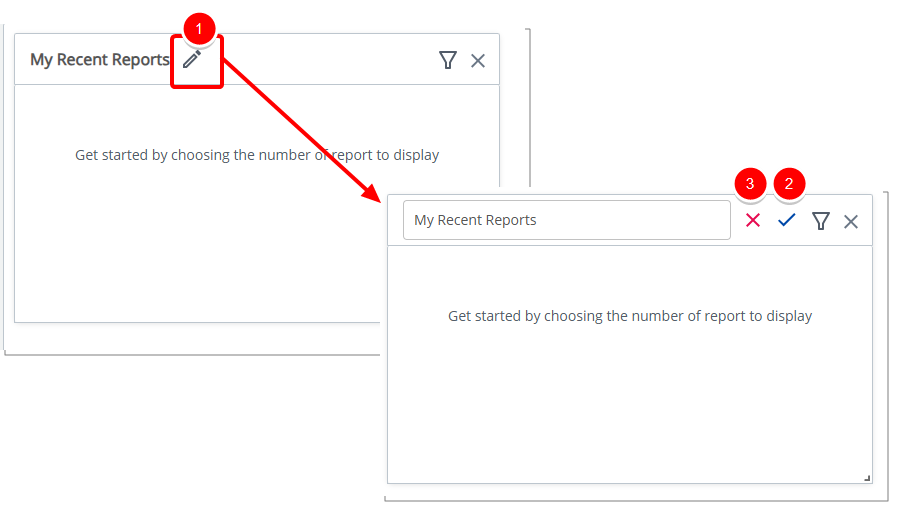
Rename Widget
- Click the pencil icon (
 ) to rename the widget title.
 - Click the checkmark (
 ) to confirm the name and save the template automatically.
 - Click the X icon (
 ) to cancel.
Delete Widget
- Click the Delete
 icon. The widget is removed from the Homepage.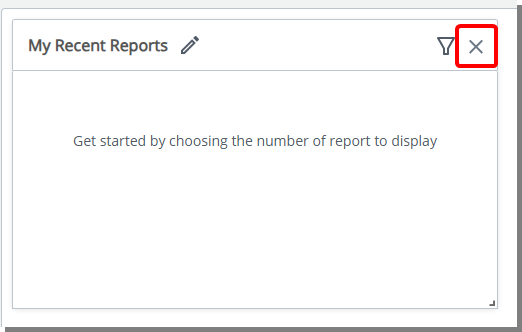
End User Experience
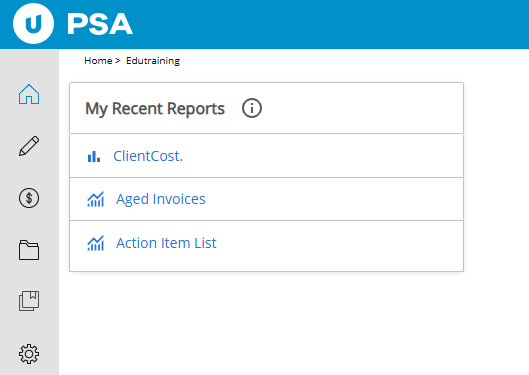
The My Recent Reports tile provides you with quick access to the reports you use most often, displaying up to 5, 10 (default), or 15 recently visited reports in descending order by last visited time.
Each report name is a clickable link that opens the report directly, while distinct icons differentiate RDLC ( ) and UA (
 ) reports for easy identification.
Note: If no recent reports are available, the tile displays a message indicating that no reports have been viewed recently. In cases where data cannot be retrieved due to connectivity or other issues, a clear error message is shown, ensuring you are always informed of the widget’s status.
This widget improves efficiency by giving users immediate access to the reports they use most, reducing the time spent searching for frequently accessed content.