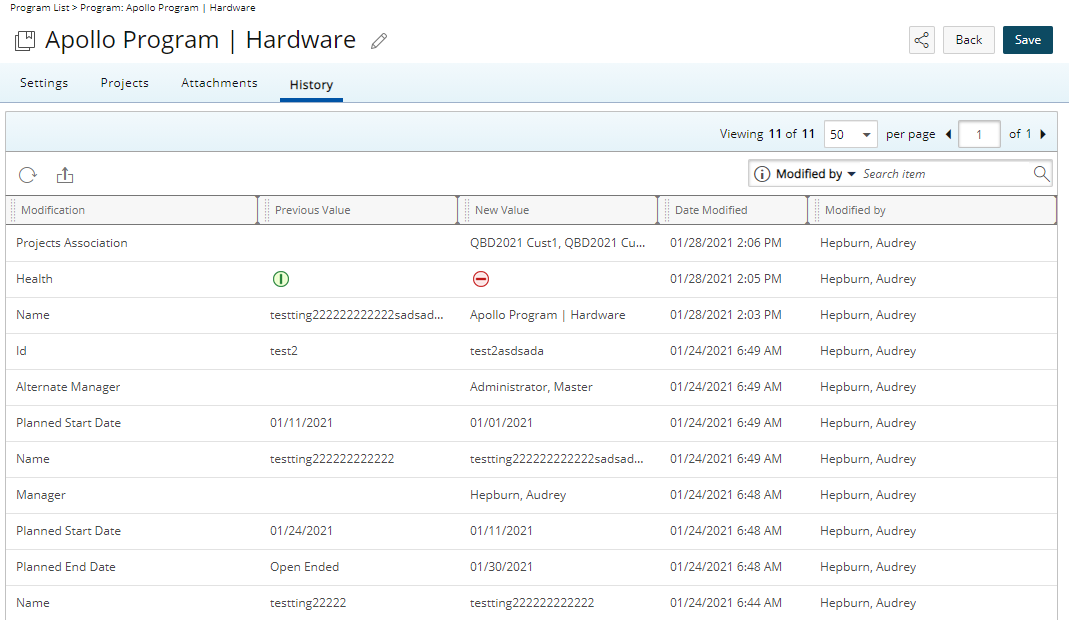
When the Program Detailed Auditing option, available under Setup > Work within the Audit Trail settings is turned on, any changes to the Program can be tracked to indicate when the update was made, by whom, and details of the modification(s) (Tools > Audit Trail).
Furthermore, changes made to the Program are then available on the Program History page detailing the Modification, Previous Value, New Value, Date Modified and Modified information.
This article details how to enable the Program Detailed Auditing option to track changes, including who made updates, when, and what was modified. View detailed change history on the Program History page.
- From the Icon Bar select Setup
 .
. - Click Organization from the Navigation Menu.
- Click System.
- Click the Security button.
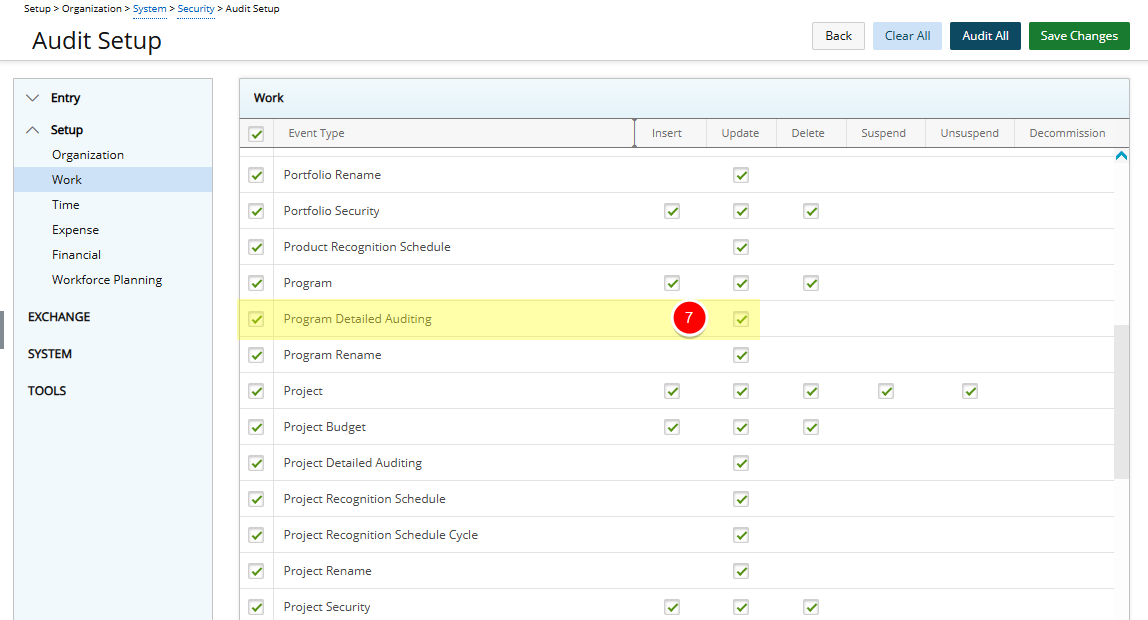
- From the Security page click the Audit Trail button to open the Audit Setup page.
- From the navigation, click Work located under the Setup category.
- Select the Update box for Program Detailed Auditing Event Type.
- Click Save Changes to save the changes you have made.
- Click Back to return to the Security page.
- With the Program Detailed Auditing turned on, detailed changes made to Programs are now available within the Program History tab.