Use the Homepage Templates security permission to control which users can view, create, modify, or delete homepage templates. This allows administrators to securely manage homepage configurations for different user groups, maintain consistent layouts, and support role-specific dashboards without compromising governance.
Accessing the Security Setting
- From the Icon Bar click Setup
 .
. - From the Navigation Menu click Organization.
- From the menu click System.
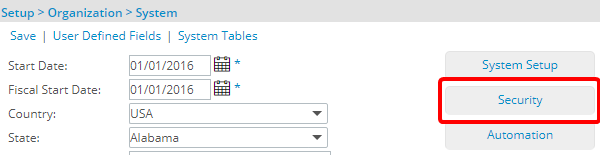
- From the System page click the Security button to access the Security setup page.
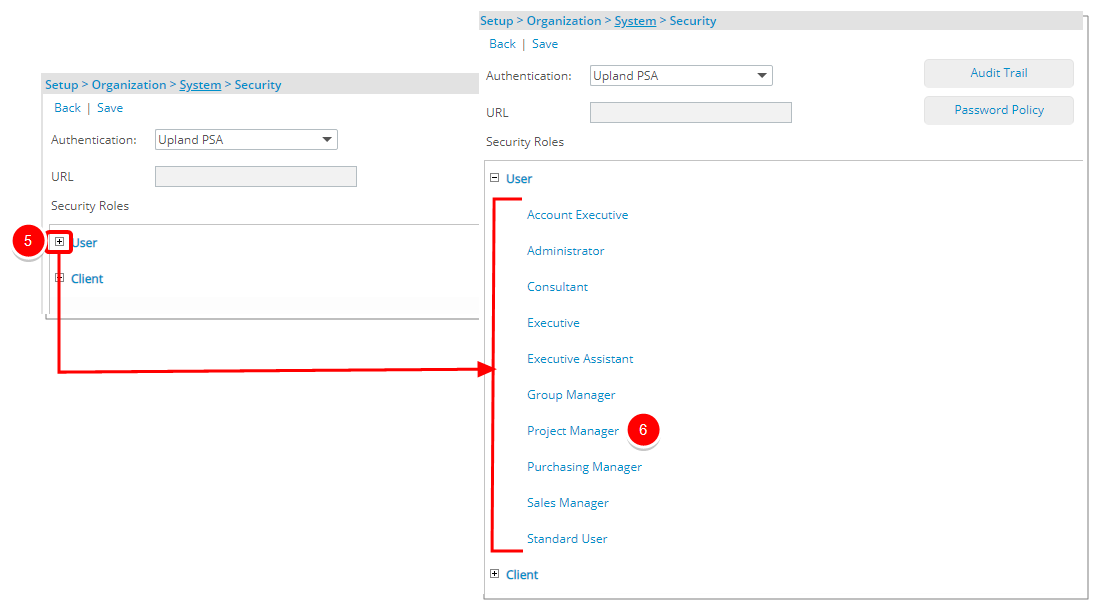
- Click the expand button (
 ) located against a User Security Role Placeholder, if applicable to view the available Security Roles.
 - Select a Security Profile.
- On the Security Profile page, expand the Setup menu.
- From the available options select Organization.
-
Select the required option(s) based on the access you want to grant:
- View: Controls whether the Homepage Templates link appears in the navigation menu.
- Modify: Allows editing of existing Templates.
- Create: Allows creation of new Templates.
- Delete: Allows removal of Templates.
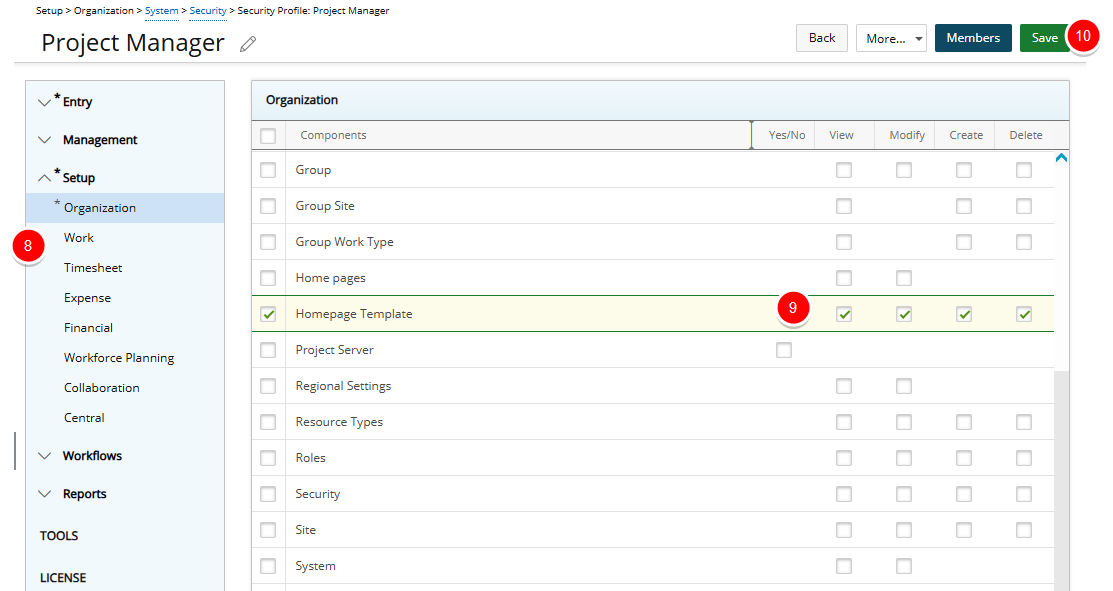
Note: These permissions are enabled by default for the Administrator security profile and disabled for all other profiles.
- Click Save to apply your changes.
- Click Back to return to the previous page.