The Can only Book Users who are already Hard Booked in the Project security permission, located under Security Profile > Entry > Workforce Planning, provides a controlled way to manage project User bookings. This permission allows users to create, modify, or delete bookings only for Users who already have an existing Hard Booking on a Project.
This feature helps maintain strict control over resource scheduling while giving authorized team members flexibility to make necessary adjustments—such as updating hours, shifting booking dates, or converting between Hard and Soft bookings—without requiring intervention from an Administrator or Resource Manager.
By default, the Can only Book Users who are already Hard Booked in the Project permission is granted to the Administrator security profile.
This configuration enhances operational efficiency by reducing dependency on resource managers for minor booking adjustments while preserving governance and preventing unauthorized scheduling of unbooked resources.
Accessing the Security Setting
- From the Icon Bar click Setup
 .
. - From the Navigation Menu click Organization.
- From the menu click System.
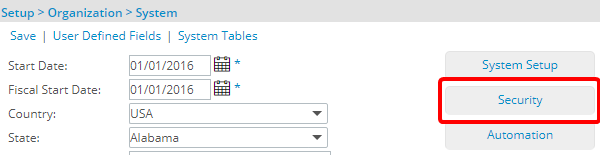
- From the System page click the Security button to access the Security setup page.
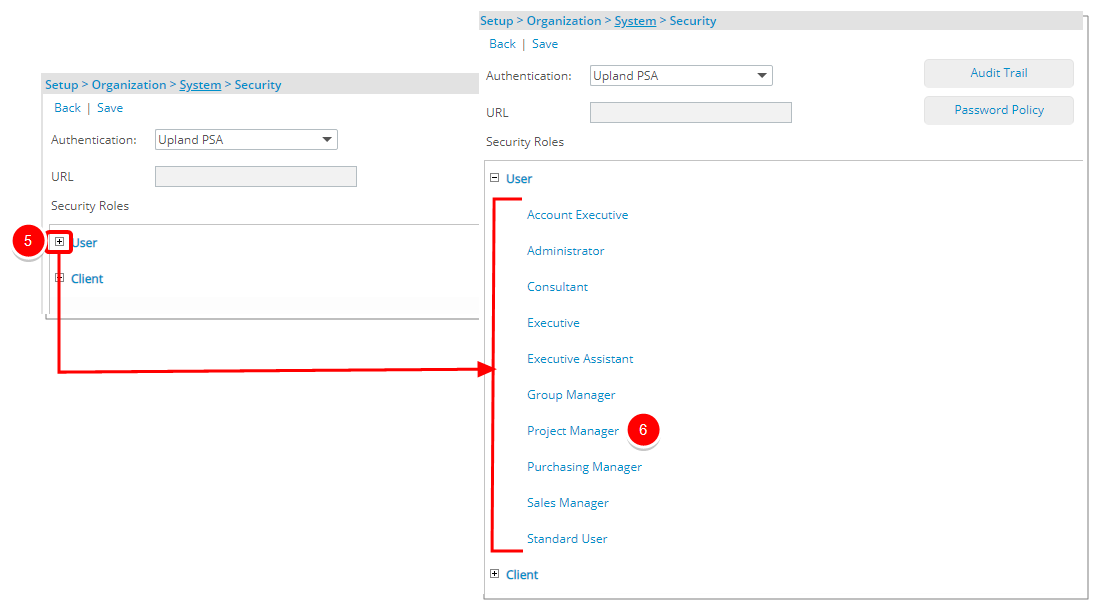
- Click the expand button (
 ) located against a User Security Role Placeholder, if applicable to view the available Security Roles.
 - Select a Security Profile.
- On the Security Profile page, expand the Entry menu.
- From the available options select Workforce Planning.
-
Select Can only Book Users who are already Hard Booked in the Project option.
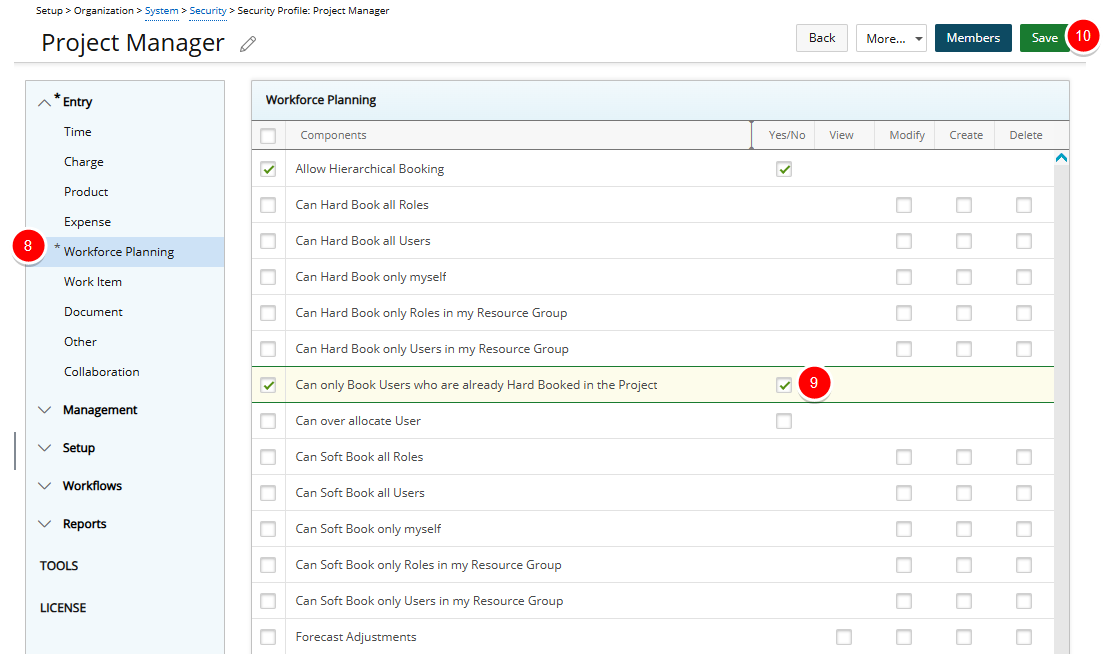
- Click Save to apply your changes.
- Click Back to return to the previous page.
Examples
The following examples illustrate how the Can only Book Users who are already Hard Booked in the Project permission behaves in different security configurations. These scenarios help clarify how the permission interacts with other booking permissions and what actions users can perform in practical situations.
Scenario 1:
Audrey, a project planner, has access to the Work Plan and the Can only Book Users who are already Hard Booked in the Project security permission. This means she can create, modify, or delete bookings only for Users who already have a Hard Booking on that project.
For example, if UserA is already Hard Booked on ProjectX, Audrey can update UserA’s bookings. However, she cannot create a booking for UserB, who has no existing hard booking on ProjectX.
Scenario 2:
In cases where a Project Manager doesn’t have Delete rights under Can Hard Book All Users, adding a new Project Team member through the Work Plan can still allow them to delete that team member’s hard booking if they also have the Can only Book Users who are already Hard Booked in the Project permission.
Audrey, a project planner, has the following permissions:
- Only Modify and Create under Can Hard Book All Users (Delete right is not granted)
- Can only Book Users who are already Hard Booked in the Project
When Audrey hard books a new User through the Work Plan, that action makes the User part of the project Team. As a result, the Can only Book Users who are already Hard Booked in the Project permission allows her to delete the hard booking — even though Delete rights were not explicitly granted under Can Hard Book All Users.