Application Settings Definitions
The application settings operate at the following levels available:
-
Gl = Global/Superadministrator: The global settings are not restricted to a specific company, but can be used by any company. Superadministrators can change a setting from global to company and vice-versa. If a setting is changed from global to company, it will not be available for all, but only to administrator of the specific company.
-
Co = Company/Company Administrator: The company-level settings cater to the business needs of an individual company. If an administrator handles multiple companies, the settings of one company cannot be applied to another.
-
Gr = Group/Group access: A group-level setting determines permission application for each group: Support Agent, Self-Service, Community, Guest, etc.
Note: Integrations are company-specific. Please consult with your RightAnswers Professional Services Representative with questions regarding adding these integrations.
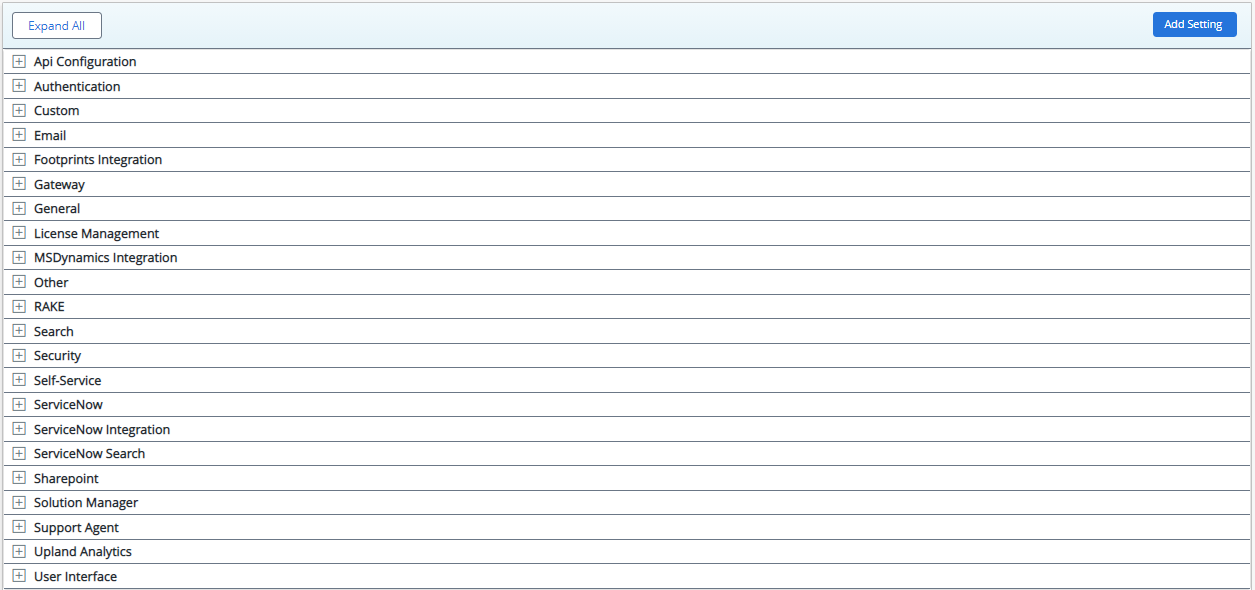
To find information on a specific setting, please click the section below where that setting is kept:
|
Setting |
Type |
Description |
|
AIAnswerGenerationApiKey |
Gl |
API keys for authentication to be used with Generative Answers services or private model. This is a Super Admin setting. |
|
AIAnswerGenerationEnabled |
Gl |
Enables the Generative Answers feature on the portal results page. Answers will only be generated if the search is an Inquiry/question. This is a Super Admin setting. |
|
AIAnswerGenerationInstructionRequest |
Gl |
Contains the system message prompt. This is a Super Admin setting. |
|
AIAnswerGenerationInterfaceProvider |
Gl |
Contains the name of the AI model. This is a Super Admin setting. |
|
AIAnswerGenerationMaxContextCount |
Gl |
Number of solutions to be sent to the model as context to use when answering the enquiry |
|
AIAnswerGenerationMaxFollowupQuestions |
Gl |
This setting controls the maximum number of follow on questions that a user can ask following the initial question. This is restricted to a maximum of 5 follow on questions. |
|
AIAnswerGenerationRequest |
Gl |
Additional payload parameters that are used within Generative Answers API call. The required parameters are max_tokens and model. This is a Super Admin setting. |
|
AIAnswerGenerationTriggerList |
Gl |
This setting controls the list of words that will trigger Generative Answer feature in portal. Default list of words: what, who, where, when, why, how, which, whose, whom, can, could, will, would, shall, should, may, might, must, do, does, did, is, are, was, were, have, has, had, please, kindly, whats, whas, whos, whomst, wheres, whered, wherell, whens, whend, whenll, whys, whyd, hows, howd, howll, wont, wouldnt, shant, shouldnt, cant, couldnt, mightnt, mustnt, dont, doesnt, didnt, wasnt, werent, havent, hasnt, hadnt. This is a Super Admin setting. |
|
AIAnswerGenerationUrl |
Gl |
The main URL endpoint used to connect Generative Answers to chat completion API. This is a Super Admin setting. |
|
ExternalAIAnswerGenerationAPIConfig |
Gl |
This setting used to hold api integration properties and configurations. For example, 'url, timeoutSeconds'. This is a Super Admin setting. |
|
SearchAPIGenAIWebhookConfig |
Gl, Co, Gr |
Configures the parameters for securely sending AI-generated responses from the API to a webhook service. Default value: This is a Super Admin setting. |
|
UseExternalAIAnswerGeneration |
Gl |
This setting should be used to change the AI Answer Generation from RA to External endpoint when applicable. This is a Super Admin setting. |
|
Setting |
Type |
Description |
|
AIApprovalSolutionCompletionParameters |
Gl, Co |
Configures parameters for AI model completion, such as model type, max_tokens, max_context, temperature, and top_p. This is a Super Admin setting. |
|
AIApprovalSolutionReviewEnabled |
Gl, Co |
Enables/disables the AI comparison of the differences between the current and previous versions of a solution in an approval workflow. |
|
AIApprovalSolutionReviewPrompt |
Gl, Co |
Contains the prompt that enables the AI model to properly generate a comparison between the original and updated solutions. |
|
AIApprovalSolutionTokenLimit |
Gl, Co |
Defines the maximum token size for both the solutions combined (current and the previous version of the solution) to trigger AI reviews. This is a Super Admin setting. |
|
Setting |
Type |
Description |
|
AISolutionReview |
Gl |
Contains services and prompts for the Review Solution feature. This is a Super Admin setting. This is a Super Admin setting. |
|
ApiKey |
Gl |
API keys for authentication to be used with Generative Answers services. This is a Super Admin setting. This is a Super Admin setting. |
|
CreateCompletionInterfaceProvider |
Gl, Co |
Contains the main URL endpoint used to connect to AI Knowledge Assistant to the chat completion API. This is a Super Admin setting. This is a Super Admin setting. |
|
CreateCompletionOpenRequest |
Gl, Co |
When set to 'True'. the task list includes an option "Open Request" to allow the user to specify their own prompt within the main message window. This is a Super Admin setting. This is a Super Admin setting. |
|
CreateCompletionReadTimeout |
Gl, Co |
Lets you specify the timeout duration in seconds to wait for text to be generated and returned from the API call. This is a Super Admin setting. |
|
CreateCompletionRequest |
Gl, Co |
This setting holds the additional payload parameters that are used within the API call. The required parameters are max_tokens and model. This is a Super Admin setting. |
|
CreateCompletionTasks |
Gl, Co |
This setting holds a list of default tasks that are sent to OpenAI as the prompt. The list can be modified according to usage requirements and evolution of LLMs. |
|
CreateCompletionUrl |
Gl, Co |
The main URL endpoint used to connect to OpenAIs chat completion API. This is a Super Admin setting. This is a Super Admin setting. |
|
EnableAIFeaturesForSolutionManagerByRole |
Gl, Co |
Allows superadmins to enable or disable AI auto-generate Keyword, Title, Summary, AI Review, and AI Assistant features for each user role. By default, the value of this setting is 'False' and all AI features are disabled. This is a Super Admin setting. |
|
KeywordAutoGeneration |
Gl, Co |
Customizes the prompt and tooltip for the Keyword auto-generation activity, helping users to identify and generate relevant keywords for their content with AI assistance. |
|
SummaryAutoGeneration |
Gl, Co |
Customizes the prompt and tooltip for the Summary auto-generation activity, allowing users to generate effective summaries of their content with AI assistance. |
|
TitleAutoGeneration |
Gl, Co |
Customizes the prompt and tooltip for the Title auto-generation activity, enabling users to generate appropriate titles for their content with AI assistance. |
|
Setting |
Type |
Description |
|
AIAddToKbInstructionRequest |
Gl, Co |
Contains the prompt to enable the AI model to create a RightAnswers solution. This is a Super Admin setting. |
|
Setting |
Type |
Description |
|
AnnouncementCarouselRotation |
Gl, Gr |
Setting to control the automatic rotation of the announcement carousel. Disabling Rotation: If the admin sets the value to 0 or any negative number, the carousel will not rotate automatically. Enabling Rotation: If the admin sets the value to a positive number (e.g., 5), the carousel will rotate every 5 seconds. |
|
AnnouncementDisplayFormat |
Gl, Gr |
Setting to control whether announcements are displayed as a carousel or a list. Setting to Carousel: If the admin selects "Carousel", announcements will be displayed in a carousel format for all users within the group. Setting to List: If the admin selects "List", announcements will be displayed in a list format for all users within the group. |
|
AnnouncementDisplaySettings |
Gl, Gr |
This setting should be used to control the display of announcements. Default is Show Expanded. Show Collapsible = Collapsible format / Show Expanded = Expanded format / Show Expanded When New = Expanded when new, then collapsible. |
|
Setting |
Type |
Description |
|
ApiUseFavoritesCache |
Gl, Gr |
This determines how a users favorites are retrieved when a API call is made. If set to True, the favorites will be retrieved from the cache. If set to False, the favorites will be directly retrieved from the database. The default value is True. This is a Super Admin setting. |
|
BasicAuth Enabled |
Gl, Gr |
This setting controls the availability of Basic Authorization for accessing the platform's web services. If set to True, the consumers of the API can use Basic Authorization to authenticate and access the services. If set to False, consumers are required to use the API login method to obtain a JWT (JSON Web Token) for making API calls securely. The default value is True. |
|
convertKeyword |
|
This setting is specific to a customer and should remain FALSE for all others. If set to true then keywords in REST API will be returned as having the spaces replaced with dash. This is a Super Admin setting. |
|
DoImpersonateUserOverride |
Gl, Gr |
This setting determines how the system selects the portal group when the imp_user parameter is used for user impersonation. If set to True, the system retrieves the group information stored in the profile of the impersonated user (imp_user) from the database. In this case, the parameter to impersonate groups (imp_group) will be ignored. If set to False, the system's group selection depends on the presence of the imp_group parameter. If the imp_group parameter is provided, it will be used as the group for the impersonation. If no imp_group parameter is passed, the system will use the group associated with the API user account instead. |
|
JwtTokenExpiration |
Gl, Gr |
The length of time (in minutes) that a JWT token obtained from the platform API will be valid for before a new one needs to be retrieved. The default value is 15 minutes. |
|
JwtTokenSecret |
Gl, Gr |
The secret key of the Jwt token needed for the decryption of it. The default value is WYJgnS25lY. |
|
UpdateApiLastLoginDate |
Co |
This setting enables the functionality to update the last login time when a portal user accesses any endpoint via the API. By default, this setting is disabled, meaning that the last login time is not saved. However, when enabled (set to True), the system will record the timestamp of the user's last login. |
|
WebServiceLinkTokenValidity |
|
This setting controls the expiration duration of the linkToken used in image links for solution API requests. The linkToken remains valid for the specified duration in minutes. The default value is 5 minutes. |
|
Setting |
Type |
Description |
|
AccessTPCSupportURL |
Gl |
This setting shold a support solution link offering instructions on how to enable third-party cookies across various web browsers. This is a system setting. |
|
AllowGuestLogin |
Gl, Gr |
This setting controls the user identification and group assignment behavior in the self-service interface. If set to False, the configured authentication mechanism will be used to identify the user and determine their associated group. Enabling this setting (set to True) results in users being seamlessly presented with the Guest group upon accessing the interface, providing them with the opportunity to log into their respective groups. The default value is False. |
|
authAdminGroupMap |
Gl, Gr |
This is an Portal Admin group key value pair separated by comma, which represents a group name that is mapped to the authority properties coming back from the authentication configuration. For example: |
|
authCommunityMap |
Gl, Gr |
This will be the mapping of Community name to authorities. If set to False, an admin would manually turn on community for every user they want to give access to communities to. |
|
authDefaultSAPortalGroup |
Gl, Gr |
The default SA portal group a user is assigned to when the portal is configured for DefaultAuthentication. |
|
authDefaultSSPortalGroup |
Gl, Gr |
The default SS portal group a user is assigned to when the portal is configured for DefaultAuthentication. |
|
authPortalGroupMap |
Gl, Gr |
This is an Portal group key value pair separated by comma, which represents a group name that is mapped to the authority properties coming back from the authentication configuration. For example: |
|
authSAPortalGroupMap |
Co |
This is an SA group key value pair separated by comma, which represents a group name that is mapped to the authority properties coming back from the authentication configuration. For example: |
|
authSMRoleMap |
Co |
This is a SM role key value pair separated by comma which represents a group name that is mapped to the authority properties coming back from the authentication configuration. For example: |
|
authSSPortalGroupMap |
Co |
This is a SS group key value pair separated by comma which represents a group name that is mapped to the authority properties coming back from the authentication configuration. For example: |
|
authUserCollectionMap |
Co |
Give the ability to segregate content at an individual level based on collections. As well as a user being mapped into a specific portal group, it is now possible to restrict the individuals access further based on collections. This can be managed either in their user profile or mapped from the SSO information. |
|
authWorkgroupMap |
Co |
Used by supported authentication providers to map a user’s authorities to a Solution Manager workgroup. The value 'ALLWorkgroups' maps a custom user role to all the workgroups and the users assigned to the custom role will have access to all workgroups, regardless of any other mappings present.
|
|
autoAuthorRoleMap |
Gl, Gr |
This is a new setting only for 2018R1.0. It is for the auto mapping of authors to custom roles based on their portal group. It takes on the format of [role name]=[portal group name],[portal group name]; or [role name]=[all] or none set to author role. |
|
AutoSetCommunityUser |
Gl, Gr |
If set to True and using external authentication, a user that logs in will be marked as a community user thus taking up 1 community user license. |
|
CreateSMProfileOnSALogin |
Gl, Gr |
When True the system will create an active Solution Manager profile on logging into the Support Agent portal |
|
CreateSMProfileOnSSLogin |
Gl, Gr |
When True the system will create an active Solution Manager profile on logging into the Support Agent portal |
|
CustomAdminOnlyPages |
Gl, Gr |
If needed the ability to access an admin JSP without being redirected to the login page first, you would add the name of the JSP here. If you need to add more than one JSP, then you would separate them with a comma. This is a system setting. |
|
DefaultCommunityGroup |
Gl, Gr |
The default community group for users who register through the self-registration process. |
|
DoSupportLocalWindowsAuth |
Gl, Gr |
Use local windows Auth for support login. Default value is False. This is a system setting. |
|
JwtAuthID |
Gl, Gr |
The authentication ID in which the portal will use to login into solutionmanager transparently when executing the Add To KB functionality. By default, and in most cases, this should be set to JWT. |
|
KeepSessionsAliveSA |
Gl, Gr |
If set to true, the sessions for a user in the SA portal will only expire when the browser is closed. The default value is True.
|
|
KeepSessionsAliveSS |
Gl, Gr |
If set to true, the sessions for a user in the SS portal will only expire when the browser is closed. The default value is False.
|
|
QuickAccessAdminEnabled |
Gl, Gr |
If set to True, displays the quick access button in Solution Manager to navigate to the Administrator Console. |
|
QuickAccessJWTEnabled |
Gl, Gr |
If set to True, Enables the quick access links to use a secure token to authenticate the user, this is not required when SSO is used. |
|
SMInterceptorAllowedPaths |
Gl, Gr |
URI paths separated by a semi-colon that the Interceptor will allow through with no authentication. For example, you may want SM to bypass controller/addtokb without authentication. This is a system setting. |
|
SupportLoginDomain |
Gl |
This is for RA internal use only for hosted clients. Used to login as an admin for troubleshooting purposes only. This is a system setting. |
|
UserAuthReActivatePortal |
Gl, Gr |
If set to true would reactivate portal user and successfully should log user into Portal. False should not reactivate portal user and throw invalid login message. |
|
UserAuthReactivateSM |
Gl, Gr |
If set to true would reactivate SM user and successfully should log user into SM. False should not reactivate SM user and throw invalid login message. |
|
userHasAccessWithNoCollectionMatch |
Gl, Gr |
If set to true, give the ability to segregate content at an individual level based on collections. As well as a user being mapped into a specific portal group, it is now possible to restrict the individuals access further based on collections. This can be managed either in their user profile or mapped from the SSO information. |

|
Setting |
Type |
Description |
|
AnsweredDiscussionBoost |
Gl, Gr |
A boost given during a search to questions that have been answered. You may enter any number in the setting value. The boost depends on a lot of factors and is not limited to the entered number. However, generally, higher the value, the more weight the search engine will give to community questions that have an accepted answer. |
|
TrendingAnswerCountWeight |
Gl, Gr |
A number weightage given to an answer that gets used in the trending question portlet. |
|
TrendingSampleCount |
Gl, Gr |
The number of questions to take into account when calculating trending questions. The default is 50. There is no min or max. The higher the number though the search performance will get slower as it needs to process more trending solutions. |
|
TrendingViewCountWeight |
Gl, Gr |
A number weight given to the question view which gets used in the trending question portlet. The higher the number, the more weight you give solutions that are trending in the search results. |
 CAUTION: DO NOT modify this setting without prior consultation with the Support team. Changing this setting will impact the behavior of the Duplicate Detection feature and may lead to unexpected results.
|
Setting |
Type |
Description |
|
DuplicateDetectionEnabled |
Gl, Co |
Enables/disables the Duplicate Detection instead of the Find Similar feature in Solution Manager. The default value is False and the Duplicate Detection feature is disabled while the Find Similar tool is displayed. This is a Super Admin setting. |
|
DuplicateDetectionPrompt |
Gl, Co |
Holds the prompt for generating the AI Summary in the Duplication Detection page. This is a Super Admin setting. |
|
SimilarityMaxMatches |
Gl, Co |
Configures the maximum number of nodes (similar solutions) to be reprocessed when a solution is updated. Minimum value is 1 and maximum 25. This is a Super Admin setting. |
|
SimilarityMaximum |
Gl, Co |
configures the maximum threshold percentage to be considered while applying linear normalization for similarity calculation. This is a Super Admin setting. |
|
SimilarityMethod |
Gl, Co |
Configures the method used to calculate similarity between solutions. Valid values: NEURAL_SEARCH and MORE_LIKE_THIS. This is a Super Admin setting. |
|
SimilarityMinimum |
Gl, Co |
Configures the minimum threshold percentage to be considered while applying linear normalization for similarity calculation. This is a Super Admin setting. |
|
SimilarityThresholdPercentage |
Gl, Co |
Configures the minimum similarity threshold required for displaying the percentage similarity in the similarity column. The default value is 90. Valid values: 1 to 100. If the value is invalid (outside the range of 1-100), the default value will be used. This is a Super Admin setting. This is a Super Admin setting. |
|
Setting |
Type |
Description |
|
AllowGuestEmailSolution |
Gl, Gr |
If set to true, guest users will have the option to email a solution. |
|
emailFirstLine |
Gl, Gr |
The text that will appear in the first line of the e-mail body. |
|
EmailFrom |
Gl, Gr |
The email that will appear in the ‘From’ for e-mail alerts. It is recommended to change the default setting value, otherwise the mis@company.com will be blocked and possibly classified as spam |
|
EmailSolutionAsPDF |
Gl, Gr |
When set to true, emailed solutions will be in the form of PDF in the email. If set to false, the email will contain hyperlinks to the portal to view the solution. |
|
emailSubjectLine |
Gl, Gr |
The subject line that will appear for e-mail alerts. |
|
MaxAttachmentSize |
Gl, Gr |
When set to false, it avoids confusion to customers as well as support when addressing application issues. Minimum value is 1 and maximum 50. |
|
SMTPEnableTLS |
Gl, Gr |
If your SMTP server uses SMTP/TLS, then setting this to true, will enable TLS support from the initial connection and server identity checking. |
|
SMTPPassword |
Gl, Gr |
If this setting and SMTPUsername is NOT 'None', SMTP authentication will be used. If this setting and SMTPUsername is 'None', SMTP authentication will not be used. |
|
SMTPServer |
Gl, Gr |
Specify the SMTP server that the portal will use to send solution emails and any other emails that you might want it to send. |
|
SMTPServerPort |
Gl, Gr |
Specify the SMTP server port. |
|
SMTPUsername |
Gl, Gr |
If this setting and SMTPPassword is NOT 'None', SMTP authentication will be used. If this setting and SMTPPassword is 'None', SMTP authentication will not be used. |
|
Setting |
Type |
Description |
|
AdjustSolutionImageSize |
Gl, Gr |
The Image Resizing Setting for Exported Documents controls whether images in solutions are automatically resized to fit appropriately on the page when exporting to documents. By default, this setting is enabled and set to true. However, you have the flexibility to adjust it according to your specific requirements. When set to true, the application will automatically resize images in the solutions during the export process. This ensures that images maintain a suitable size and proportions within the document, optimizing their display and readability. This can be particularly useful when exporting solutions with images that may vary in dimensions. Conversely, if you set this setting to false, the application will not automatically adjust the size of images during the export. In this case, the images will retain their original dimensions, which may result in larger images exceeding the boundaries of the page or smaller images appearing too small in relation to the document's content. |
|
CustomPDFPrintProperties |
Gl, Co, Gr |
Holds the solution properties to be included in the PDF/Print output when exporting articles from Solution Manager and the Portals. By default, all solution properties are included in the output: Solution ID, Last Modified Date, Taxonomy, Collections, Views, Footer, Solution URL. |
|
CustomPDFImage |
Gl, Gr |
Specifies the image used when generating a PDF file |
|
MaxNumberOfPdfExport |
Gl |
This sets the maximum number fo PDF files that can be exported in a single export. This is a system setting. Minimum value is 1 and maximum 250. |
|
PDFNameWithTitle |
Gl, Gr |
When enabled it allows you to add the solution title as the title of the pdf that’s created. |
|
ServerResolvableBaseURI |
Gl |
This is an alternative URI that can be set for when converting solutions with images into a PDF and to download the images into the PDF. This is a system setting. |
|
Setting |
Type |
Description |
|
FileExtensionType |
Gl, Gr |
A comma separated list of file extensions that footprints supports to open tickets, as well as update tickets, via the platform integration. |
|
FileUploadSize |
Gl, Gr |
The max size in bytes a file can be for the footprints open ticket attachment functionality via the platform integration. |
|
Footprints12Password |
Gl, Gr |
When using Footprints 12, this is the password of the API user to use to connect to Footprints. |
|
Footprints12URL |
Gl, Gr |
The URL to the Footprints instance when using Footprints 12. |
|
FootprintsOffSet |
Gl, Gr |
The number of Footprint incidents that will be returned for the Self-Service user logged in. |
|
FootprintsPassword |
Gl, Gr |
The Footprints user password for making the API calls. |
|
FootprintsResultLimit |
Gl, Gr |
The number of incidents to show per page. |
|
FootprintsReturnSolnURL |
Gl, Gr |
For Support Agent integration with Footprints, this is the URL where when an Agent clicks Yes to this solved their problem, the solution will be posted to. |
|
FootprintsURL |
Gl, Gr |
The URL for the Self Service Integration to query incidents from. |
|
FootprintsUsername |
Gl, Gr |
The Footprints user username for making the API calls. |
|
Setting |
Type |
Description |
|
AllowViewCrawls |
Gl, Gr |
When set to True, this setting enables the site to be crawled by Search engine bots. |
|
CrawlBotPassword |
Gl, Gr |
For Enterprise Gateway only the portal password which any crawler will use when crawling the portal. |
|
CrawlBots |
Gl, Gr |
For Enterprise Gateway only type in the user-agents to allow the crawling of the portal solutions separated by a comma. |
|
CrawlBotUsername |
Gl, Gr |
For Enterprise Gateway only the portal username which any crawler will use when crawling the portal. |
|
LogCrawledViews |
Gl, Gr |
When set to True, solutions viewed by bots are logged separately to user solution views so that view count reporting is unaffected. |
|
NumberOfSolutionsPerSiteMap |
Gl, Gr |
This controls the maximum number of solutons to include within a sitemap file. If the total number of solutions is higher, then multiple sitemaps will be created. This is a Super Admin setting. |
|
RobotsConfig |
Gl, Gr |
A robots.txt file tells search engine crawlers which URLs the crawler can access on your site. This is used mainly to avoid overloading your site with requests; it is not a mechanism for keeping a web page out of the search engine. To keep a web page out of the search engine, block indexing with noindex or password-protect the page. This is a Super Admin setting. |
|
Setting |
Type |
Description |
|
AddUsernameToRequest |
Gl, Gr |
If set to true, then the portal will implicitly add a username field to the email of a request submission. |
|
AdjustSolutionCollapsedData |
Gl, Gr |
It is set to true by default. If set to false, it will bypass the regex to format the collapsed data in solutions. |
|
AppendGuestToUrl |
Gl, Gr |
If set to true, the parameter ‘isguest=true’ will be placed into the URL of external links for such actions as using the email feature within a solution. |
|
CommentResolutionAllow |
Gl, Gr |
If set to true, it enables or shows the resolve/unresolve option in the Support Agent and Self Service portals. If set to false, the Resolve option will not be available/visible for comments in the portals. |
|
CostOfTicket |
Gl, Gr |
The cost of what it takes to process a ticket for an organization. This is used in community reporting where applicable. |
|
DisplayCrossCompanyComments |
Gl, Gr |
If set to true, it enables cross-company users in a multi-tenant environment to view and resolve comments related to a shared collection solution. |
|
DateDisplayFormat |
Gl, Gr |
This setting is used in instances where it makes sense to show the time along with the date. |
|
DateDisplayFormatDashboards |
Gl, Gr |
This setting is used to define the format of date that is displayed in the dashboard graphs where we display day and month only on the axis of the graphs. |
|
DateDisplayFormatNoTime |
Gl, Gr |
This setting is used in instances where it makes sense to only show the date (for example drop down boxes). |
|
DateDisplayFormatNoTimeJS |
Gl, Gr |
This setting is used in instances where it makes sense to only show the JSON date (for example drop down boxes). |
|
DisplayCrossCompanyComments |
Gl, Gr |
If set to true, it enables cross-company users in a a multi-tenant environment to view and resolve comments related to a shared collection solution. |
|
EmailDefaultAuthor |
Gl, Gr |
The value can be one or multiple email-addresses separated by a semicolon. The email value(s) will be used to notify when a new comment is added to Rake or RA authored (KPAK) Solutions. |
|
EmailNotifyAuthor |
Gl, Gr |
If set to true, an email will be sent to the author of the solution about the newly added comment. |
|
EmailNotifyPortalCommenter |
Gl, Gr |
If set to true, an email will be sent to the commenter of the solution as an acknowledgement that the author of the solution will review the comment. |
|
ExecuteSearchOnFirstTab |
Gl, Gr |
When set to true, the portal will execute a search on the first tab when login happens. |
|
GamificationCacheExpiration |
Gl, Gr |
Length of time in minutes to cache the Gamification scores. This is a system setting. |
|
GamificationEnabled |
Gl, Gr |
Allows the ability to turn gamification on or off. |
|
GroupFavoriteFilter |
Gl |
If set to true, the user is only allowed to see only favorites for the Group they currently belong to. It defaults to true. |
|
ShowSharedCollections |
Gl |
If set to true, the shared collection feature will be turned on. This is a system setting. |
|
SolutionSaveBatchSize |
Gl |
Sets the maximum number of solutions that are processed at a time. This is a system setting. Minimum value is 100 and maximum 2000. |
|
UsePerGroupSettings |
Gl, Gr |
If set to true, each group will have their own set of selected GUI settings. |
|
Setting |
Type |
Description |
|
IKBClusterDaysThreshold |
Gl, Gr |
The number of days threshold for clustering the portal-searches globally or by company settings. |
|
IKBClusteringAlgorithm |
Gl, Gr |
The cluster algorithm type chosen for clustering portal-searches. The default value is LingoClusteringAlgorithm. The other available cluster algorithm values for this setting are STCClusteringAlgorithm and BisectingKMeansClusteringAlgorithm. |
|
IKBFilter |
Gl, Gr |
When set to 'True', it filters duplicate search terms. |
|
IKBNumberOfDocuments |
Gl, Gr |
This is the Maximum number of Search phrases that can be analyzed. |
|
Setting |
Type |
Description |
|
LicenseManagerAddress |
Gl, Gr |
Specifies the email address to send license alerts to for a given company. |
|
NotificationDateSA |
Gl, Gr |
Represents the date time stamp that the last license compliance alert was sent for the SA interface. It is auto-generated. This is a Super Admin setting. |
|
NotificationDateSM |
Gl, Gr |
Represents the date time stamp that the last license compliance alert was sent for the SM interface. It is auto-generated. This is a Super Admin setting. |
|
NotificationDateSS |
Gl, Gr |
Represents the date time stamp that the last license compliance alert was sent for the SS interface. It is auto-generated. This is a Super Admin setting. |
|
TenPercentNotificationSA |
Gl, Gr |
Sets whether an email notification is sent when 10% of the limit of Support Agent users has been reached. |
|
TenPercentNotifcationSM |
Gl, Gr |
Sets whether an email notification is sent when 10% of the limit of Solution Manager users has been reached. |
|
TenPercentNotificationSS |
Gl, Gr |
Sets whether an email notification is sent when 10% of the limit of Self Service users has been reached. |
|
Setting |
Type |
Description |
|
TeamsAuthUri |
Gl |
This is the URI where the MS Teams Bot is hosted. |
|
TeamsJwtTokenExpiration |
Gl |
The timeout of the stored JWT Token used to connect to RightAnswers after a successful Authentication by the user to prevent the need for re-authentication between sessions. |
|
Setting |
Type |
Description |
|
MSDynamicsClientID |
Gl, Gr |
Client ID of registered Azure application. |
|
MSDynamicsClientSecret |
Gl, Gr |
Client secret of registered Azure application. |
|
MSDynamicsOauthTokenUrl |
Gl, Gr |
Oauth token endpoint. It can be got from registered Azure application. Example: https://login.microsoftonline.com/7a4ce3db-c178-4fd0-8a4e-cab7f5940a43/oauth2/token |
|
MSDynamicsResource |
Gl, Gr |
MS dynamics url |
|
MSDynamicsCopybackMethod |
Gl, Gr |
This setting tell the snippet to copyback the solution in RightAnswers Custom Object or In feed.
|
|
Setting |
Type |
Description |
|
RnRApiPassword |
Gl, Gr |
This setting is to insert the password of the API user account to connect to the Upland Rant and Rave Sentiment analysis platform. |
|
RnRApiUsername |
Gl, Gr |
This setting is to insert the username of the API user account to connect to the Upland Rant and Rave Sentiment analysis platform. |
|
RnRFeedbackEndpoint |
Gl, Gr |
This setting is to insert the Endpoint of the API to connect to the Upland Rant and Rave Sentiment analysis platform. |
|
SentimentAnalysisEnabled |
Gl, Gr |
This setting is enable the Upland Rant and Rave Sentiment analysis platform to provide additional markup and scoring of submitted comments within Solution Manager. |
|
Setting |
Type |
Description |
|
DefaultBrowserExtConfigVersion |
Gl, Gr |
This setting determines which RightAnswers X browser configuration should be used as the default. |
|
Setting |
Type |
Description |
|
SalesforceRSAJwksURI |
Gl, Co |
The URI of the JSON Web Key Set (JWKS) endpoint containing the RSA public keys used for verifying the JWT token issued by Salesforce for Federated Search. |
|
SalesforceRSAJwtAudience |
Gl, Co |
The claim within the RSA-signed JWT identifies the authorized recipient of the JWT token for validating the token's intended use with Salesforce Federated Search. |
|
SalesforceRSAJwtIssuer |
Gl, Co |
The unique identifier of the trusted identity provider that generates the JWT token for Salesforce Federated Search authentication. |
|
SalesforceUserInfoAPI |
Gl, Co |
The URI for the Salesforce OAuth 2.0 User Info endpoint used to fetch detailed user information (e.g., name, email) after a successful OAuth authentication. |
|
Setting |
Type |
Description |
|
AbsoluteCutOffPercentage |
Gl, Gr |
Set the percentage between 0 and 100, 100 being the best match (can return 0 results), 0 allowing all results that match the query to return. Every solution returned will have a percent score. Any solution below that score will not display. 5 to 10% is recommended. Minimum value is 0 and maximum 100. |
|
AllowArchivedViews |
Gl |
When set to true archived solutions can be viewed within the portal. |
|
AutoSearchEnabled |
Gl, Gr |
This setting controls the behavior of the Portal search bar's auto-search functionality, allowing Superadmins to enable or disable it at the group level. Default is FALSE. This is a Super Admin setting. |
|
AvailableStemmers |
Gl, Gr |
Current list of available search stemmers. Stemming support is available for the following languages: Danish, Dutch, Finnish, French, German, Hungarian, Italian, Norwegian, Portuguese (Euro), Romanian, Russian, Spanish, Swedish and Turkish. This is a Super Admin setting. |
|
CustomBoost |
Gl |
The value of this setting is used to boost custom solutions (RightAnswers solutions are boosted separately). The default custom solution boost is 160 which represents 160% |
|
DefaultResultTab |
Gl, Gr |
This setting controls the default tab to which the user will be redirected when performing a search in the Support Agent (SA) and Self Service (SS) Portals. The available options are: kbResults: Redirects to the Knowledgebase tab. confluenceResults: Redirects to the Confluence tab. commResults: Redirects to the Community tab. allResults: Redirects to the All tab. jiraResults: Redirects to the Jira tab. sharePointResults: Redirects to the SharePoint tab. rakeNonFederatedResults: Redirects to the Knowledgebase External Sources tab. servicenowResults: Redirects to the ServiceNow tab. salesForceResults: Redirects to the SalesForce tab. googledriveResults: Redirects to the Google Drive tab. rakeResults: Redirects to External Sources tab. |
|
DoMweBoost |
Co |
Set this to True, if you want the application to go through the MWE boosting logic. |
|
doRaSearchSynonyms |
Gl, Gr |
When set to true the RightAnswers standard synonyms are added to the Portal search. |
|
DoSearchSynonyms |
Gl, Gr |
When set to true the synonyms that are entered in Solution Manager are added to the Portal search. This is a system setting. |
|
DYMIndex |
Gl, Gr |
This is the absolute path to the Did You Mean index. The portal comes with this index. This is a Super Admin setting. |
|
ExternalSearchAPIConfig |
Gl |
This setting used to hold API integration properties and configurations like: url, timeoutSeconds, fallbackToRASearch. This is a Super Admin setting. |
|
FilterSelectedChannels |
Gl, Gr |
When this setting is set to True and a user from a specific group searches a solutions that is linked to multiple taxonomies, the taxonomies in the results that are not selected by the group will be hidden. This will apply to the Apply To section as well. This is a system setting. |
|
GoodScoreCutOff |
Gl, Gr |
Defines the search score used by the Search Assistant feature. It is an ideal score that returns sufficient results. Default Good cutoff score is 70. |
|
HybridSearchNeuralBoostPercentage |
Gl, Gr |
The value of this setting impact the hybrid search by boosting NEURAL results. Example, if setting is set to 60, keyword will be 40. This is a Super Admin setting. |
|
HybridSearchQueryParameters |
Gl, Gr |
This setting should be used to control the Hybrid search parameters. UNION: Uses KEYWORD=SHOULD,NEURAL=SHOULD, INTERSECTION: Uses KEYWORD=MUST,NEURAL=MUST. This is a Super Admin setting. |
|
IdMatchExactSolutionOnly |
Gr |
Controls if the serach results should show only the exact matching solution or include other relevant solutions too. If set to True, only the solution with ID that exactly matches the ID in the search query will be shown in the results. If an exact match is found, it will override all filters that have been set and will display the exact match. If set to False, the solution with the matching ID will be boosted and given a higher priority in the results, but other related solutions will also be included. |
|
IgnoreFrenchAccents |
Gl, Gr |
If set to True, RightAnswers will perform an accent-insensitive search, where accented characters are replaced with the corresponding unaccented ones. The default value is True and category is Search. |
|
IgnoreGermanAccents |
Gl, Gr |
If set to True, RightAnswers will perform an accent-insensitive search, where accented characters are replaced with the corresponding unaccented ones. The default value is True and category is Search. |
|
IndexHandler |
Gl, Gr |
Specifies the source on which to perform search queries and indexing. |
|
IndexSolutionComments |
Gl, Gr |
If set to true, the comments will be indexed in real time as opposed to once nightly via the TASK job. If set to false the comments will not be indexed. This is a Super Admin setting. |
|
InitMweIndexes |
Gl |
Is a system setting that should not be touched. This is something that the application uses internally. This is a Super Admin setting. |
|
MaxSearchableFavorites |
Gl, Gr |
If MaxSearchableFavorites value in settings is set to 0, then this feature will be turned off. Minimum value is 1 and maximum 300. |
|
MweClientBoost |
Gl, Gr |
Represents the number to boost any MWEs generated from the company index. By default it is set to 100. |
|
MweGeneralBoost |
Gl, Gr |
Represents the number to boost any MWEs for the OOTB list from RA. By default it is set to 100. This is a system setting. |
|
NeuralSearchBoost |
Gl, Gr |
This setting enable/disable boosting for Neural search. Boosted parameters are: Last Modified Date, Upvotes, Custom Collection, Views Count. This is a Super Admin setting. This is a Super Admin setting. |
|
NeuralSearchEnabled |
Gr |
If set to true, it enables Neural searching and Hybrid (Neural and Keyword) searching to occur. |
|
NeuralSearchMaxNumResult |
Gl, Gr |
This sets the maximum number of search results returned by the Neural Search. |
|
PhraseBoost |
Gl, Gr |
Adds an implicit phrase boost to solutions. The default phrase boost is 50 and it is a good number. The word implicit indicates that even though the user is not using a true phrase in their search, the system pretends it’s a phrase and it expands the query transparently to the user to give phrase matches a higher boost. |
|
RelevancyPercentageCutOff |
Gl, Gr |
Set the percentage between 0 and 100. This is the percentage of drop off from the top score of a result set where you want to stop showing results. EXAMPLE: If Relevancy Cut Off is set at 20%, then results will be cut-off when there is a 20% based upon the score of the first solution in the result set. The recommended setting is 10% - 20%. Minimum value is 0 and maximum 100. |
|
SearchDateBoost |
Gl, Gr |
Adds the ability to change the boost on solutions based on the last modified date on the solution. The common use case is to boost newer solutions higher than older solutions. Example values are as below |
|
SearchDebug |
Gl, Gr |
If set to true, then there will be numerous logging information in the log files for troubleshooting purposes. It is not guaranteed that every action or error is clearly logged, however this setting captures most of the basic functionality. This is a system setting. |
|
SearchLanguageOveride |
Gl, Gr |
When set to a specific language name, the system Use that as the default Search language rather than detecting the users browser code. |
|
SearchMethodDefault |
Gl, Gr |
This setting controlls the default selected option for the Search Method. The options are: keyword, hybrid, and neural. |
|
SearchPunctuation |
Gl, Gr |
Comma separated list of punctuation, which will be escaped from platform searches. It strips out punctuation like \, +, -, &, &&, ||, !, (,), {,}, [,], ^, ~, *, ?, : These are Lucene reserved characters. |
|
SolvedCountBoosts |
Gl, Gr |
Adds the ability to change the boost on solutions based on the number of times people voted “yes” on whether the solution was helpful. This is a key value pair separated by hash and comma for different ranges. Basically solutions that have been used to solved user issues are boosted higher. The format is as follows: |
|
StopWordsDanish |
Gl, Gr |
The list of words that are removed prior to executing a search when the search stemmer is set to Danish. |
|
StopWordsDutch |
Gl, Gr |
The list of words that are removed prior to executing a search when the search stemmer is set to Dutch. |
|
StopWordsEnglish |
Gl, Gr |
The list of words that are removed prior to executing a search when the search stemmer is set to English. |
|
StopWordsFinnish |
Gl, Gr |
The list of words that are removed prior to executing a search when the search stemmer is set to Finnish. |
|
StopWordsFrench |
Gl, Gr |
The list of words that are removed prior to executing a search when the search stemmer is set to French. |
|
StopWordsGerman |
Gl, Gr |
The list of words that are removed prior to executing a search when the search stemmer is set to German. |
|
StopWordsHungarian |
Gl, Gr |
The list of words that are removed prior to executing a search when the search stemmer is set to Hungarian. |
|
StopWordsItalian |
Gl, Gr |
The list of words that are removed prior to executing a search when the search stemmer is set to Italian. |
|
StopWordsNorwegian |
Gl, Gr |
The list of words that are removed prior to executing a search when the search stemmer is set to Norwegian. |
|
StopWordsPortuguese |
Gl, Gr |
The list of words that are removed prior to executing a search when the search stemmer is set to Portuguese. |
|
StopWordsRussian |
Gl, Gr |
The list of words that are removed prior to executing a search when the search stemmer is set to Russian. |
|
StopWordsSpanish |
Gl, Gr |
The list of words that are removed prior to executing a search when the search stemmer is set to Spanish. |
|
StopWordsSwedish |
Gl, Gr |
The list of words that are removed prior to executing a search when the search stemmer is set to Swedish. |
|
StopWordsTurkish |
Gl, Gr |
The list of words that are removed prior to executing a search when the search stemmer is set to Turkish. |
|
TitleAndKeyWordBoost |
Gl, Gr |
Adds the ability to change the boost on solutions based on the title and keywords field. The default boost is 90 which is the ideal number. However, you can set any range depending on much you value the title and keywords of solutions. |
|
TitleSearch |
Gl, Gr |
Represents a # separated list of titles that will be used in the title matching logic. |
|
TitleSearchVersions |
Gl, Gr |
Represents a # separated list of version numbers that will be used in the title matching logic. |
|
UseAbsoluteCutOff |
Gl, Gr |
If set to true, search results will be cut off at the percentage of 100 (100 being perfect match) indicated in the setting AbsoluteCutOffPercentage. |
|
UseANDSearch |
Gl, Gr |
If set to true, all words in your search must be matched in the result listings. |
|
UseAttributeValueANDSearch |
Gl, Gr |
When set to true the search uses AND logic between multiple selected attribute values, when set to FALSE the logic is OR between attribute values |
|
UseExternalSearchAPI |
Gl |
This setting should be used to change the search engine from RA to External endpoint when applicable. This is a Super Admin setting. |
|
UseRaMwes |
Gl, Gr |
If set to true, the default OOTB RA MWEs will be used in the application MultiWordExpression logic. The OOTB MWEs are attached to this email if you want to include them somewhere. |
|
UseRelevancyCutOff |
Gl, Gr |
If set to true, search results will be cut off when the percentage drop off indicated in the RelevancyPercentageCutOff setting occurs. This drop off is the percentage of drop off from the first result of the result set. |
|
ViewCountBoosts |
Gl, Gr |
Adds the ability to change the boost on solutions based on the portal views on the solution. |
|
Setting |
Type |
Description |
|
confluenceAuthentication |
Gl, Gr |
Authentication type to be used: basic or oauth. |
|
ConfluenceCategory |
Gl, Gr |
The filter categories to make available when the Confluence search is enabled. This should take on the format of <Confluence-CategoryX>=CategoryX>; <Confluence-CategoryXX>=CategoryXX>; etc.
|
|
ConfluenceClientID |
Gl, Gr |
The unique character string to identify the oauth app created in Confluence |
|
ConfluenceClientSecret |
Gl, Gr |
The unique character string to access the oauth app created in Confluence. |
|
confluenceCloseWindowURL |
Gl, Gr |
This URL stores the token in session and closes auth window. |
|
confluenceConsumerKey |
Gl, Gr |
Consumer Key of the oauth app created in Confluence |
|
ConfluenceDefaultCategory |
Gl, Gr |
The default Confluence category if no other categories are defined. |
|
ConfluencePassword |
Gl, Gr |
The password of the confluence user to use when using the Confluence API. |
|
ConfluencePrivateKey |
Gl, Gr, Co |
Private Key corresponding to public key of the oauth app created in Confluence |
|
ConfluenceResultLimit |
Gl, Gr |
The maximum number of results to return from Confluence. |
|
ConfluenceSearchPath |
Gl, Gr |
It is used for configuring the search endpoint dynamically. |
|
ConfluenceSolutionLink |
Gl, Gr |
Not Used |
|
ConfluenceURL |
Gl, Gr |
The Confluence API URL that the platform will use to search it. |
|
ConfluenceUsername |
Gl, Gr |
The username of the confluence user to use when using the Confluence API. |
|
PersistConfluenceSession |
Gl, Gr |
If set to True, keeps the Confluence session alive/active until user logs out manually. |
|
Setting |
Type |
Description |
|
googleClientId |
Gl, Gr |
This is the client id of the oauth application we create on Google. This is a system setting. |
|
googleClientSecret |
Gl, Gr |
This is the client secret of the oauth application we create on Google. |
|
GoogledriveApiURL |
Gl, Gr |
This is the URL for the Google API: https://www.googleapis.com. |
|
GoogledriveOAuthCodeURL |
Gl, Gr |
This is the endpoint for getting the oauth code. |
|
GoogledriveOAuthTokenURL |
Gl, Gr |
This is the endpoint for getting oauth token. |
|
GoogledriveSearchEndPoint |
Gl, Gr |
This is the endpoint for getting search results. |
|
googleURL |
Gl |
This is url for accessing google account: https://accounts.google.com. This is a system setting. |
|
PersistGoogledriveSession |
Gl, Gr |
Persists Google Drive session until user logs out manually. |
|
Setting |
Type |
Description |
|
JiraAuthentication |
Gl, Gr |
Authentication type to be used: basic or oauth |
|
JiraClientID |
Gl, Gr |
The unique character string to identify the oauth app created in Confluence |
|
JiraClientSecret |
Gl, Gr |
The unique character string to access the oauth app created in Confluence |
|
JiraCloseWindowURL |
Gl, Gr |
This URL stores the token in session and closes auth window. |
|
jiraSolutionLink |
Gl, Gr |
Not Used |
|
PersistJiraSession |
Gl, Gr |
If set to True, keeps the Jira session until user logs out manually |
|
Setting |
Type |
Description |
|
RAKEFederatePortalResults |
Gl, Gr |
If set to false, RAKE solutions will be shown in a new tab called "External Sources" within the SS/SA portal. If set to true, RAKE solutions will be displayed alongside knowledgebase results within the SS/SA portals. This setting allows for separation of RAKE and knowledgebase results based on client preference. |
|
RAKEFileExtensionsToSkip |
Gl, Gr |
This setting specifies a comma-separated list of file extensions that should be excluded from crawling by the RAKE. Files with these extensions will be ignored and not processed for keyword extraction. If this setting is used, the specified file types will be skipped, which can help improve processing efficiency and focus on more relevant file types. |
|
RAKEIndexDirectory |
Gl, Gr |
It is used to create a filter for users to display results based on index locations/directories. |
|
RAKEIndexLocation |
Gl, Gr |
The RAKEIndexLocation setting used to create a filter for users to display results based on index locations. This should be set to the absolute path of the RAKE searchable index. |
|
RAKENotificationFrom |
Gl, Gr |
Email address of the sender of the RAKE email notifications. |
|
RAKENotificationRecipients |
Gl, Gr |
Email address(es) of the recipients of the RAKE email notifications. The email addresses must be separated by a semicolon. |
|
RAKEOpenResult |
Gl, Gr |
If set to true, clicking the RAKE search result directly open the website. If set to false, clicking the RAKE search result opens the solution containing the link to the website. The default value is 'false'. |
|
RAKEShowInSM |
Gl, Gr |
If set to true, RAKE solutions will be included in the search results within the Solution Manager. If set to false, RAKE solutions will be hidden, making it easier for clients to focus on other content. |
|
RAKETransmitFiles |
Gl, Gr |
If set to true, the RAKE result will be streamed via the server down to the request client. If set to false, a user will have to manually copy the RAKE URL to a document and manually open it up via the browser File -> Open menu option. |
|
Setting |
Type |
Description |
|
PersistSalesforceSession |
Gl, Gr |
This is the flag to enable/disable storing Salesforce token in RightAnswer database. |
|
SalesForceAPIVersion |
Gl, Gr |
This is the vesrion of Salesforce API used for search. |
|
SalesforceArticleLanguages |
Gl, Gr |
Indicates the default language used for Salesforce articles. |
|
SalesforceClientID |
Gl, Gr |
This is Consumer Key of the connected app in Salesforce. |
|
SalesforceClientSecret |
Gl, Gr |
This is Consumer Secret of the connected app in Salesforce. |
|
SalesforceCloseWindowURL |
Gl, Gr |
This URL stores the token in session and closes auth window. |
|
SalesforceServer |
Gl, Gr |
This is the Salesforce instance URL used for search. |
|
Setting |
Type |
Description |
|
PersistServiceNowSession |
Gl, Gr |
If set to true, then the ServiceNow session will be persisted for the logged in user, so that every time they access the RightAnswers platform they do not have to login into ServiceNow, as well. |
|
ServiceNowAppClientId |
Gl, Gr |
The unique character string to identify the ServiceNow App Client. |
|
ServiceNowAppClientSecret |
Gl, Gr |
The unique character string to access the ServiceNow App Client. |
|
ServiceNowEndPoint |
Gl, Gr |
URL detailing the location of the ServiceNow App Client. This is a Super Admin setting. |
|
ServicenowKey |
|
The unique identifier used to authenticate and authorize access to ServiceNow API. |
|
ServicenowPassword |
Gl, Gr |
The password to log into the ServiceNow App Client. This is a Super Admin setting. |
|
ServiceNowServer |
Gl, Gr |
Server location where the ServiceNow App Client resides. |
|
ServicenowUrl |
Gl, Gr |
The URL of the ServiceNow instance. |
|
ServicenowUsername |
Gl, Gr |
The Username to log into the ServiceNow App Client. This is a Super Admin setting. |
|
Setting |
Type |
Description |
|
PersistSharepointSession |
Gl, Gr |
Persists Sharepoint session until user logs out manually |
|
SharepointAppClientId |
Gl, Gr |
This is the Client ID of the App generated on Sharepoint |
|
SharepointAppClientSecret |
Gl, Gr |
This is the client secret of the App generated on Sharepoint |
|
SharepointAppTenantId |
Gl, Gr |
Your Microsoft 365 tenant ID is a globally unique identifier (GUID) that is different than your organization name or domain |
|
SharepointAuthority |
Gl, Gr |
URL for the Authorizing service |
|
SharepointEndPoint |
Gl, Gr |
The Search endpoint of Sharepoint |
|
SharepointMaxHits |
Gl, Gr |
The number of maximum hits returned when searching using the proxy account. Minimum value is 1 and maximum 200. |
|
SharepointOAuthURL |
Gl, Gr |
The Sharepoint Oauth URL |
|
SharepointPassword |
Gl, Gr |
The user password to connect to the SharePoint web service. |
|
SharepointProxyContextEndpoint |
Gl, Gr |
Uses the URI endpoint for the user context. |
|
SharepointProxyLoginEndpoint |
Gl, Gr |
Uses the URI endpoint to perform the SharePoint proxy login. |
|
SharepointProxyWSEndpoint |
Gl, Gr |
Uses the URI endpoint to perform the proxy sign-in form. |
|
SharepointServer |
Gl, Gr |
The SharePoint server name to connect to. |
|
SharepointSiteId |
Gl, Gr |
Sharepoint Site ID |
|
SharepointSiteURL |
Gl, Gr |
Sharepoint Site URL |
|
SharepointUser |
Gl, Gr |
The username to connect to the SharePoint web service. |
|
UseSharepointProxyAuth |
Gl, Gr |
If set to True, the SharePoint integration will use the configured username and password to perform all SharePoint searches as that user. |
|
Setting |
Type |
Description |
|
AccessControlAllowCredentials |
Gl, Gr |
Response header indicates whether or not the response to the request can be exposed to the page. It can be exposed when the true value is set. This is a system setting. |
|
AccessControlAllowHeaders |
Gl, Gr |
Response header indicates which headers can be exposed as part of the response by listing their names. This is a system setting. |
|
AccessControlAllowMethods |
Gl, Gr |
Response header specifies the method or methods allowed when accessing the resource in response to a preflight request. This is a system setting. |
|
AccessControlExposeHeaders |
Gl, Gr |
The Access-Control-Expose-Headers response header allows a server to indicate which response headers should be made available to scripts running in the browser, in response to a cross-origin request. This is a system setting. |
|
AccessControlMaxAge |
Gl, Gr |
Response header indicates how long the results of a preflight request (that is the information contained in the Access-Control-Allow-Methods and Access-Control-Allow-Headers can be cached. This is a system setting. |
|
AccessControlOrigin |
Gl, Gr |
Represents the origin URLs that are allowed to make AJAX requests to the platform application. Possible values for this setting are any standard values and syntax as defined by Mozilla Web standards and CORS. This is a system setting. |
|
AddToKbAllowScript |
Gl, Gr |
If set to false then while using the 'Add To KB' option from the Support Agent portal, the user cannot post html or script into any of the Rich text fields. This is a system setting. |
|
AdminAuditEnabled |
Gl, Gr |
If set to true, modifications made when logged in to the administration tool of the application will be logged to the database. This is a system setting. |
|
AllowedIdleMinutes |
Gl, Gr |
Represents the number of minutes the admin application can remain idle before the admin is automatically logged out. This is a Super Admin setting. This is a Super Admin setting. |
|
AllowedLogoutRedirectHosts |
Gl, Gr |
Redirects from the logout page to the specified host. |
|
AllowFAQScript |
Gl |
When set to true, the script in FAQs is allowed. This is a system setting. |
|
AllowInIframes |
Gl |
When set to true, the RightAnswers application will able to be embedded in other applications via an IFrame. This is a system setting. |
|
ApplyXSSToAdminInterface |
Co |
If set to true, cross site scripting will be enabled for the administration tool of the portal, however this will cause issues with saving group layouts and css. This is a system setting. |
|
CleanCsvValues |
Gl, Gr |
If set to true, when you open the CSV in Excel it should be changed to '=cmd|' /C calc'!A0 and no calculator should be launched. If set to false and then export, you would see a calculator launch. This is a system setting. |
|
CSRFByPass |
Gl, Gr |
You can add pages to this setting that will bypass the CSRF filter. The application is secured through a Cross Site Request Forgery filter. It checks every request coming into the system. At times, you might need to allow a request to not have to be validated through this filter. If this is the case, you would enter part of the URI to bypass. To have multiple by passes separate the URIs by comma. This is a system setting. |
|
CSRFPreventorEnabled |
Gl, Gr |
When set to true, Cross Site Request Forgery will not be possible. This is a system setting. |
|
EncodedPostedParameters |
Gl, Gr |
Specifies which posted parameters should pass through the encoding. This is a system setting. |
|
EncodingPairs |
Gl, Gr |
Specifies how specific characters should be encoded. This is a system setting. |
|
OKTA_CLIENT_ID |
Gl, Gr |
The ID of the client system in OKTA authentication. This is a system setting. |
|
OverrideLinkTimeout |
Gl, Gr |
Represents the time in minutes of how long an image link from a web service response is valid for. |
|
PasswordConfirmationPopup |
Gl |
If set to True, the application displays a password input field in the confirmation popup when performing user activation, deactivation, deletion or while editing a user profile. If set to False, the application displays a password input field in the confirmation popup when performing user activation, deactivation, deletion or while editing a user profile. This is a system setting. |
|
PortalPagesToByPass |
Gl |
If adding a new SA integration, then it is required to add the name of the JSP that will be used to pass in the search string to this setting, or the JSP will be redirected to the wrong Login page. Follow the format of the default value. The names of the JSPs are all separated by a comma. This is a system setting. |
|
ReportBuilderEnabled |
Gl, Gr |
If set to false, it disables the creation of custom reports. It will be set to false by default. This is a system setting. |
|
SameSiteCookieValue |
Gl, Gr |
For integrations to work, this setting must be set to None and have the Partitioned keyword for Chrome for 2024 onwards. This is a system setting. |
|
SetSameSiteCookieValue |
Gl, Gr |
For integrations to work, it must be set to none. This is a system setting. |
|
solr.ssl.checkPeerName |
Gl, Gr |
This is required to set up SSL with SOLR. |
|
XSSFilterByPass |
Gl |
By default <>% characters are stripped out from every request. This is done for security purposes. If for some reason Professional Services needs to add a custom file, which will need to allow these characters, then you have to add the name of the JSP file in this setting. If more than one file, then separate them with a comma. This is a system setting. |
|
Setting |
Type |
Description |
|
AddSessionTrakToTickets |
Gl, Gr |
Adds the users session track link to the description field of newly created ITSM tickets |
|
DoSearchBeforeOpenTicket |
Gl, Gr |
If set to true, when you go into the open ticket screen, and you hit Submit after entering your issue details, the portal will try to do a search first if you have not opened a solution yet. If set to false, this search will not occur. |
|
OpenClosedTicket |
Gl, Gr |
If set to true, then every time the Solved button is clicked in a solution view a closed ticket will be logged in the HD integration that the portal is using. |
|
ViewSessionTrakinTicket |
Gl, Gr |
If set to true, then SS users will be able to see the link to the RA Session trak when viewing their tickets. |
|
Setting |
Type |
Description |
|
CS_Resolution_Field |
Gl, Gr |
Specifies copyback field for API copyback in Customer Service module. |
|
HR_Resolution_Field |
Gl, Gr |
Specifies copyback field for API copyback in Human Resource module. |
|
Resolution_Field |
Gl, Gr |
Specifies copyback field for API copyback in Incident module. |
|
ServiceNowAutoSave |
|
ServiceNowAutoSave description. |
|
ServiceNowCopyback |
Gl, Gr |
Specifies preferred copyback mechanism like JS, API, or postmessage. |
|
ServiceNowDE_User |
Gl, Gr |
Specifies encrypted key used for digest authentication. |
|
ServiceNowDigestKey |
Gl, Gr |
Specifies digest key used for digest authentication. |
|
ServiceNowPassword |
Gl, Gr |
Specifies ServiceNow password. |
|
ServiceNowResultLimit |
Gl, Gr |
The number of incidents to show per page. |
|
ServiceNowRoles |
Gl, Gr |
Specifies ServiceNow roles allowed to access integration. |
|
ServiceNowSAGroup |
Gl, Gr |
Specifies the support agent group to be logged in after successful digest authentication. |
|
ServiceNowSAReturnURL |
|
|
|
ServiceNowSSGroup |
Gl, Gr |
Specifies the self-service group to be logged in after successful digest authentication. |
|
ServiceNowUrl |
Gl, Gr |
Specifies the ServiceNow URL. |
|
ServiceNowUsername |
Gl, Gr |
Specifies the ServiceNow username. |
|
Setting |
Type |
Description |
|
AddChangeFieldforCommentWorkflow |
Gl |
Set to false by default. When the setting is set to false, Comment Workflows are triggered from Solution Manager with the exception of ChangeField Action not supported for the comments triggered workflow. When true, workflows are only triggered from Portal with the Change Field action available. |
|
AddNewTaxonomytoPortal |
Gl |
If set to true, it should auto select newly created taxonomy at both SA/SS interfaces. |
|
AddtoKbAllowBlankCollection |
Gl |
If set to true, then a user will be forced to pick a collection when going through the Add To KB process rather than selecting the default. |
|
AddtoKbAllowBlankTaxonomy |
Gl |
If set to true, then a user will be forced to pick a taxonomy when going through the Add To KB process rather than selecting the default. |
|
AddToKBCollection |
Gl |
The default Solution Manager Collection to place solutions in when a solution is added through Add to KB, RAKE or an accepted answer in a community. |
|
AddToKBTaxonomy |
Gl |
The default taxonomy to place solutions in when a solution was added through Add to KB, RAKE or an accepted answer in a community. |
|
AddToKBWorkgroup |
Gl |
The default Workgroup Solution Manager to place solutions in when a solution is added through Add to KB, RAKE or an accepted answer in a community. The default value is n/a. |
|
AllowAttributeUpdateForSolutions |
Gl |
If set to true then when editing an attribute set, all solutions using that attribute set will be updated. If set to false then it will prevent editing the attribute if it is used within solutions. |
|
attachedFileSize |
Gl |
The allowable upload size of documents/attachments. The default value is 1MB. The maximum could go up to 80MB. Please note that bigger the file size, the more time it takes to upload. This is a Super Admin setting. |
|
AuthorRetrievalCount |
Gl |
Number of authors returned when searching for users. This is a system setting. |
|
AutoPopulateSMCollections |
Gl |
If set to true, the Collections field when creating a new solution will be automatically set to the collections chosen in the previously created solution. |
|
AutoPopulateSMWorkgroups |
Gl |
If set to true, the Workgroups field when creating a new solution will be automatically set to the collections chosen in the previously created solution. |
|
BreachedSLAsThreshold |
Gl |
The duration within which a comment must be resolved. This setting takes a numerical value and a time unit seperated by space. The options for time are hours, days, weeks or months. |
|
BulkEditorUserRestrictionEnabled |
Gl |
If set to true, the following list is displayed: Change WorkGroup, Change Refresh Date, Find and Replace, Add Taxonomy, Change Taxonomy, Add Attribute, Add Attribute Value, Change Attribute, Add Keywords, Change Language and Change Boost. |
|
CalculateSolutionReadabilityScore |
Co |
If set to true, the readability score is calculated as the solution is saved |
|
CalculateSolutionReadabilityScoreOnImport |
Gl |
If set to true, it calculates the readability score of the solution during import. |
|
CBUpdateTriggersMMD |
Gl, Co |
Controls whether the changes made to content blocks associated to a solution should update the solution's Minor Modified Date (MMD). When set to 'True', the changes to content blocks will update the MMD of associated solutions, thus ensuring they appear in the API response. Valid values: True/False |
|
daysToArchiveResolvedComments |
Co |
The timeframe in number of days after which the resolved comments will be archived. Once resolved, the comments will be visible for the specified number of days and will then be archived. |
|
DefaultRefreshDateDuration |
Gl |
If set to true, it specifies the number of months. |
|
defaultTypeTemplate |
Co |
The default type when creating a new solution. This is used for Add To Kb functionality. If a type is not specified, the value in this setting would be the type that is used. |
|
DocumentSearchTypes |
Gl |
Document types with numbers as part of their extensions must be listed here or they will not be searched correctly. For example MP4, MP3 etc. This is a system setting. |
|
doRtl |
Gl |
If set to true then for the languages specified within the setting RtlLanguages will be edited as Right To Left. This is a system setting. |
|
EnableBrowserSpellchecker |
Gl |
If set to true, this setting enables/disables browser spell check in Solution Manager. |
|
EnableNotificationsScreen |
Gl |
If set to true, the User Feedback Tracking menu and page will be visible in Solution Manager. |
|
EnablePersonalContentBlock |
GI |
This setting will enable/disable personal content blocks visibility within Solution Manager text editor. If set to True, the personal content blocks will be visible and available for use. |
|
EnableSMAttritbuteSuggestions |
Gl |
If set to true, when select attributes, recently used attribute sets show as suggestions. |
|
EnableSMAutoSave |
Gl |
If set to true, it enables the Autosave feature. It is set to true by default. |
|
EnableSMTaxonomySuggestions |
Gl |
If set to true, when selecting a Taxonomy, Recently Used and Smart Suggestions appear at the top of the taxonomy display. |
|
EnableSMTaxTitleSearch |
Gl |
Enables taxonomy search within SM and also the link on taxonomy paths within Portal. This is a system setting. |
|
EnableTemplateReordering |
Gl |
Enables Template fields re-ordering capability. Does not work for Shared Companies. If set to True, template fields reordering is enabled. If set to False, template reordering is disabled. This is a system setting. |
|
EnableTsvImportExport |
Gl |
This setting enable/disable TSV Import and Export process in Solution Manager. If set to TRUE, it is enabled and if set to FALSE, it is disabled. This is a Super Admin setting. |
|
ExternalURLSolutionPreviews |
Gl |
When set to true, an icon appears on the Solution Manager’s solution page to preview the Solution content within an external system. |
|
fileExtensionSupportedList |
Gl |
The list of file extensions allowed for uploading attachments. This is a Super Admin setting. |
|
GoogleTranslateApiKey |
Gl |
If set to true, it shows all possible languages from Google translate that match our languages “French, German, Spanish” etc obviously not including the current language of the solution. |
|
IgnoreWorkgroupInLinkSolutionSearch |
Gl |
By changing the value to “true” for the settings “IgnoreWorkgroupInLinkSolutionSearch” you can search for solutions that are not part of your workgroups and link to them in the Solution. |
|
importBypassIds |
Gl |
allows restoring parent solutions |
|
IntertagContent |
Gl,CO |
Enables the inter tagging of content that was written specifically for one customer and should not be used by any others. This is a Super Admin setting. |
|
KcsPublisherHigh |
Gl,CO |
Set the hours upper limit of the KCS quick publish dashboard |
|
KcsPublisherLow |
Gl,CO |
Set the hours upper limit of the KCS quick publish dashboard |
|
KeywordThreshholdLowUsage |
Gl,CO |
This sets the threshold value of the frequency of a keyword to displyed yellow when below the threshold, orange is used if above the threshold |
|
KeywordThreshholdUnique |
Gl, CO |
This sets the threshold value of the frequency of a keyword to displyed green when below the threshold, yellow is used if above the threshold |
|
KPakMediaPath |
Gl, Co |
This setting contains the base URL used for rewriting image paths in Knowledgepak content. This setting will prefix the path to custom or uploaded image URLs during solution conversion. This is a system setting. |
|
maxDocumentsForImport |
Gl |
The number of documents that can be uploaded at one time via import. The default value is 10. The minimum number is 1 and the maximum number depends on the file size. Bigger the size of the file, lesser number of documents can be imported. This is a system setting. Minimum value is 1 and maximum 25. |
|
OpenLinkedSolutionsInNewWindow |
Gl |
When the setting is set to True, Solutions linked in the Solution Manager open in a new window instead of the parent window |
|
PromoteAnswerAuthor |
Gl |
The default author to place solutions in when a solution was added through accepted answers in community. |
|
PromoteAnswerToKB |
Gl |
If set to true, accepted answers in the community will be processed through the Add to KB process. The PromoteAnswerToKB setting must be set to true for accepted answers to be added to the knowledge base. |
|
ReassignExternalUsers |
Co |
When set to true the following use cases will occur: When saving a workflow, the application will automatically convert any external user to a real user as an approver for that workflow. |
|
RtlLanguages |
Gl |
Specifies which languages should be displayed Right to Left. If set to true, RtlLanguages will have the value 'Arabic'. |
|
SaveAllInBulkEditOperation |
Gl |
If set to true, bulk edit operation should always update LMD values of solutions. This is a Super Admin setting. |
|
SaveOptionInSolution |
Gl |
Sets the value of the Save button. It enable the hiding of Major Save and Minor Save from the Solutions Page. It can have the following values: |
|
ShowAllTaxonomiesInGroupManagement |
Gl |
If set to true, it should auto select newly created taxonomy at portal groups. |
|
ShowKcsPublisherCount |
Gl |
If set to true, the KCS publisher count is shown |
|
ShowSearchAuthorApproverFilter |
Gl |
If set to true, it makes Author and Approver fields visible. |
|
ShowSMStats |
Gl |
When enabled, this setting shows the authoring stats panel on the Solution Manager Workspace page. When set to false, the authoring stats is hidden from the workspace page. |
|
ShowWorkflowTranslationsAction |
Gl |
When set to true, the option to use machine translations is enabled within the Workflow management screen. Note to use this feature a valid Google API key is also required |
|
SM_Name |
Gl |
The root name for the Solution Manager. This is a system setting. |
|
SMAutoSaveInterval |
Gl |
Sets the value of the autosave_interval parameter. Default is 30 seconds. This is a Super Admin setting. Minimum value is 15 and maximum 120. |
|
SMBaseURL |
Gl |
The base URL of Solution Manager. |
|
SolutionDefaultLanguage |
Gl |
The default language when authoring a solution. |
|
SolutionExpiringIn |
Gl |
Users will be able to see the solutions that will expire in the next X days on initial page dashboard on Solution Manager |
|
SolutionKnowledgeQualityEnabled |
Gl |
Allows the ability to turn knowledge quality on or off. |
|
SolutionManagerExternalRequest |
Gl |
Set this to the URI for submissions of external requests(Add to KB). EXAMPLE: Online: /SolutionViewFromPortal.jsp Onsite: /SolutionViewFromPortal.jsp. This is a Super Admin setting. |
|
TinyMCEEmptyPTagsThreshold |
Gl, Co |
The setting allows the user to specify the max number of empty p tags inside the TinyMCE editor, only allowing values from 1 to 5. If the setting does not exist or if it has an invalid value, then the default value (2) is used. This is a Super Admin setting. |
|
TinyMCEInit |
Gl, Co |
This contains the entire configuration required by the TinyMCE editor, within here plugins can be removed, available fonts, colours, sizes modified and many more customizations to help meet the needs of the Knowledge design principles. |
|
TinyMCEInitAllow |
Gl, Co |
This setting determines which TinyMCE editor configuration is used within Solution Manager, and how it is loaded. The following 3 options are available: |
|
TinyMCEInitTimestamp |
Gl, Co |
Sets the timestamp format to prevent caching when the TinyMCE rich text editor settings are edited. This is a Super Admin setting. |
|
TriggerWFOnSharedSolutionByCompany |
Gl, Co |
Where an organization is using a multi-company configuration, you can designate one of the companies to manage shared collection solutions via workflows. This is a Super Admin setting. |
|
UnpublishStatus |
Gl, Co |
setting to set UnpublishStatus to either "Not published" or "Archived". Default is “Not Published”. This controls the status that the solution is changed to when the Future Unpublish schedule is processed |
|
UnresolvedCommentNotificationsMinDate |
Gl, Co |
The minimum date to start showing unresolved comment threads. The default value is 06/01/2022 00:00:00 AM. This is a system setting. |
|
UpdateUserfavorites |
Gl, Gr |
Enables or disables update of Favorite title, when title of the solution linked to that Favorite is updated. |
|
UserDisplayFormat |
Gl |
Used to format the display name of the user who submitted a comment in the solution manager. Reserved keywords are $firstName$, $lastName$, $userName$, $emailAddress$. |
|
UserDisplayFormatCommentAgent |
Gl |
Used to format the display the ID, name (first, last or complete ), email address of the user, who submitted a comment in the Support Agent portal. It can also display any fixed word or phrase. Reserved keywords are {firstName}, {lastName}, {userName}, {emailid}. |
|
UserDisplayFormatCommentAuthor |
Gl |
Used to format the display the ID, name (first, last or complete ), email address of the user, who submitted a comment in the Solution Manager. It can also display any fixed word or phrase. Reserved keywords are {firstName}, {lastName}, {userName}, {emailid} |
|
UserDisplayFormatCommentLoggedInUser |
Gl |
Used to format the display the ID, name (first, last or complete ), email address of the logged in user, who submitted a comment in the Solution Manager. It can also display any fixed word or phrase. Reserved keywords are {firstName}, {lastName}, {userName}, {emailid} |
|
UserDisplayFormatCommentSelfService |
Gl |
Used to format the display the ID, name (first, last or complete ), email address of the user, who submitted a comment in the Self-Service portal. It can also display any fixed word or phrase. Reserved keywords are {firstName}, {lastName}, {userName}, {emailid} |
|
UserDisplayPicture |
Gl |
When disabled or set to 'false', this setting hides the profile pictures of commenters who have chosen to conceal their identities, ensuring their anonymity and privacy are fully protected. This applies to the Notes section in Solution Manager and Community Discussions in the Self Service portal. |
|
UseWorkflowMultipleApprovalActions |
Gl |
When set to true, limits the number of Approval Actions to one. The setting is set to False by default. This is a Super Admin setting. |
|
WorkflowApprovalCaptureComment |
Gl |
You can add a comment while pressing on the accept button on an workflow approval solution when the setting "WorkflowApprovalCaptureComment" is set to true. |
|
WorkflowAttributeConditionClause |
Gl |
Workflow attribute condition clause can be changed to “or” logic by changing the setting ‘WorkflowAttributeConditionClause’ to “or”. By default this setting is set to “and”. |
|
WorkflowFutureScheduledEnabled |
Gl |
If set to True, it will display the radio buttons “No Schedule” and “Compete on Date“ to enable users to choose a future date for the completion of the workflow. |
|
Setting |
Type |
Description |
|
AlwaysExecuteSAPostback |
Gl, Gr |
If set to true, whether you come into the SA portal standalone or from a help desk application, the SA post back will execute. |
|
CommentOnSolutionURL |
Gl, Co |
This should be the URI to the saveexternalnote.jsp file in the SM. EXAMPLE:On-site: /saveexternalnote.jsp Online: /saveexternalnote.jsp. The Base Path for the resource comes from SMBaseURL setting. This is a Super Admin setting. |
|
HideCommentsFromSSUsersDefault |
Co |
The Hide Comments from SS Users Default setting controls the default behavior of the "Hide from Self-Service Users" checkbox when adding a new comment on the Support Agent portal. When the setting is set to true, the "Hide from Self-Service Users" checkbox is automatically selected when a support agent adds a new comment. This indicates that the comment should be hidden from self-service users, providing an additional layer of privacy or confidentiality for internal discussions or sensitive information. Conversely, if the setting's value is set to false, the "Hide from Self-Service Users" checkbox will not be selected by default when adding a new comment. Support agents can manually choose whether to hide the comment from self-service users on a case-by-case basis. The default value of this setting is set to 'true' to promote a default behavior that prioritizes the protection of sensitive information shared within the Support Agent portal. |
|
MultiTicketSupportEnabled |
Gl, Gr |
When this setting is set to true then during solution copyback you will get the list of tickets in the current session and you can copy the solution to any of the tickets in the list. When this setting is set to false then during solution copyback you can copy the solution to the current ticket only. This is a Super Admin setting. |
|
SASessionLimit |
Gl, Gr |
If SAStoreSessions is set to true, then change this setting to the time in minutes of how long you the portal is to store the analyst credentials. If set to 0, then the credentials will never expire. If the portal has old credentials for the attempted login then the portal will make the analyst re-login, and then once successful, the portal will store the new credentials. This is a Super Admin setting. |
|
SAStoreSessions |
Gl, Gr |
If it is required that analysts do not have to log in every time they do a search from their HD application, then set this variable to true. If set to false, then they will always have to log in. Along with this setting there is a link called “Clear SA Sessions”. When this link is clicked, this will clear all the stored analyst credentials, making every analyst have to login again at least once. This is a Super Admin setting. |
All the settings listed below are system settings:
|
Setting |
Type |
Description |
|
ApplicationPath |
Gl |
This displays the application path |
|
AuthorStatsCacheExpiration |
Gl |
The default value is set to 60 minutes. This caches the AuthorStats portlet in the Solution Manager for performance reasons. |
|
ConnectionProtocol |
Gl |
If the portal is set to be an online instance, then you can set this value to be either http or https. This will be the protocol which the portal uses to communicate to our xml servers. |
|
DailyPopularItemsCacheExpiration |
Gl |
Sets the time for caching the popular items. Minimum value is 30 and maximum 240. |
|
DoJqueryMigrateDebug |
Gl |
Enables the debug of Jquery migration for admin portal |
|
DoQueryAndResultLogging |
Gl |
Enables logging of the full query and results |
|
DownloadKpaksImages |
Gl |
If set to false, the platform will not attempt to download RightAnswer solution images when viewing RightAnswer solutions. The default is set to true. |
|
HttpProxyHost |
Gl |
Settings when RightAnswers is hosted behind a proxy server |
|
HttpProxyPort |
Gl |
Settings when RightAnswers is hosted behind a proxy server |
|
HttpsProxyHost |
Gl |
Settings when RightAnswers is hosted behind a proxy server |
|
HttpsProxyPort |
Gl |
Settings when RightAnswers is hosted behind a proxy server |
|
LatestQuestionsCache |
Gl |
It optimizes latest questions portlets in social layouts defining the Cache refresh rate in minutes. Default 120. Minimum value is 30 and maximum 240. |
|
LatestSolutionsCache |
Gl |
It optimizes latest solutions portlets in social layouts defining the Cache refresh rate in minutes. Default 120. Minimum value is 30 and maximum 240. |
|
LogsDirectory |
Gl |
This is a system setting. It represents the absolute path to the application log files on the application server. |
|
LuceneVersion |
Gl |
Current version of Lucene used by Solution Manager. |
|
MaintenanceModeForAPI |
Gl |
When set to True, the regular users and support agents will not be able to access APIs during maintenance and a message will be displayed during login attempt. The default value is False. |
|
MaintenanceModeForPortal |
Gl |
When turned ON, the Portal (Admin/SA/SS) should display a maintenance message to regular users. Support entry page should remain accessible to support staff. |
|
MaintenanceModeForSolutionManager |
Gl |
When set to True, the access to Solution Manager will be restricted for regular users and a message will be displayed during login attempt. The default value is False. |
|
MaintenanceModeMessage |
Gl |
Allows Super Admins to set a custom maintenance message that will be displayed to users during maintenance mode. This setting is used to customize the maintenance message for all components of RightAnswers. It supports HTML tags in the message. The default message is "The system is currently under maintenance. Please try again later. |
|
MarketingPromoUrl |
Gl |
The URL for the marketing image |
|
MonitoringJSScript |
Gl |
This is a system setting. When set to none, nothing will happen. If we insert JavaScript code, it will run that javascript on all interfaces sm, admin, sa, and ss at page load. |
|
MonitorMaxOutOfSync |
Gl |
When comparing the total number of solutions on each server the monitoring page will flag an error when the discrepancy is greater than this value. |
|
MonitorSyncCheckAttempts |
Gl |
How many times the syncronization check occurs before an error is reported on the monitoring page |
|
OldQueueItemsThreshold |
Gl |
Sets the threshold in minutes to flag an issue on the monitoring page |
|
PatchedVersion |
Gl |
Represent the patched version of the portal. |
|
PlatformDataLocation |
Gl |
The location to the directory where all application data lives. For example, images, indexes, backups etc. |
|
PopularItemsCacheExpiration |
Gl |
Cache in minutes for the popular items list. Minimum value is 30 and maximum 2880. |
|
PortalContextRoot |
Gl |
This is the context root of the URI of the portal interface. For example, http://client.rightanswers.com/portal/ss. This setting would be configured as /portal. |
|
PortalVersion |
Gl |
This setting references the version of the portal. The setting value entered here is reflected at the bottom of the portals as shown in the screen in appendix. |
|
ReportingInstanceUrl |
Gl |
This setting allows the system to use a separate instance for reporting for high load users. The default is "local" otherwise the URL of the alternate system should be provided. This is a Super Admin setting. |
|
SettingsValueMustContainsDoubleQuotes |
Gl |
It is created to specify which of the application settings (setting value) are allowed to have a double-quote, especially for the JSON data. |
|
ShowMarketingPromo |
Gl |
Enables the marketing promo image |
|
UpdateLanguageSettings |
Gl |
If set to true, will compare the current language settings in the database versus the out-of-the box default, and for settings that are missing it will add them. |
|
UseExternalCDNResources |
Gl |
Allows the use of CDNs for resources |
|
UseHttpProxy |
Gl |
Set to true if the proxy is being used and it’s of http protocol. If set to false, the system would not use a proxy server to make http connections. |
|
UseHttpsProxy |
Gl |
Set to true if the proxy is being used and it’s of https protocol. |
|
Setting |
Type |
Description |
|---|---|---|
|
UAApiPassword |
Gl, Gr |
The customer specific UA API password. This is a Super Admin setting. |
|
UAApiUsername |
Gl, Gr |
The UA API username. This is a Super Admin setting. |
|
UAJwtTokenSecret |
Gl, Gr |
UA JSON Web Token shared secret. This is a Super Admin setting. |
|
UATokenTimeValidity |
Gl, Gr |
UA token time validity. This is a Super Admin setting. |
|
UplandAnalyticsEnabled |
Gl, Gr |
If set to true, the UA navigation option will be shown. This is a Super Admin setting. |
|
UplandAnalyticsURL |
Gl, Gr |
Company specific UA URL. This is a Super Admin setting. |
|
Setting |
Type |
Description |
|
AllowDeepLinkView |
Gl, Gr |
When set to True, allows deep link view in Support Agent and Self-Service portals. |
|
AutoSearchDelay |
Gl, Gr |
Configures the number of seconds to wait before calling auto search function. |
|
BrowserIcon |
Gl, Gr |
This should be the name of the icon file that will display in the address bar when accessing the portal. To add a custom one create an .ico file of about 32x32 and place it in the images/custom directory and then the value for this setting should be custom/youricon.ico. |
|
CollapsibleBehaviorOnSave |
Gl, Co |
Configures how the Expand/Collapse sections are displayed when saving a solution in Solution Manager. Valid values: 'Open', 'Close' or 'None'. |
|
CustomResultsImage |
Gl, Gr |
This is the file name of the image that will be displayed in the search results for custom solutions. To add your own custom one, create an image of about 14x14 pixels in size and copy it to the images/custom directory. You then enter the value in the setting as being custom/yourimage.gif or .jpg. |
|
DefaultEnglishDictionary |
Co |
Represents the default English dictionary in which the Solution Manager will utilize for spell check. The default is English-US. If not US then English-UK will be used. |
|
DisplayIsNewUpdated |
Gl |
Sets the number of days that a each result will display either the label NEW or UPDATED to indicate freshness of the solution. If the value is set to 0, the feature is disabled and labels will not be displayed. |
|
DisplayOpenTicket |
Gl, Gr |
Display the open ticket link on the portal |
|
DisplaySolutionModifiedSinceLastView |
Gl |
If set to true, it will display a message (first time view or solution has been edited from his/her last view) for the user viewing the solution from portal. |
|
EnableClearFilterOption |
|
Enables/disables the Clear Filter button on the Knowledgebase, Community, and Knowledgebase External Sources tabs. The Clear Filter button is only visible/enabled when at least one filter is active and this setting is set to True. |
|
GlossaryDefinitionEnabled |
Gl, Co, Gr |
Enables/disables the glossary definitions for keywords on the Self Service and Support Agent portals. |
|
LaunchNoSurvey |
Gl, Gr |
If set to true, and you have a No Survey response, every time a No is clicked on a solution view that survey will launch. |
|
LaunchYesSurvey' |
Gl, Gr |
If set to true, and you have a YES Survey response, every time a YES is clicked on a solution view that survey will launch. |
|
NumOfDYKS |
Gl, Gr |
The number of 'Did You Know' links to display in the portlet. The default number is 5 and it is the ideal number to have on the screen. Minimum value is 1 and maximum 10. |
|
NumOfFaqs |
Gl, Gr |
The number of Frequently Asked Questions to display in the portlet. The default value is 5. Minimum value is 1 and maximum 20. |
|
NumOfFavs |
Gl, Gr |
The number of Favorites to display in the portlet. Minimum value is 1 and maximum 20. |
|
NumOfHighlightedSummaries |
Gl, Gr |
If the value of this setting is greater than zero, the search results will display an excerpt of each solution listed with the highlighted portion of the solution that matches your search query. If the value of this setting is zero, the search results will NOT display excerpt or highlighted portion of the solution that matches your search query. Minimum value is 1 and maximum 10. |
|
NumOfHitsToDisplay |
Gl, Gr |
The number of search results to display in the portlet. The default value is 10. Minimum value is 1 and maximum 20. |
|
NumOfOtherLinks |
Gl, Gr |
The number of Other Links to display in the portlet. The default value is 5. |
|
NumOfRowsInAdminPortlets |
Gl,Co |
Controls the number of rows displayed within the admin portal screens. Minimum value is 1 and maximum 40. |
|
NumOfSRs |
Gl, Gr |
The number of Service Requests to display in the portlet before expanding it. The default value is 5. |
|
NumOfSubscriptions |
Gl, Gr |
Provides the ability to set the number of subscriptions returned in the self- service portal. The default value is 5. |
|
RefreshRemindersUpdateToday |
GI, Co |
Controls the behavior of refresh reminders. When false, solutions with a refresh date of "today" are NOT included in the "Refresh Reminder Queue." When true, solutions with a refresh date of "today" are included in the "Refresh Reminder Queue." |
|
ReportRows |
Gl, Gr |
Set the number of rows you would like to display per page in the reports. NOTE: Special reports do not use this setting. Minimum value is 1 and maximum 250. |
|
ResultsDisplayHeader |
Gl, Gr |
If set to detailed, then you will get a ‘Google’-like results heading detailing how the main results were found. If set to none, then you will get a simple “you searched for” message. |
|
SearchMethodAvailable |
Gl, Gr |
This setting determines which search methods are available in the system. The possible options are as follows:
|
|
Show508Links |
Gl, Gr |
If set to true, then the ‘Skip to Search’ link in the main portal and ‘Skip to Content’ link in the solution views will appear. |
|
ShowActualCommentDate |
Gl, Gr |
If set to true, comments in Solution Manager will display the actual date and time it was added rather than a broad timeframe. |
|
ShowAdminUserRegistrationLinks |
Gl, Gr |
If set to false, the list of pending user registrations will not be available. This is for implementations where there is no user self-registration available. |
|
ShowAllStatusesByDefault |
Gl, Gr |
If set to true, then the ‘All Statuses’ option will be selected by default in the advanced search filter ‘Status’ option in the Support Analyst portal. |
|
ShowAttributeFilter |
Gl, Gr |
If set to true, then taxonomy will be displayed as drop-down boxes. |
|
ShowBrowseHits |
Gl, Gr |
If set to true, then taxonomy paths will have the number of hits as well. |
|
ShowCollectionFilter |
Gl, Gr |
In older portal layouts, if set to true, will show the collections as an option to drill down on results. |
|
ShowContentOrdering |
Gl, Gr |
If set to false, it controls showing/hiding of the Content Ordering' tab of the Group Management screen. This is a Super Admin setting. |
|
ShowDetailResult |
Gl, Gr |
If set to true, it shows only solution id without summary at search results. |
|
ShowDidYouMean |
Gl, Gr |
If set to true, “Did You Mean” suggestions will be enabled. |
|
ShowDisabledGroupsInVisibility |
Co |
If set to true then an SM author will be able to see which Portal Groups do not have access to the solution being currently authored. If set to false then they will not be able to see those groups that do not have access to the solution being authored. |
|
ShowDocumentAsAttachment |
Co |
When this setting is set to false, the browser will render the attached file in inline mode, showing the file in a pop-up window. When set to true the file will be presented to download as a file attachment |
|
ShowEmailIntegrationLink |
Gl, Gr |
Not applicable, default is ‘false’. This is a system setting. |
|
ShowFlagStatusInPortal |
Gl, Gr |
If set to true, Portal users will see a flag next to the solution title to indicate that a solution is currently flagged. |
|
ShowForcedFeedback |
Gl, Gr |
When a solution is closed in the Portals, this setting allows feedback on whether a solution was helpful or not helpful to be captured on the solution. |
|
ShowKCSSearch |
Gl, Gr |
If set to true, the SA interface will offer the Advanced Search capabilities. The solution status filter is available to display status of solutions. |
|
ShowKCSSearchSS |
Gl, Gr |
If set to true, the SS interface will offer the Advanced Search capabilities. |
|
ShowLast20Actions |
Gl, Gr |
If set to true the analyst, when launching a search from a ticket, will have the option to view the last 20 actions from the self-service end user’s portal activity. NOTE: The name associated with the end user’s ticket and the name that they login with via the Self-Service portal must match. |
|
ShowLayoutSettings |
Gl, Gr |
If set to true then layout settings are available. This is a Super Admin setting. |
|
ShowMyFavorites |
Co |
If set to false, then the favorites portlet will not be displayed when viewing a solution in the new SA 3.0 layout. |
|
ShowMyTopViews |
Gl, Gr |
If set to false, then the top views portlet will not be displayed when viewing a solution in the new SA 3.0 layout. |
|
ShowOpenIncidentWhenNoResults |
Gl, Gr |
If set to true, the open incident button will be displayed in the search results when no results have been found. |
|
ShowPortalSolutionKQ |
Gl, Gr |
If set to true, the portal solution knowledge quality is displayed. |
|
ShowRASuggest |
Gl, Gr |
When typing a search in the Portals, this feature when turned on shows search suggestions as the user is typing a search based on previous searches. This is a system setting. |
|
ShowRefreshDate |
Gl, Gr |
If set to true shows the Refresh Date in the portal. If set to False, the Refresh date is not shown on the portal. |
|
ShowRelevancyStars |
Gl, Gr |
If set to true, stars representing the matching relevancy percentage will be displayed along with search results. |
|
ShowResultEmail |
Gl |
If set to true, each result listing will display an email icon beside it to give the option of emailing the solution. |
|
ShowResultID |
Gl, Gr |
If set to true, each result listing will display its solution id. |
|
ShowResultInjection |
Gl, Gr |
When enabled, this feature injects high scoring results from the forums and RAKE tabs into the Knowledgebase tab in the Portals to be able to search across multiple knowledge channels. |
|
ShowRibbon |
Co |
If set to false, then the navigation ribbon will not be displayed when viewing a solution in the new SA 3.0 layout. |
|
ShowSocialMediaLinks |
Gl, Gr |
Displays the social media links in the solution view to push a solution to a social media channel. |
|
ShowSolutionButtons |
Gl, Gr |
In the solution view, shows the Buttons portlet if set to true. |
|
ShowSolutionCollections |
Gl, Gr |
Display all collections available to the user in Solution Properties. |
|
ShowSolutionExpandLinks |
Gl, Gr |
If set to true and a solution has expand/collapse blocks then an icon will show up in the solution view for new layouts and SM only. |
|
ShowSolutionImagesInline |
Gl, Gr |
If set to true, all images in a solution will be displayed as inline images. This is a system setting. |
|
ShowSolutionInModal |
Gl, Gr |
If set to true, then solutions from the results portlet will open up in a modal view. |
|
ShowSolutionMetaData |
Gl, Gr |
In the solution view, this shows the Solution Properties portlet if set to true. |
|
ShowSolutionNotes |
Gl, Gr |
In the solution view shows the Solution Notes portlet if set to true and if a solution is flagged for review in the SA interface. |
|
ShowSolutionRelatedArticles |
Gl, Gr |
It displays the taxonomy titles within the solution properties when viewing a solution. In the solution view, this shows the Related Articles portlet if set to true. |
|
ShowSolutionRelatedSolutions |
Gl, Gr |
It displays the "People Also Viewed" list that is shown on the solution properties based of usage data trends. In the solution view, this shows the Related Solutions portlet if set to true. |
|
ShowSolutionStatusInResult |
Gl, Gr |
Will show the status of the solution in the result listing. |
|
ShowSolutionUpdatedUser |
Gl, Gr |
If set to true, it shows the hide Updated ‘by user’ text in portal sa and ss layouts. The setting can either be true/false. The default is set to true. |
|
ShowViewCount |
Gl, Gr |
If set to true, then the number of times a solution was viewed will be displayed in the solution view. |
|
SolutionModalWindowHeight |
Gl, Gr |
Height of the modal window in a solution. This is a system setting. |
|
SolutionModalWindowWidth |
Gl, Gr |
Width of the modal window in a solution. This is a system setting. |
|
SolutionSearchHighlight |
Gl, Gr |
If set to true, search terms will be highlighted in the solution text of the solution a user is currently viewing from the search results. |
|
StandardTemplatesEnabled |
Gl, Gr |
When enabled this setting does not present the RightAnswers standard templates when creating new solutions. Now customers can use their own custom templates and streamline the content creation process. |
|
SupportPhone |
Gl, Gr |
It is used to set the phone number of your organization’s support desk. The value is displayed in applicable layouts. A value of “none” indicates the phone number should not be displayed. Default value is none. |
|
TagCommunityMember |
Co |
If set to true, users will be allowed to tag other users in the Community application. |
|
TaxFilter |
Gl, Gr |
Due to solution linking bug, some customers may want to hide some taxonomies. Enter the complete path here if you wish to hide a taxonomy. IE Lotus Applications or Microsoft Outlook 2007. If you want to hide the unwanted taxonomies from appearing, update Setting Value to names of taxonomies you want to hide. This should be used when you have certain taxonomies hidden from portal group(s) and have solutions which are in other taxonomies which can be seen by the portal group plus other taxonomies which are not. The result is that the solution enables the other taxonomies to be seen and this setting will prohibit that from happening. |
|
TemplatePrefixEnabled |
Gl |
If set to True, a field appears on Solution Manager templates to add a friendly solution code or name |
|
TipShowDetailResult |
Gl |
If set to true, then the “Did You Know” results will show the short solution in the listing. |
|
TipShowResultID |
Gl, Gr |
If set to true, then the “Did You Know” results will show the solution id in the listing. |
|
TrackedSolutionsEnabled |
Gl, Gr |
This setting enables tracking changes being made in a solution.
|
|
ViewOneSolutionResult |
Gl, Gr |
If set to true, when searching in portal using a query that produces only one result, it opens that solution. |
Resolution Category
Question::Product How-To / Training
Keywords application setting definition
Upland RightAnswers Solution Manager - Version 2024R2