About the Microsoft Azure Blob Connector
The Microsoft Azure Blob connector allows you to index blobs with security.
It supports all standard connectors capabilities: incremental and full crawls, security and metadata.
Features
The BA Insight Microsoft Azure Blob connector:
- Indexes items organized in containers inside storage accounts
- Searchable content types
- Blobs
- Content update
- Full and incremental crawls
Security
Security trimming is achieved using user/group permissions and roles.
For details see the table User Accounts and Application Permissions.
How to Add a New Role Assignment in a Container
To create a custom role in Azure, see Microsoft documentation.
Then assign the role to your configured application.
To add a new role assignment in a container:
- Go to your storage account
- Select containers and select your desired container. (To add a role assignment directly to a storage account skip this step)
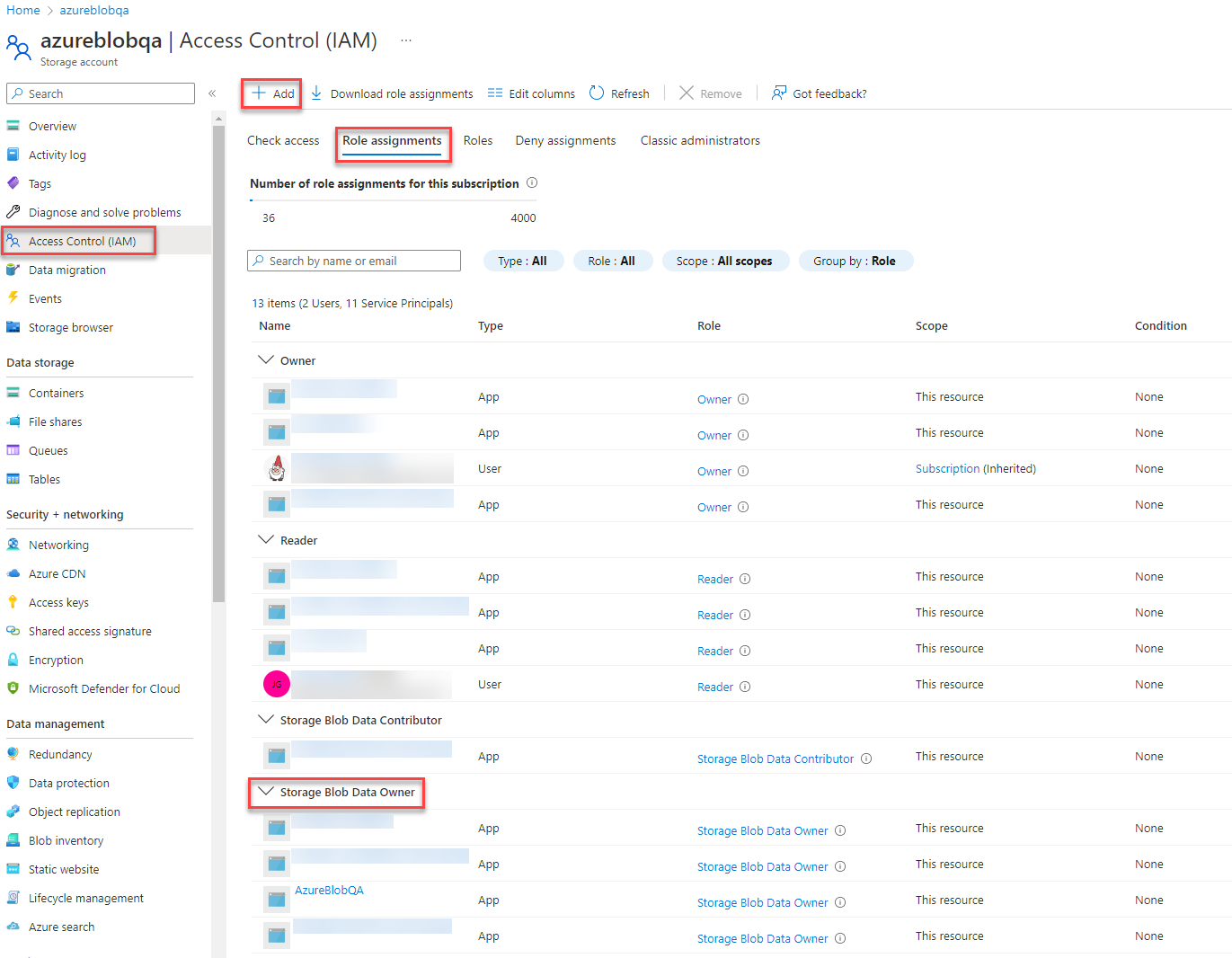
- Select Access Control (IAM), click on Add > Add role assignment and choose the role assignment you want and the user/group to assign it to.
- Click Save.
Here is an example below:
Limitations
- Crawling file shares, tables and queues will not be supported with Azure blob connector
- Each connection will connect to one account storage.
- To crawl multiple account stores, create multiple connections
- "Max paging size" setting for content sources is capped at 5000 for this connector.
- Any value higher than that will be considered 5000.