How to Crawl Only Published Items
The connector offers the option to crawl only items that are in a Published state (if versioning is enabled in document libraries or lists).
To crawl only items that are in a Published state, you need to register a second Azure App with READ permissions configured
Note: To crawl only published items, two user accounts to the Connector are provided.
-
The first account is administrative, and will enumerate items, read properties and types, and security.
-
The second account has READ only access and is used to retrieve items.
Use the following instructions to add the second Azure App with READ permissions.
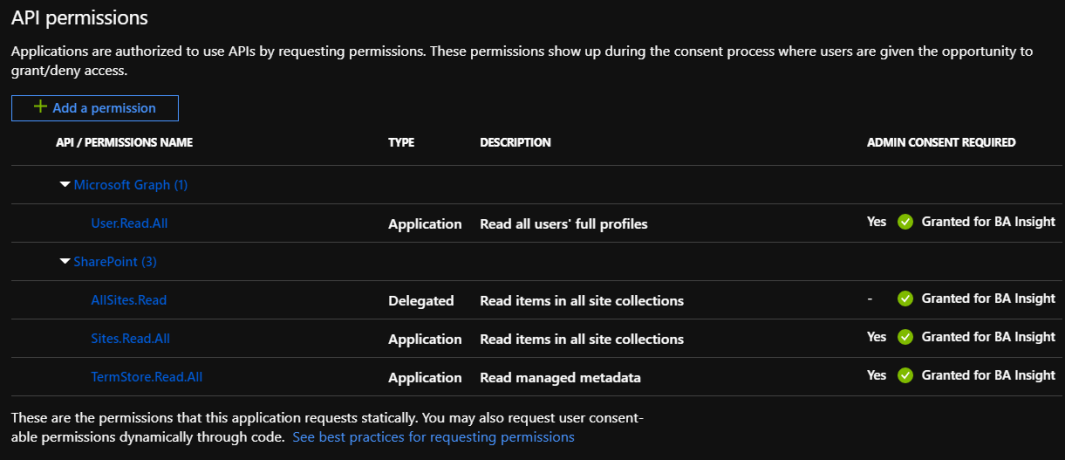
- Create a second Azure app and certificate (using the instructions here) and grant the app the permissions illustrated below:
- In the connector configuration Login field, enter the two certificate names separated by a semicolon. See the graphic below.
- In the Password field, enter the two app IDs (FULL permission ID first, READ permission ID second), separated by semicolon (;).
