Write data values to custom property
This is an enhancement of the use case Modify XML to JSON behavior.
After converting XML to JavaScript objects, you may want to copy a specific value, such as an invoice ID or customer number, to a custom message property (e.g., msg.customerNo) for use later in the flow. This can be done with a change node or a function node.
Use the change node
This is the simplest approach when working with standard data extractions. No coding is required.
-
Add a debug node after the xml node, to inspect the JavaScript object structure.
-
In the debug node properties panel, locate the field you want to extract.
-
Click the
Copy pathicon next to the field. This copies the dot-notation path (e.g.payload.invoice.CustomerNumber). -
Add a change node after the xml node.
-
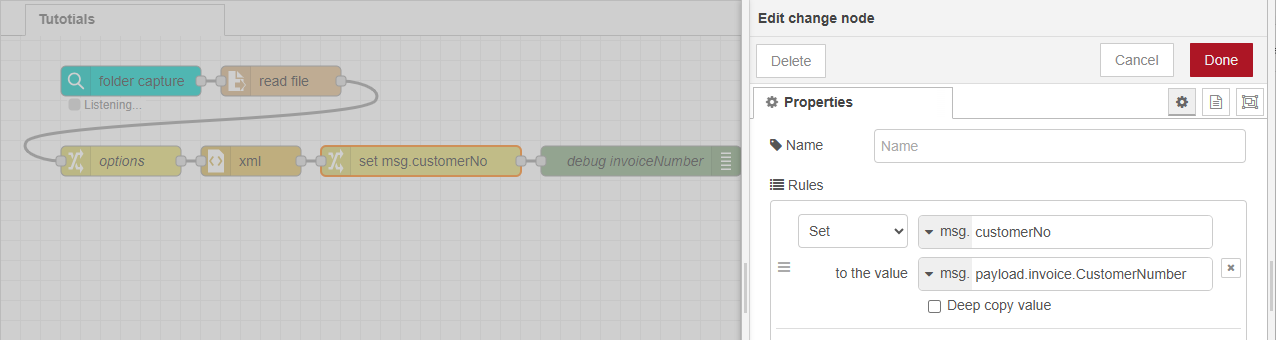
In the change node properties panel, set a property (e.g.,
msg.customerNo) -
Use the Set to option with the copied path as the value.
Use the function node
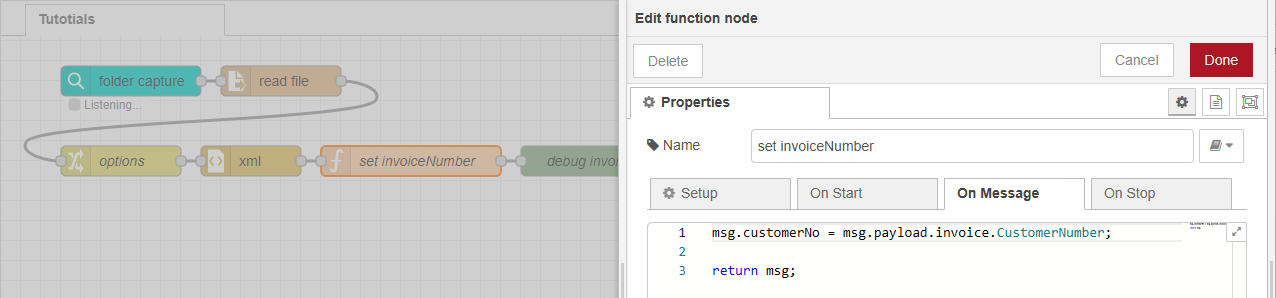
If you prefer scripting or need more control (e.g., conditional logic or transformations), use the function node. This node gives you direct access to the msg object and allows you to manipulate properties using plain JavaScript code. Enter the code in the On Message tab of the function node properties.
msg.customerNo = msg.payload.invoice.CustomerNumber;
return msg;
Next use case: Apply conditions from file data