Set up detail tables with XML
This topic covers creating the loop for a specific data source. For general information about extracting data for detail tables and working with loops, see Extract transactional data.
In XML files, transactional data appear in repeated elements.
-
Right-click one of the repeating elements and select Add Repeat.
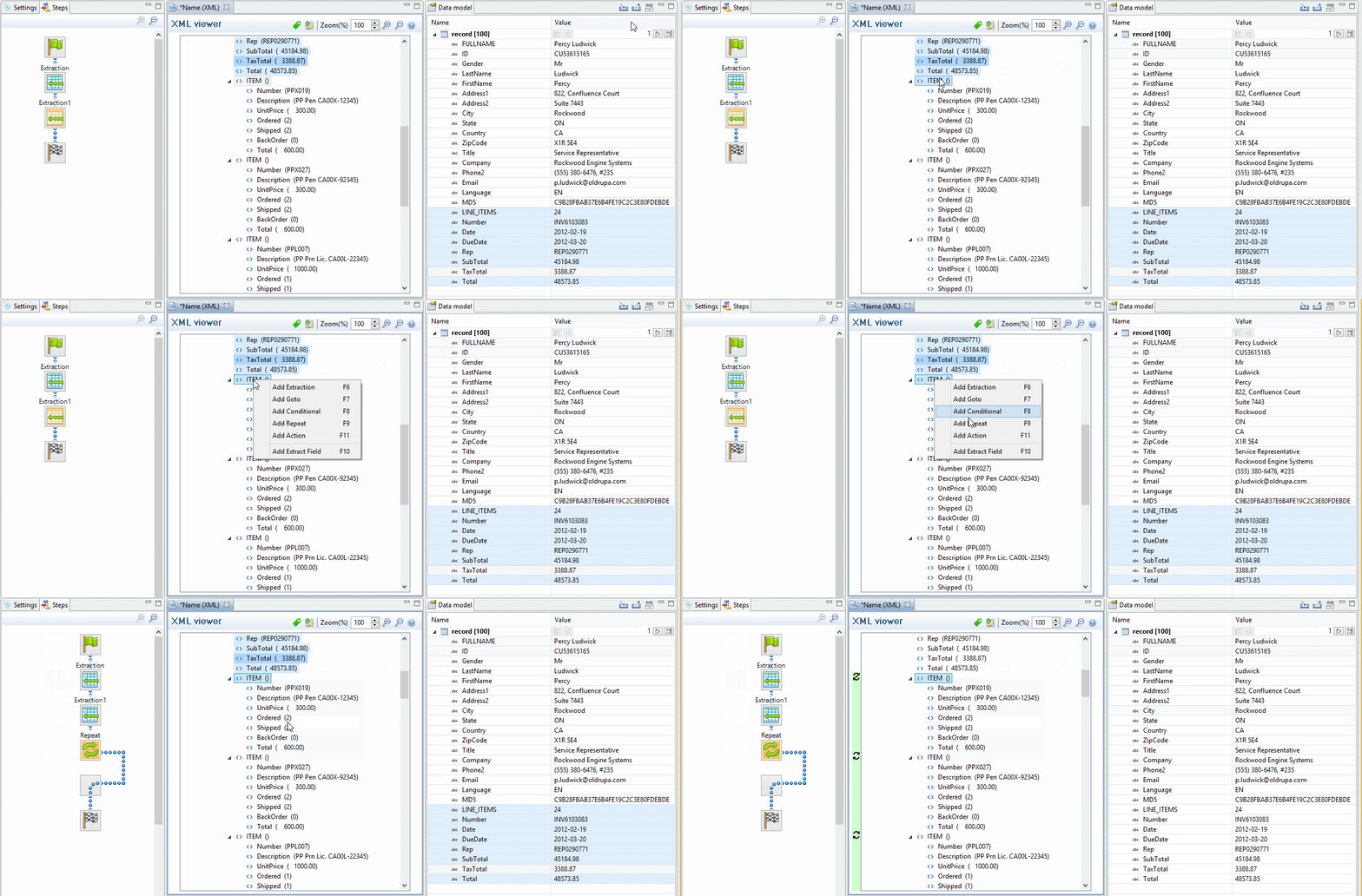
This adds a Repeat step to the data mapping configuration.
By default, the Repeat type of this step is set to For Each, so that each of the repeated elements is iterated over. You can see this on the Step properties pane, as long as the Repeat step is selected on the Steps pane. In the Collection field, you will find the corresponding node path.Tip: Do not use a Condition step to filter elements. Instead, edit the XPath in the Collection field, to include or exclude elements from the loop.
One example of this is given in a How-to: XML/JSON loops.
For an overview of XPath functions, see Mozilla: XPath Functions.
In addition, it is possible to use JavaScript statements in an XPath in the Collection field to dynamically select elements; see Repeat Definition.The Goto step isn't used in XML extraction workflows in most cases. Instead, the cursor can be moved using Xpath, a path-like syntax to identify and navigate nodes in an XML document.
Note, however, that a relative Xpath is not relative to the boundary statement but rather to the current pointer location, which at first is at the top of the record. In some cases it may be necessary to adjust the current pointer location with a Goto step (Level up/down).
-
(Optional.) Add an empty detail table via the Data Model pane: right-click the Data Model and select Add a table. Give the detail table a name.
-
Select the Repeat step on the Steps pane.
-
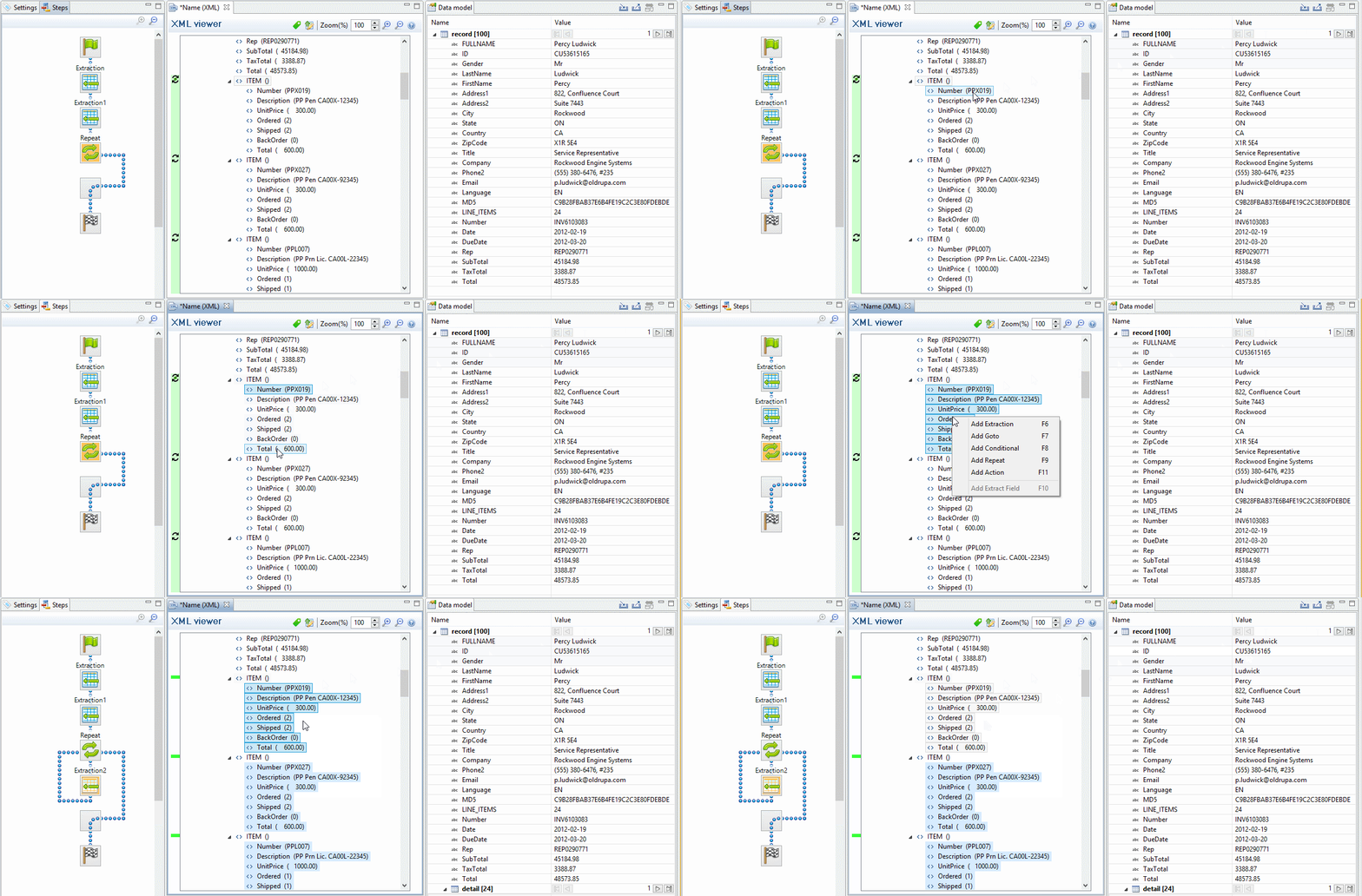
Extract the data: inside a repeating element, select the data that you want to extract. Then right-click the selected nodes and select Add Extraction, or drag & drop them in the Data Model.
When you drag & drop data on the name of a detail table in the Data Model pane, the data are added to that detail table.
Dropping the data somewhere else on the Data Model pane creates a new detail table, with a default name that you can change later on (see Renaming a detail table).
The new Extract step will be located in the Repeat step.