Enable or Disable Timesheet Notes
The Timesheets Configuration page allows administrators to customize how Timesheets will appear and behave for PowerSteering users. It can be used to turn Timesheet notes on or off for all users in your PowerSteering environment.
When notes are enabled, the "Notes" column will be visible and accessible whenever users enter time into their Timesheets.
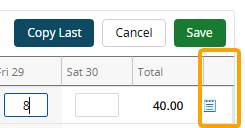
When notes are disabled, the column will be removed from all Timesheets, preventing users from entering notes.
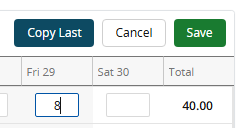
Tip: Timesheet notes allow users to provide context around the hours they submit into PowerSteering. They can be used to include descriptions of their work as well as explanations for any unexpected hour entries. However, free-text notes can result in large amounts of unhelpful or irrelevant data. Disabling Timesheet notes helps Resource managers focus on essential Timesheet information such as hours, work items, and Activities.
To enable or disable Timesheet notes:
Before You Start: Only PowerSteering administrators can access the Timesheets Configuration page and configure maximum hours on Timesheets.
-
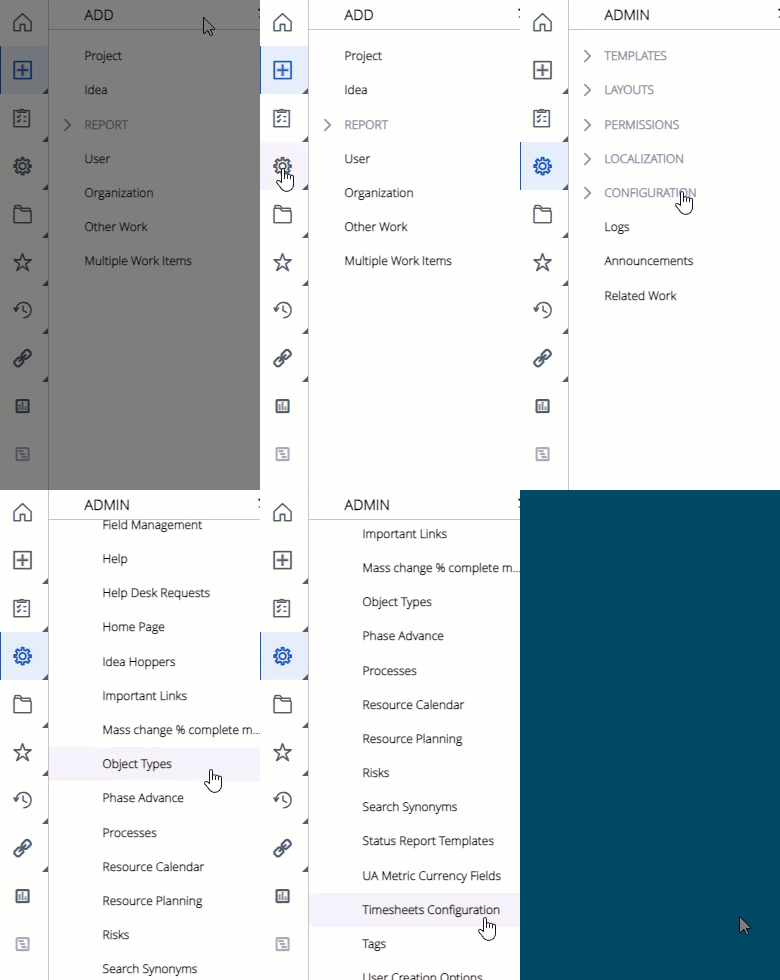
Select Admin
 → Configuration → Timesheets Configuration from the Navigation Menu:
Click thumbnail to play.
-
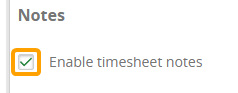
Select or deselect the "Enable timesheet notes" checkbox.
-
Select the Save button in the top right-hand corner of the screen:

After selecting Save, your configuration settings will be applied to every PowerSteering user's Timesheets.