Estimated Labor Costs
PowerSteering work items can automatically calculate potential labor costs from Resource assignments. Both assigned hours and the Resource's pay rate are used to calculate potential costs, which are then added to the Estimated Costs page.
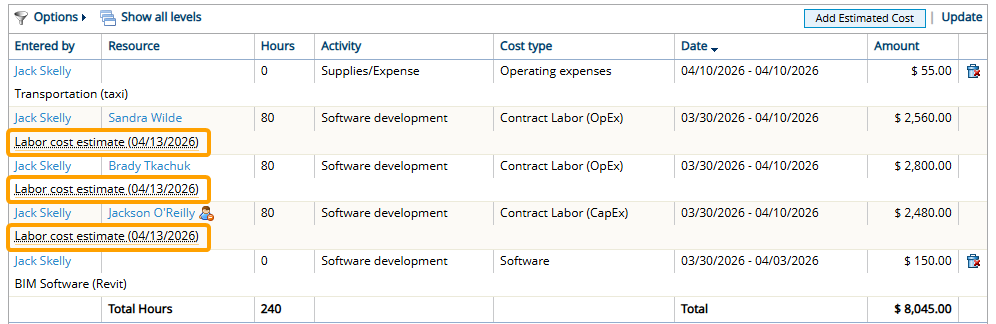
Estimated Costs that appear as a result of Resource assignments will be labeled as "Labor estimated cost" on the Estimated Costs page. Scrolling the cursor over these labels reveals the pay rate that is applied to the Resource.

Note: The rate attached to an estimated labor cost is determined by the Rate Lookup Algorithm below.
Example: While planning her project, Megan wants to include the cost of contracted labor on the Estimated Costs page to give her a realistic idea of the project's total cost. She assigns three Resources to the project using Project Central, being sure to specify each Resource's Role and Effort on the project.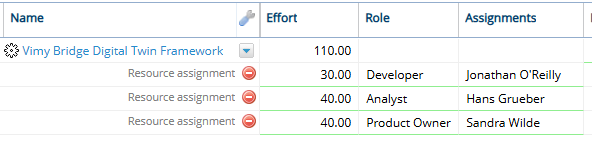
To see which Rate each Resource will receive, Megan decides to add a column for the designated User Cost Tag: "Cost Type" (Columns → Resource → Cost Type). This will display the values that have been selected for the "Cost Type" Tag on each Resource's profile.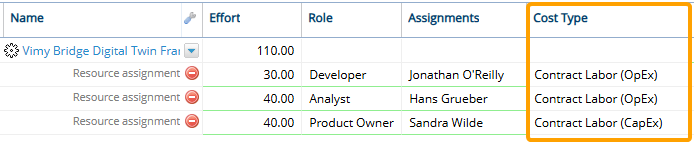
Finally, she adds the "Default Activity" column (Columns → Controls → Default Activity). This displays the project's selected default Activity, which can also impact which Rate Table rate is associated with each assigned Resource's estimated labor cost.
Once she saves her changes, the estimated labor costs will appear on the Estimated Costs page.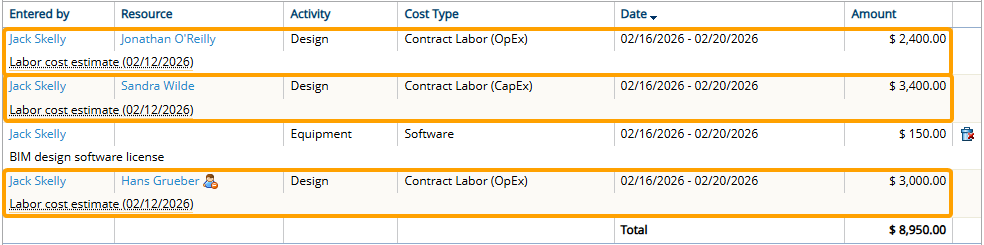
She can view the applied rate for any assigned Resource by hovering over the "Labor Cost Estimate" label.
Rate look-up algorithm
The rate applied to the estimated labor cost depends on the following:
-
Personal Rates: Resource-specific rates that will be applied depending on the assigned Role.
-
Rate Tables: PowerSteering-wide rates that determine labor costs based on combinations of Roles, Activities, and Resource attributes.
Rates will be applied to estimated labor costs based on the following work item configurations:
- "Use personal rates" is disabled
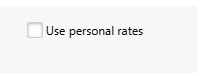
If "Use personal rate" is disabled from the work item's standard details, estimated labor cost rates will be determined by the work item's designated Rate Table. The Default Activity, Roles, and Resource attributes will determine the estimated hourly rate of each assignment. Assignments that cannot satisfy all of the components of the table's rates will automatically receive the default rate.
Note: The Resource assignment will need to satisfy all components of a Rate Table rate for it to be applied. For example, take this rate from a project's designated Rate Table:

In order for this rate to be applied to an estimated labor cost, the Resource must be assigned to the effort as a Developer and the work item's Default Activity must be set to "Administration".
Additionally, the assigned Resource's Cost Type (the User Cost Tag) and Proficiency (Resource Qualification Tag) must be set to "Contract Labor (OpEx)" and "Senior", respectively.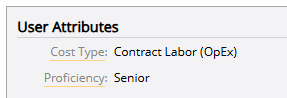
If the assignment cannot satisfy all of these attributes, the rate will not be applied. If the assignment cannot satisfy any rates from the designated Rate Table, the Rate Table's default rate will be used to calculate the estimated labor cost. -
"Use personal rates" is enabled
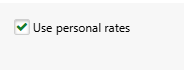
If "Use personal rate" is enabled from the work item's standard details, the Personal Rates of assigned Resources will prioritize any rates from the designated Rate Table. The Resource and the selected Role will determine the estimated hourly rate of each assignment. If the assigned Resource has no Personal Rate for the selected role, the default Personal Rate will be used. Resources with no Personal Rates at all will default to the designated Rate Table instead (see above).
Note: A Personal Rate will only count if a value has been associated with it. For example, take a look at Wes Hightower's rates on the Personal Rate page.

Two roles appear for him on the page because the "Analyst" and "Team Member" roles have been added to his profile. However, neither of these Personal Rates have an actual "Current Rate" associated with them. Therefore, Wes' rate on the Estimated Costs page will rely on the work item's designated Rate Table instead (see above).