Force Default Personal Rates for Unassigned Work
The Timesheets Configuration page allows administrators to apply Default Personal Rates as Actual Labor Costs when unassigned users submit Timesheets against work items.
In PowerSteering, Actual Labor Costs for users who are not assigned to the work item are almost always calculated using their Default Personal Rate. However, an exception occurs when unstaffed demand (unassigned effort) exists on the work item. When this is the case, the user's Actual Labor Cost is calculated using the Personal Rate for the unstaffed demand's Role.

This project has 15 hours of unstaffed demand for a Delivered Donation Manager. If an unassigned user submits time for this project, their Personal Rate for Delivered Donation Manager is used to calculate their Actual Labor Cost.
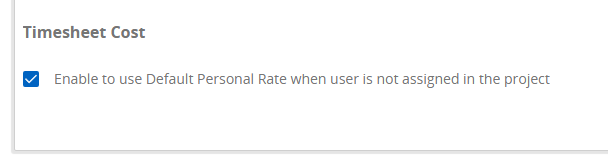
Administrators can override this exception by enabling Default Personal Rates for users that are not assigned to the work item.
Note: Personal Rates will only be used to calculate Actual Labor Costs if "Use personal rates" is enabled from the work item's standard details.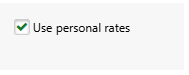
Also, "Allow Time Entry" must be set to Yes and "Restrict time entry to assignees" must be set to No for unassigned users to be able to submit time against the work item.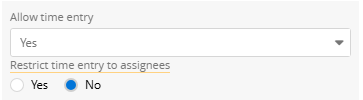
Note: Default Personal Rates will only apply to time submitted after the checkbox is selected. Previously submitted time will not be affected. If you would like it to apply to users who have submitted their time already, you must ask them to resubmit it.
 Click here for an example
Example: Will is not assigned to the Digital Built Government of Canada project.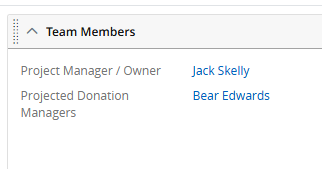
However, he is asked to help out for one hour because his other projects are on hold. After he finishes working, he submits his time for the single hour against the project on his Timesheet.
When Jack accesses the Manage Time page, he sees that Will's rate for the hour is $25.00.
This matches his Personal Rate for Delivered Donation Manager, which is not his Default Personal Rate.
This is because the project has unstaffed demand for a Delivered Donation Manager.
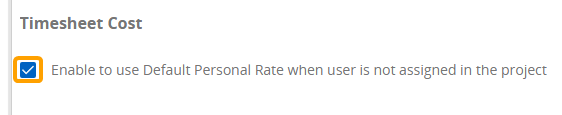
Jack would prefer Will's Default Personal Rate be used instead of his Delivered Donation Manager Rate, so he selects the "Enable to use Default Personal Rate when user is not assigned in the project" checkbox from the Timesheets Configuration page.
He then rejects Will's Timesheet and asks him to resubmit it. Once he checks the Manage Time page again, he can see that Will's Default Personal Rate of $22.00 is used instead.
To enable Default Personal Rates for unassigned work:
Before You Start: Only PowerSteering administrators can access the Timesheets Configuration page and enable Default Personal Rates for unassigned work.
-
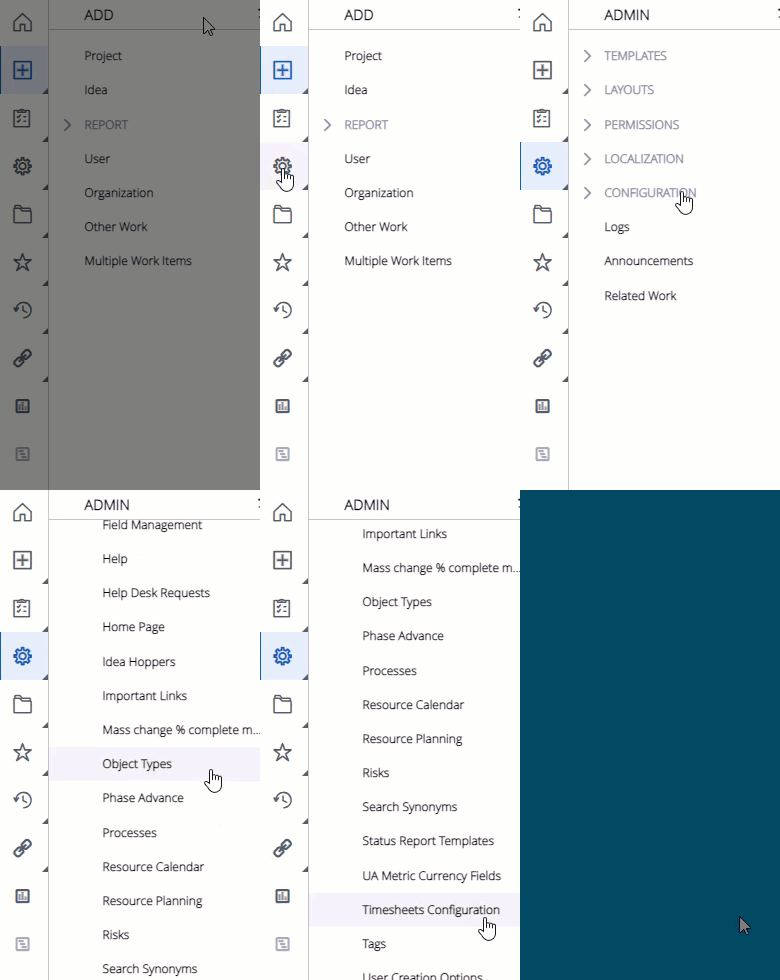
Select Admin
 → Configuration → Timesheets Configuration from the Navigation Menu:
Click thumbnail to play.
-
Select the "Enable to use Default Personal Rate when user is not assigned in the project" checkbox under "Timesheet Cost".
-
Select the Save button in the top right-hand corner of the screen:

After selecting Save, Default Personal Rates will be enabled for Actual Labor Costs of users who are not assigned to work items. This can be disabled at any time by visiting the page and deselecting the checkbox.