Resources can have their own personal Rate Tables that are used to calculate estimated and actual labor costs. When Resources are assigned to a work item with one of their listed Roles on the Personal Rates page, the "Current Rate" will represent their hourly labor cost (see the example below).
Whenever a Role is added to a Resource's profile, a new row for the Resource and Role combination appears on the Personal Rates page.
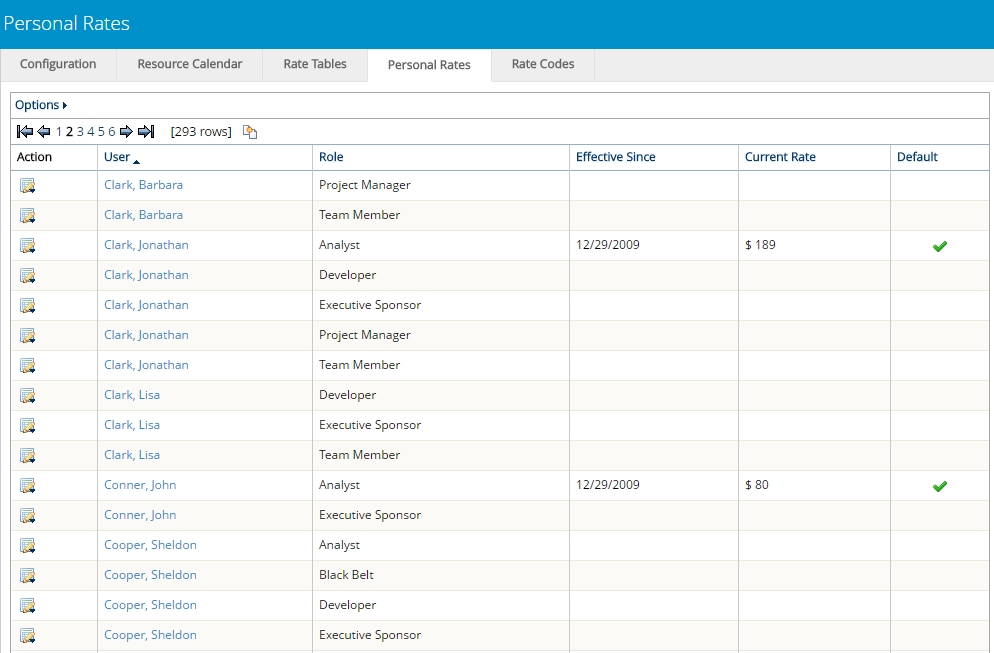
From here, users can add a "Current Rate" value to the row to determine the Resource's hourly rate for the Role.
Note: Work items will only use Personal Rates to calculate labor costs when "Use Personal Rates" is enabled.
See Edit Work Details for information on enabling this setting.
Note: A Personal Rate will only count if a value has been associated with it. For example, take a look at Wes Hightower's rates on the Personal Rate page.
Two roles appear for him on the page because the "Analyst" and "Team Member" roles have been added to his profile. However, neither of these Personal Rates have an actual "Current Rate" associated with them. Therefore, Wes' labor cost calculations will rely on the work item's designated Rate Table instead.
Example: Jenna has created a one-day project with 8 hours of effort. She makes sure to enable Personal Rates from the project's Standard Details.
She uses Project Central to assign Jonathan to the 8 hours of work as a Financial Rep.
On the Personal Rates page, Jonathan has a "Current Rate" of $45 per hour for the Financial Rep role:
On the project's Estimated Costs page, Jonathan's hourly rate is reflected in his estimated labor cost ($45 x 8 hours = $360).
See the following pages for more information on Personal Rates: