Rename a Report Folder
Once created, report folders and subfolders can be renamed at any time.
To rename report folders:
Before You Start: Users require the "View Reports" Context permission to access "My Reports" and "Public Reports", as well as rename any folders under "My Reports".
Users require the "Create Public Reports" Context permission to rename any folders under "Public Reports".
-
Select Review
 → Reports → My Reports or Review → Reports → Public Reports from the Navigation Menu.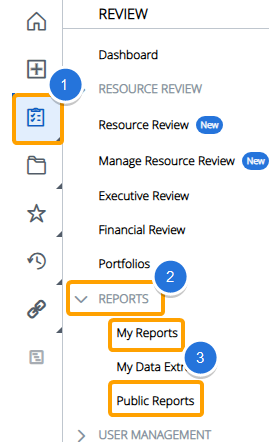
-
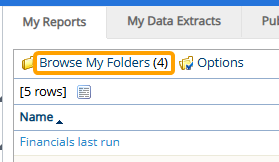
Select Browse My Folders / Browse Public Folders from the top of the "My Reports" or "Public Reports" page.
-
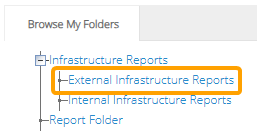
Select the folder you would like to rename.
-
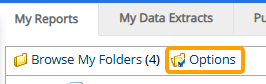
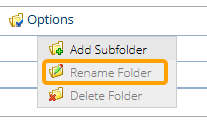
Select Options.
-
Select Rename Folder.
-
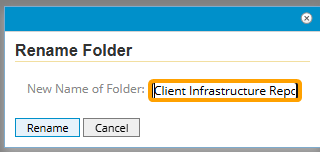
Enter a new name for the folder.
-
Select the Rename button.
After selecting Rename, the folder's new name will be saved.