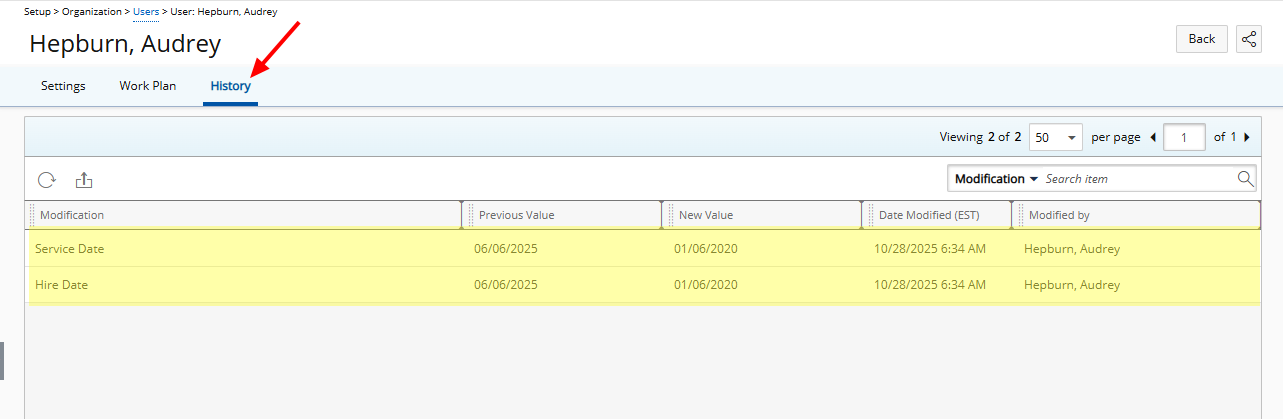
When the User Detailed Auditing option, available under Setup > Organization tier of Audit Setup page (Setup > Organization > System > Security) is turned on, changes made to the Users can be tracked and available on the History tab to indicate what, when and by whom it was made, including changes made to user fields across the General, Personal, Security, and User Defined Fields (UDFs) tabs.
Note: Only modifications performed within the User Edit page (General, Personal, and Security tabs) are audited.
Caution: Modifications made to a user outside of the User Edit page—such as editing a Team by associating a User with it—are not yet included in the User History. Auditing for these types of modifications will be available in an upcoming release
Learn how to enable User Detailed Auditing and view the detailed change history on the User Edit page.
- From the Icon Bar click Setup
 .
. - From the Navigation Menu click Organization.
- From the menu click System.
- From the System page click the Security button to access the Security setup page.
- From the Security page click the Audit Trail button to open the Audit Setup page.
- From the navigation, click Organization located under the Setup category.
- Select the Update box for User Detailed Auditing Event Type.
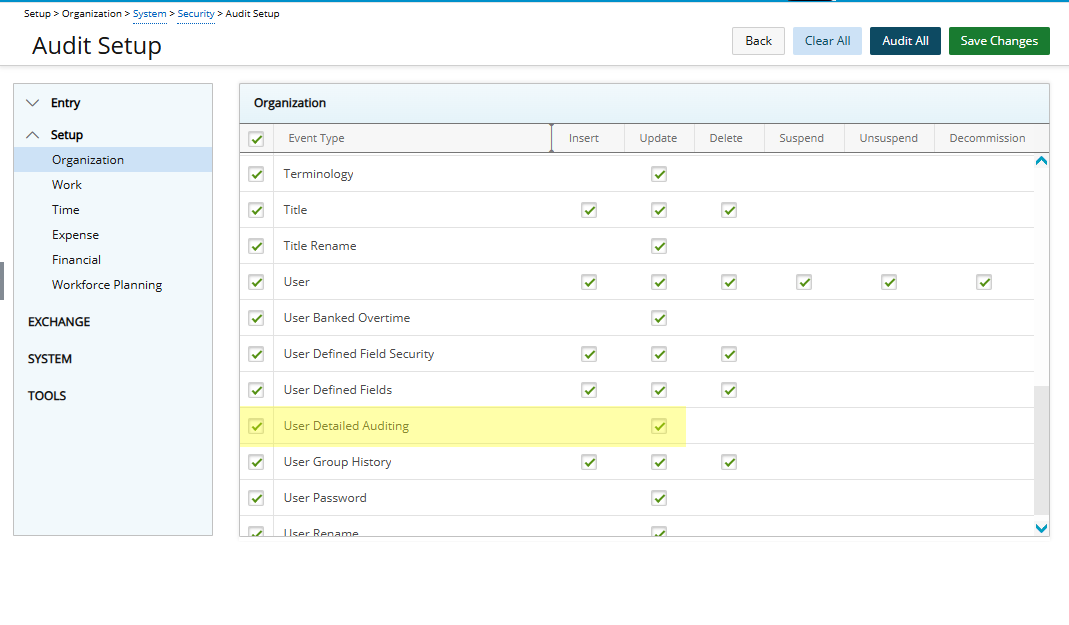
- Click Save Changes to save the changes you have made.
- Click Back to return to the Security page.
View User History
- Navigate to a required User edit page (Setup > Organization > Users).
- Navigate to the History tab.
- With the User Detailed Auditing turned on, detailed changes made to user fields across the General, Personal, Security, and User Defined Fields (UDFs) tabs are captured and can be reviewed. For further details refer to User History.