When the Budget Detailed Auditing option, available under Setup > Work tier of Audit Setup page (Setup > Organization > System > Security) is turned on, changes made to the Budgets can be tracked and available on the Budget History page to indicate what, when and by whom it was made.
Learn how to enable Budget Detailed Auditing and view the detailed change history on the Budget History page.
- From the Icon Bar click Setup
 .
. - From the Navigation Menu click Organization.
- From the menu click System.
- From the System page click the Security button to access the Security setup page.
- From the Security page click the Audit Trail button to open the Audit Setup page.
- From the navigation, click Work located under the Setup category.
- Select the Update box for Budget Detailed Auditing Event Type.
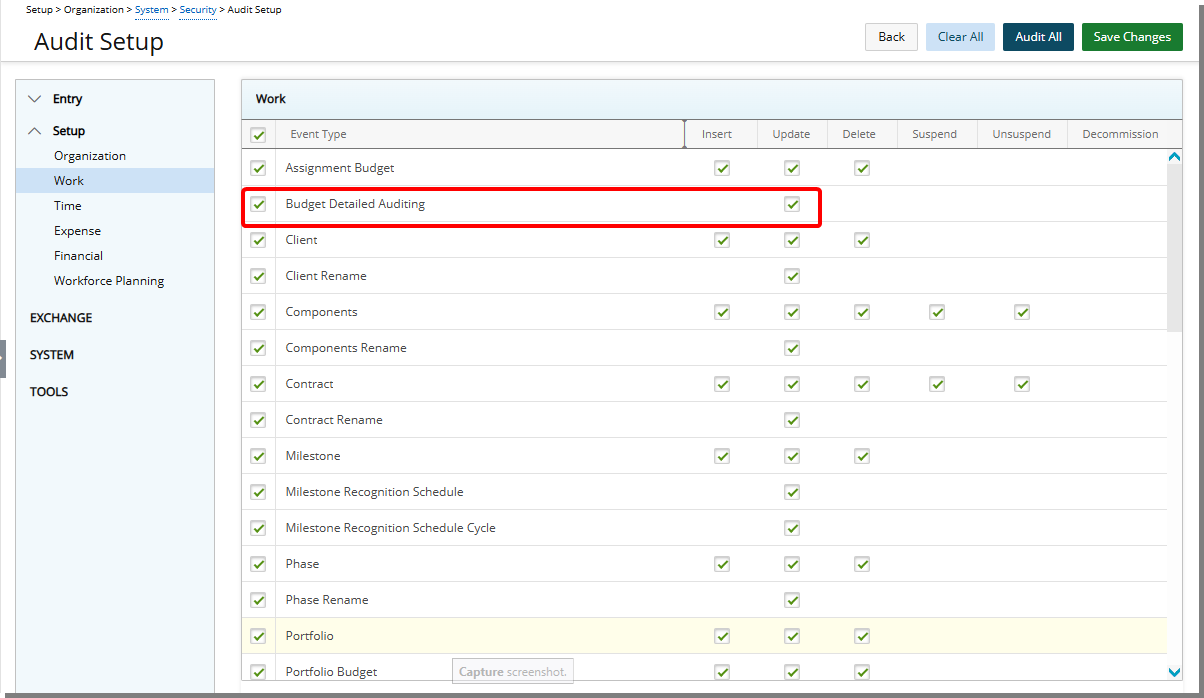
- Click Save Changes to save the changes you have made.
- Click Back to return to the Security page.
View Project Budget History
For further details refer to Budget History.
- Navigate to a required Project Budget page.
- Click the Project Budget context menu and then choose History.
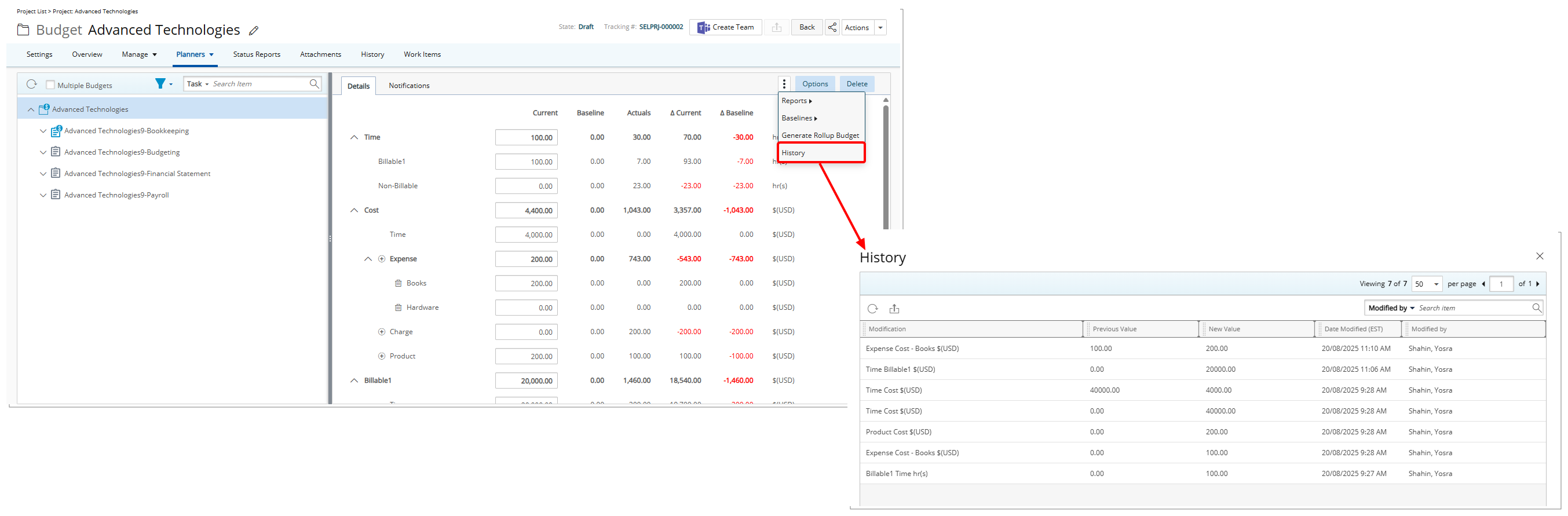
- On the History page, you will see:
- Changes across a wide range of budget entries, including Time, Costs, Billable and Non-billable Amounts, Budget Name, Description, and Dates, as well as Baseline updates.
- Additions or deletions of subitems, recorded as value shifts (for example, from 0 to a positive amount for an addition, or to 0 for a deletion), labeled with descriptive subitem names for easier identification.
- Only direct user edits are logged; system-generated or automatic recalculations, such as totals adjusting when subitems change, are not recorded.
- Budget Detailed History for all budget types, including Task, Project, Assignment, and Role, with API-based modifications also captured for a complete, auditable record of budget activity.
Note: For clarity, all time-related changes are shown in hours and all costs are shown in currency.