When the Booking Detailed Auditing option, available under Entry > Workforce Planning tier of Audit Setup page (Setup > Organization > System > Security) is turned on, changes to all booking properties and attributes, including Role, User, Task, Booking Type, and other editable fields are captured.
When creating, copying, or modifying a booking, each change generates a history entry showing the Modification, Previous Value, New Value, Date Modified, and Modified By.
Note: Changes automatically made by the system, read-only fields, and actions such as Split, Shift, Update Effort, or Delete Bookings are not captured in detailed auditing.
This article details how to enable Booking Detailed Auditing and view the detailed change history on the Booking History page.
- From the Icon Bar click Setup
 .
. - From the Navigation Menu click Organization.
- From the menu click System.
- From the System page click the Security button to access the Security setup page.
- From the Security page click the Audit Trail button to open the Audit Setup page.
- From the navigation, click Workforce Planning located under the Entry category.
- Select the Update box for Booking Detailed Auditing Event Type.
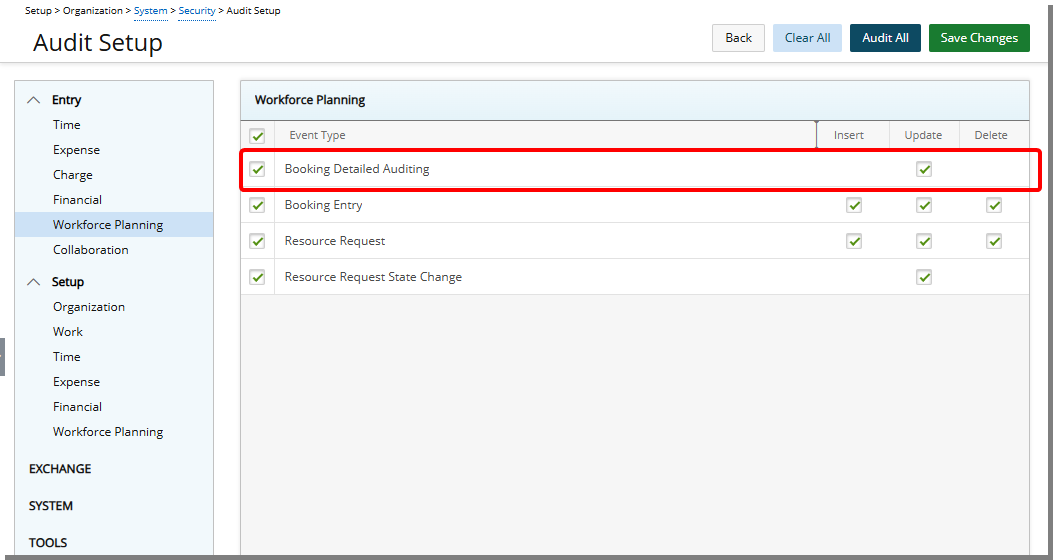
- Click Save Changes to save the changes you have made.
- Click Back to return to the Security page.
View Booking History
For further details refer to Booking History.
- Navigate to a required Work Plan.
- Click the Booking row Context menu and then choose History.
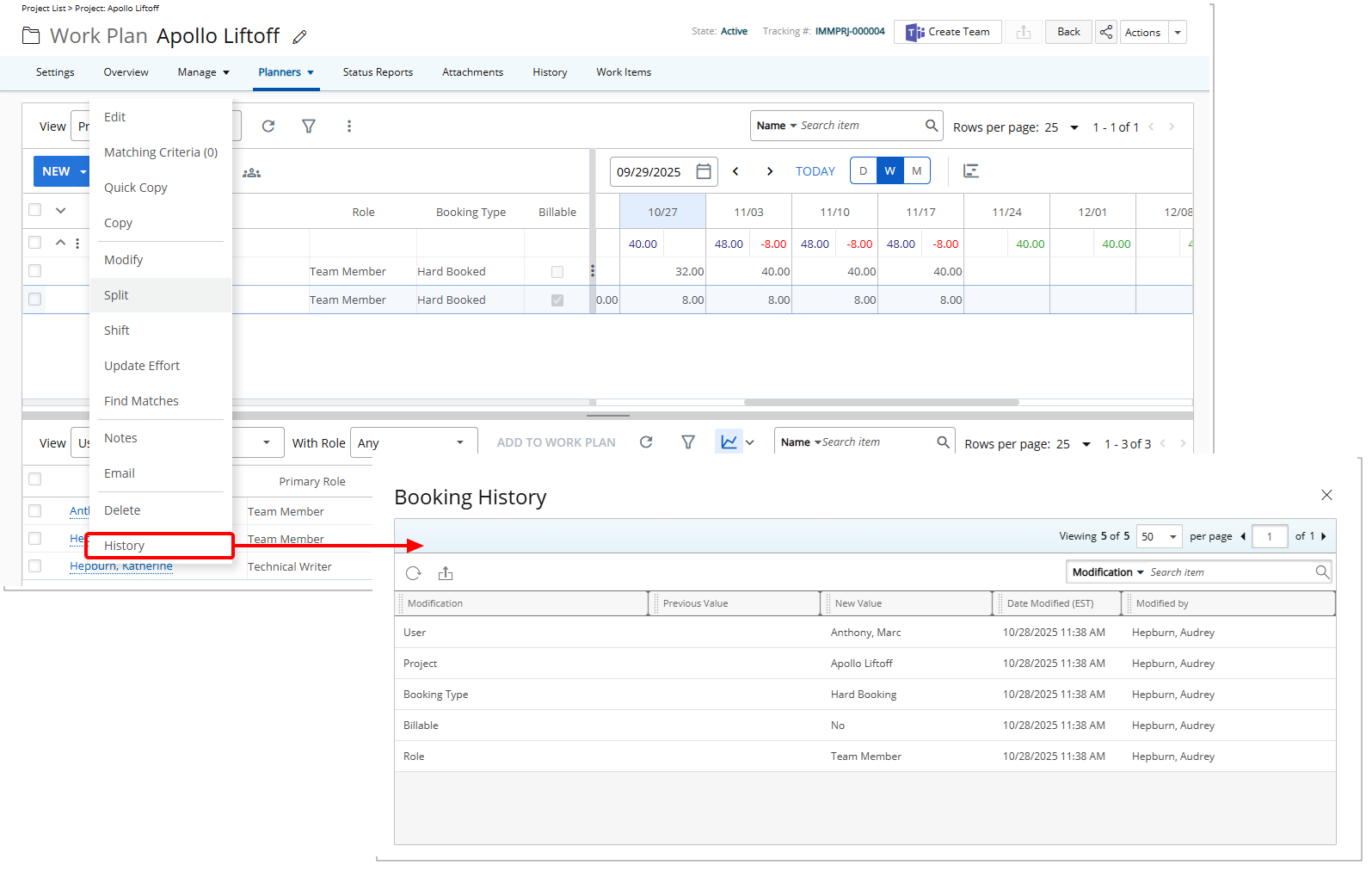
- On the History page, you will see:
- Booking modifications such as Role, User, Project, and Task.
- Booking properties such as Booking Type, Booking Attributes, and any custom Properties.
Note: Allocation changes are not included in detailed auditing.