Deleting a Target Utilization for a User
This article covers the deleting one row of the target utilization for a user.
- From the Icon Bar click Setup
 .
. - From the Navigation Menu click Organization.
- From the available options select Users.
- Upon the Users list page displaying, click the name of the User you wish to edit, to access the User Edit page.
Tip: You may wish to narrow your Users list so that you retrieve just the right amount of information you need. To do so you can perform a search. Select a search criterion from the list of available search criteria and then enter a corresponding value in the Search box. Click the Search icon to narrow down the Users list. For more information on the contains-in logic search click here.
- From the User Edit page, click the Utilization Configuration link located under the Employment navigation menu item.
- Click the Delete button for the row that must be deleted.
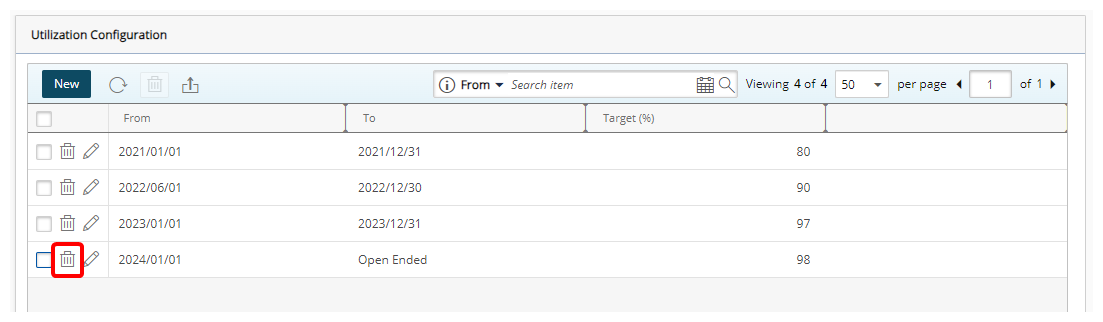
- Upon the confirmation dialog box displaying click Yes.
- The page will be refreshed. Note that the deleted Target Utilization will no longer be listed.